



Cursor, the AI enhanced code editor built on Visual Studio Code foundations, has released version 2.4, introducing powerful tools to streamline development workflows.
This update focuses on parallel processing through subagents, direct image creation, and smarter interactions, making it easier for developers to tackle complex projects efficiently.
As AI integrates deeper into coding, these features position Cursor as a frontrunner for solo programmers and teams seeking faster iteration and better organization.
Core New Features and Their Benefits
The standout addition is subagents, which allow the main AI agent to delegate subtasks to specialized helpers running in parallel.
Read More: FlashLabs Launches Chroma 1.0: Pioneering Open Source Real Time Speech to Speech AI
Each subagent operates with its own context, custom prompts, tools, and even different models, preventing overload in the primary conversation.
Key aspects include:
- Default subagents for codebase research, terminal commands, and parallel workflows.
- Custom creation for tailored needs, such as specific debugging or data analysis.
- Faster overall execution by handling multiple streams simultaneously.
- Improved context management, reducing errors in long running tasks.
For example, while building a web app, a subagent could research libraries as another runs tests, all without cluttering the main thread.
Next, image generation brings visual creativity into the editor. Powered by Google’s Nano Banana Pro model, users can describe concepts or upload references to produce images inline.
Outputs save automatically to an assets folder, ideal for UI mockups, diagrams, or prototypes. This bridges code and design, saving time on external tools.
Enterprise users gain Cursor Blame, an advanced git blame extension that attributes code lines to AI or human origins.It links AI generated sections to their source conversations, detailing models used and reasoning.
This transparency helps teams track contributions, audit AI impact, and maintain code quality.
Additionally, agents now pose clarification questions during planning or debugging without halting progress.
They continue tasks like file edits or commands while awaiting responses, then integrate answers seamlessly. This asynchronous approach boosts efficiency in interactive sessions.
Improvements and Practical Impacts
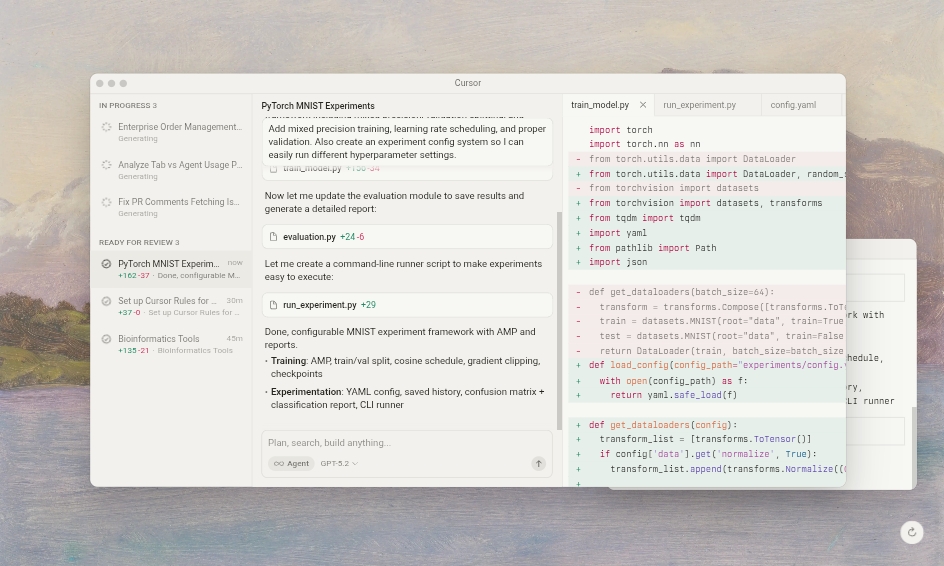
The update includes agent harness enhancements for robust handling of extended tasks, plus various quality of life tweaks and 11 bug fixes to ensure smoother performance.
For developers, these changes mean reduced wait times, more accurate outputs, and seamless blending of AI assistance with human oversight.
Whether prototyping ideas or scaling enterprise codebases, Cursor 2.4 minimizes friction, potentially accelerating project timelines by handling parallelism and visuals natively.
How This Update Fits the Bigger Picture
Compared to traditional editors, Cursor’s AI focus already offers autocompletions and chat based edits. Version 2.4 amplifies this by making agents more autonomous and versatile, appealing to full stack developers, designers, and collaborative teams.
Free for basics with paid plans unlocking advanced capabilities, it encourages experimentation without high barriers.
As coding evolves with AI, updates like this empower users to focus on innovation rather than routine chores, setting a new standard for intelligent development environments.





