xAI launches Grok Build, a revolutionary AI coding agent that promises to change the way developers work by being the first-ever secure, locally-executed, and modularly customizable tool.
As one of the tools we were rapidly iterating on, it includes a project planning, search, and build tool that contains command-line interface (CLI) functionality but can work together with the web easily.
Made for “vibe coding” a looser, more intuitive method of development. Grok Build is developer-friendly with an emphasis on security and expandability.
It comes as part of xAI’s effort to improve the coding ecosystem in Grok, where we recently had new upgrades like Grok Code Fast 1.
Core Features and Functionality
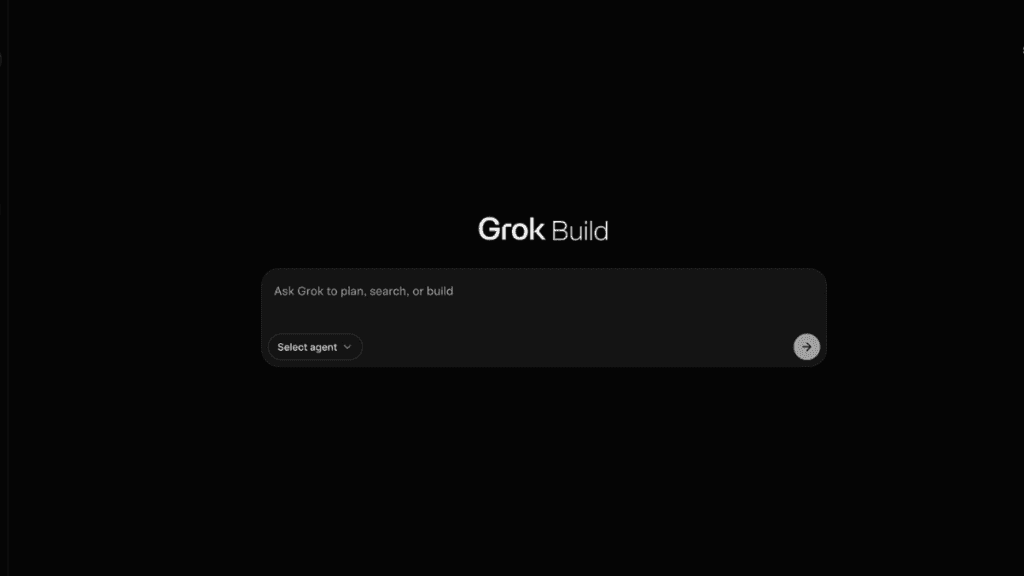
Grok Build uses a dedicated web interface within Grok to work, with the main prompt bar where users can give their commands such as “plan a new app architecture” or “find optimal algorithms.” Key elements include:
- Agent Selection: Select between local agents for secure and immediate execution, as well as remote environments (coming soon).
- GitHub Integration: Built-in integration that connects your repositories on GitHub.com to simplify code management and collaboration.
- Modular Tools: Growing blocks that can be used to go beyond the basics, in order to bring intelligent AI into your projects.
The configuration is quite good and very fine-grained for projects. Here’s a handy table version for your reference:
| Configuration Area | Key Capabilities |
|---|---|
| Environment Setup | Customize runtime environments and paths |
| Repository Management | Link GitHub repos and define workspaces |
| Security Controls | Manage environment variables, secrets, script access, internet permissions, and domain restrictions |
| Performance Tuning | Adjust caching and other optimization settings |
These tools ensure projects run securely on local machines, minimizing risks associated with cloud-based execution.
How It Works and Potential Impact
To start, users open Grok Build in a tab within the Grok web app. Once they’ve selected an agent, they enter commands to create plans, perform searches, or automate builds.
The agent’s intelligence is based on advanced xAI models for offering context-aware suggestions and code snippets.
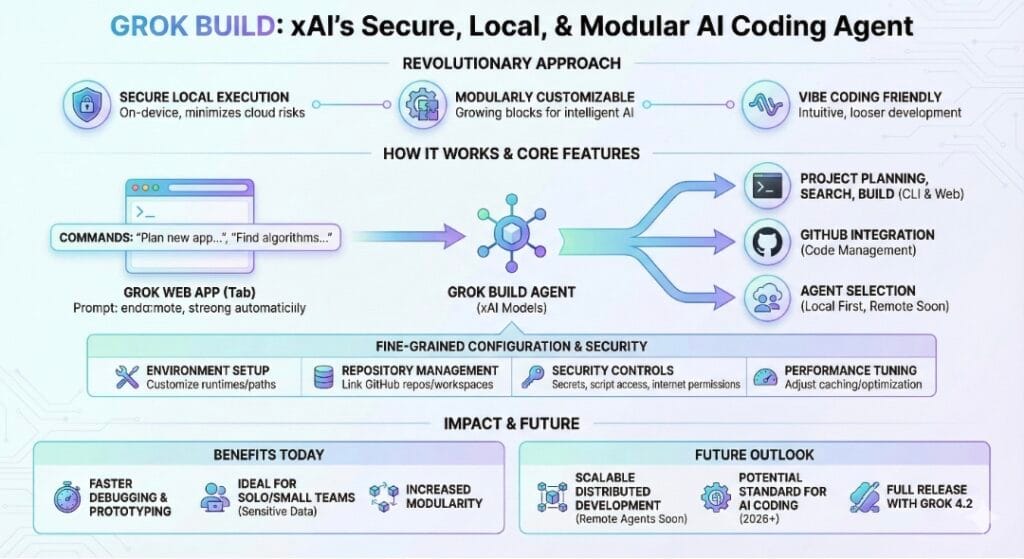
This will be beneficial for developers because debugging and prototyping will now become faster within the Grok ecosystem.
It’s especially good for solo coders or small teams who are working with sensitive data, given the local nature of execution (everything is on-device).
In its early phase of development, Grok Build positions xAI favorably compared to other AI coding assistants due to its increased level of modularity.
Remote agent support is promised in future updates, so distributed development may become scalable.
As xAI evolves, Grok Build might well become a standard for speedy AI-assisted coding in 2026 and beyond. Developers who can’t wait, however, should look out for the full release alongside Grok 4.2 updates.