Imagine turning a simple text prompt into a hyper-detailed image bursting with accurate text, intricate knowledge, and lifelike fidelity, all for free.
That’s the magic I experienced when I first tried GLM-Image, Zhipu AI’s groundbreaking open-source model launched today.
As someone who’s dabbled in AI art tools, I was blown away by how it effortlessly handles complex scenes, like rendering multilingual posters or knowledge-packed illustrations, without the usual glitches.
This isn’t just another diffusion model; it’s a hybrid powerhouse that combines auto-regressive smarts for semantic depth with diffusion finesse for pixel-perfect details.
If you’re tired of mediocre outputs from mainstream generators, GLM-Image might just become your new go-to, saving you hours of tweaking and frustration.
What’s New in GLM-Image
Released on January 14, 2026, GLM-Image marks Zhipu AI’s latest push into visual AI, building on their GLM series. What’s revolutionary?
Its hybrid architecture: an auto-regressive module (9B parameters) crafts the big-picture semantics, while a 7B-parameter diffusion decoder polishes the fine details.
This setup excels where others falter, dense text rendering and knowledge-intensive generation, like historical scenes or technical diagrams.
I love how it incorporates a Glyph-byT5 encoder for spot-on text, especially in Chinese or complex fonts, making it ideal for designers like me who need precise overlays.
Key Features and How It Works
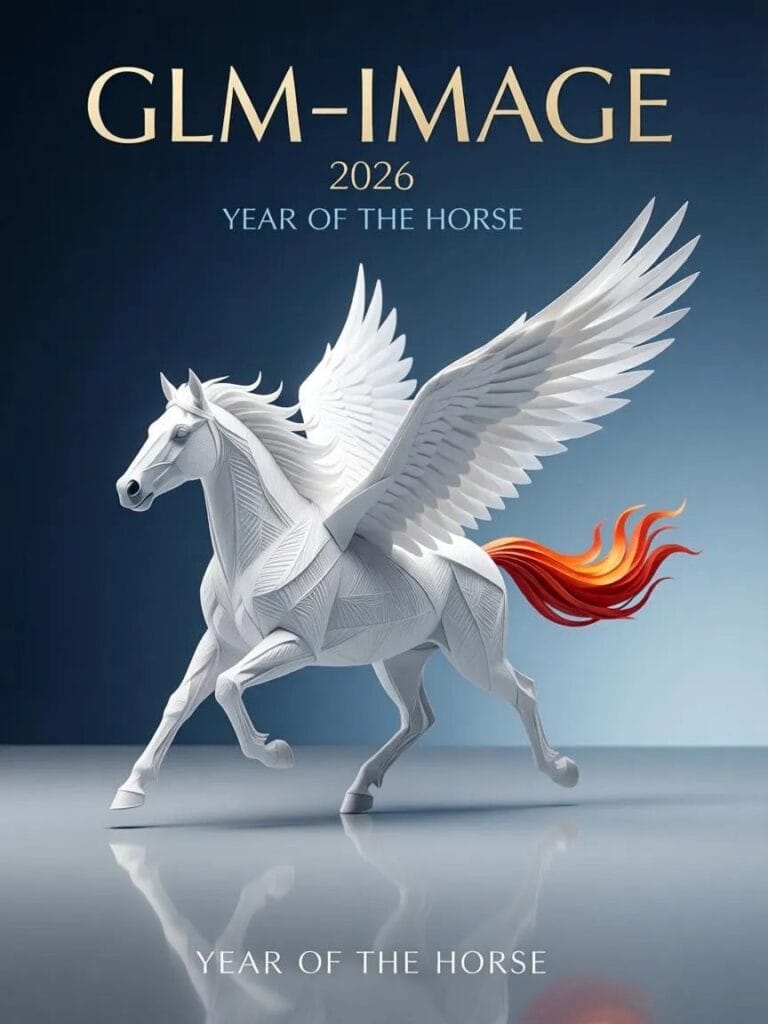
Here’s a quick list of standout features that make GLM-Image user-friendly and powerful:
- Text-to-Image Generation: Create high-res images (up to 2048px) from prompts, with superior alignment to descriptions.
- Image Editing Tools: Supports style transfer, identity preservation, and multi-subject consistency via block-causal attention.
- Multi-Resolution Training: Handles 256px to 1024px+ for scalable outputs.
- Post-Training Optimization: Uses decoupled reinforcement learning for better aesthetics and fidelity.
To use it, download from Hugging Face or ModelScope, then run via libraries like transformers and diffusers. You’ll need a beefy GPU (80GB+ VRAM), but the results are worth it.
Read More: Google’s MedGemma 1.5 Brings AI to 3D Medical Imaging and CT Scan Analysis
Performance Benchmarks: How It Stacks Up
GLM-Image holds its own against giants like FLUX.1 and SD3.5. Check this comparison table:
| Benchmark | GLM-Image Score | FLUX.1 [dev] | SD3.5 Large |
|---|---|---|---|
| Text Rendering (CVTG-2k Word Acc.) | 0.9116 | 0.8523 | 0.8745 |
| Knowledge-Intensive (DPG-Bench) | 81.01 | 78.45 | 79.12 |
| Overall Alignment (OneIG-Bench) | 85.67 | 86.90 | 84.23 |
It shines in text-heavy tasks, though it may lag slightly in pure style variety.
Pricing and Availability: Accessible for All
Best part? It’s completely free as an open-source model under Apache-2.0/MIT licenses.
No subscriptions needed for local use. For easier access, the API starts at just $0.015 per image, perfect for scaling up without breaking the bank.
Demo it on Hugging Face or via Z.ai’s platform; sign up for their API to integrate into apps.
Whether you’re a hobbyist like me or a pro creator, GLM-Image democratizes top-tier AI art. Dive in today and watch your ideas come alive!