
What is Adobe Firefly?
Adobe Firefly is Adobe’s generative AI suite for creatives, powering text-to-image, generative fill, expand, text effects, and video features across Photoshop, Illustrator, and the web app with commercial-safe training.
Is Adobe Firefly free to use?
Yes, the web app offers limited monthly credits for free; unlimited generations and full integration require a Creative Cloud subscription starting around $20/month.
What models power Adobe Firefly?
Latest is Firefly Image 3 for images, plus dedicated Video Model; all trained on licensed Adobe Stock and public domain data for safety.
Is Adobe Firefly commercially safe?
Yes, trained only on licensed content, no user data used for training without permission, and automatic Content Credentials for transparency.
Where can I use Adobe Firefly?
Standalone web app at firefly.adobe.com, plus native tools in Photoshop, Illustrator, Premiere Pro, Express, Lightroom, and mobile apps.
Does Firefly support video generation?
Yes, Firefly Video Model animates images or generates short clips from text/video prompts, integrated in Premiere Pro and web.
What is Generative Fill in Firefly?
A Photoshop tool that adds, removes, or replaces content in images intelligently while preserving lighting and perspective.
Who is Adobe Firefly best for?
Professional designers, photographers, marketers, filmmakers, and Creative Cloud users needing safe, high-quality AI for creative workflows.

Adobe Firefly

About This AI
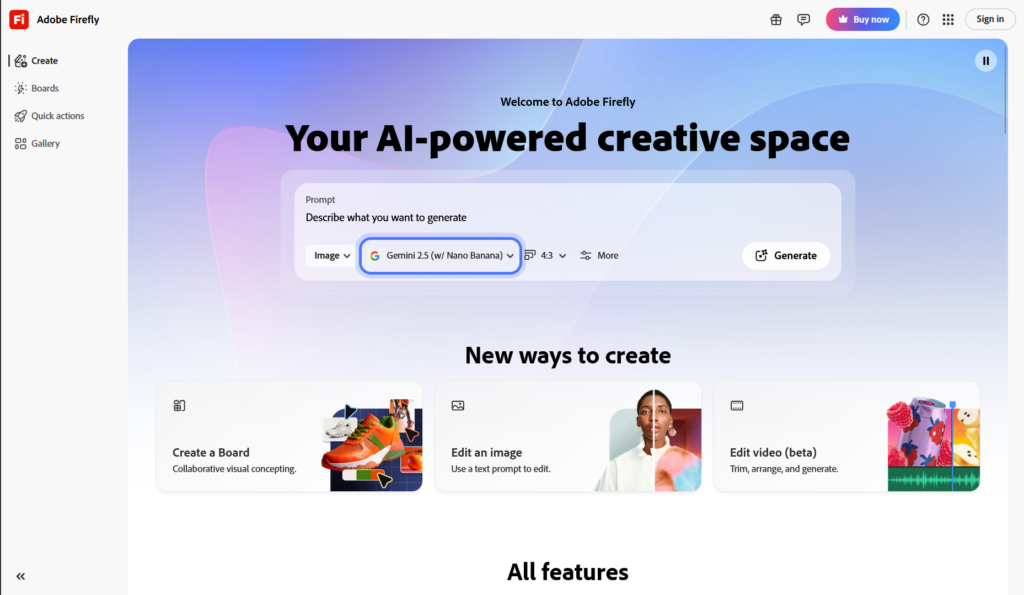
Adobe Firefly is Adobe’s family of generative AI models built specifically for creative professionals, ensuring commercial safety with content trained on licensed data and Adobe Stock.
It powers text-to-image generation, generative fill, text effects, generative expand, and video generation features across Adobe apps like Photoshop, Illustrator, Premiere Pro, Express, and the standalone Firefly web app.
Key models include Firefly Image 3 (latest as of 2026), Firefly Video Model, and specialized variants for structure reference, style matching, and high-fidelity outputs.
Features emphasize ethical AI: no training on user content without permission, Content Credentials (C2PA metadata) embedded automatically for transparency, and strong prompt adherence with improved anatomy, text rendering, and composition.
Users can generate, edit, upscale (up to 4K), remove objects, extend canvases, apply styles from reference images, create consistent characters, and animate stills into short videos.
Integrated deeply into Creative Cloud workflows, it offers seamless access in apps, web, mobile, and API for enterprise use.
Free tier provides limited monthly credits; paid Creative Cloud plans unlock unlimited generations, higher resolutions, and full app integration.
Firefly is trusted by millions of Adobe users, powering millions of generations monthly and setting industry standards for safe, professional AI creativity.
Key Features
- Text-to-Image Generation: Create high-quality images from detailed prompts with excellent composition and detail
- Generative Fill: Add, remove, or replace content in images intelligently while preserving context
- Generative Expand: Extend image canvases seamlessly with AI-generated content matching style
- Text Effects: Apply artistic text styles and transformations directly from prompts
- Reference Image Styles: Match style, structure, or color from uploaded reference images
- Consistent Character Generation: Maintain character appearance across multiple generations
- Video Generation: Animate still images or generate short clips from text/video prompts
- Upscale and Enhance: Increase resolution up to 4K with detail recovery and noise reduction
- Content Credentials: Automatically embeds C2PA metadata for transparency and authenticity
- Creative Cloud Integration: Native access in Photoshop, Illustrator, Express, Premiere Pro, and more
Price Plans
- Free ($0): Limited monthly credits for web app generations (Firefly standalone), basic features, lower resolution, watermarks on some outputs
- Creative Cloud Single App/Photography ($20/Month and up): Access to Firefly in Photoshop, Lightroom, etc., with generous credits and higher quality
- Creative Cloud All Apps ($59.99/Month): Unlimited generations in most cases, full integration across Adobe suite, priority features
- Enterprise/Firefly API (Custom): Volume-based pricing for high-scale or custom integrations
Pros
- Commercial safety: Trained only on licensed content, safe for professional and client work
- Seamless Adobe integration: Works natively in Creative Cloud apps for pro workflows
- High visual quality: Superior anatomy, text rendering, composition, and prompt adherence
- Ethical transparency: Built-in Content Credentials track AI usage and origin
- Versatile creative tools: From generation to advanced editing and video in one ecosystem
- Unlimited in paid plans: Creative Cloud subscribers get generous or unlimited generations
- Constant innovation: Regular model updates (Image 3, Video Model) keep it cutting-edge
Cons
- Limited free credits: Free web tier has monthly generation caps; unlimited requires subscription
- Subscription-based power: Full features and high-res tied to Creative Cloud plans
- Occasional inconsistencies: Complex prompts or edge cases may need refinements
- Heavy on resources: Web/app performance depends on internet and device
- Less experimental freedom: Safety filters stricter than some open models
- Learning curve for pros: Best results come from mastering prompt engineering in Adobe context
- API separate: Enterprise API access requires additional setup and pricing
Use Cases
- Professional graphic design: Generate assets, mockups, or concepts directly in Illustrator/Photoshop
- Photo editing and retouching: Remove objects, expand canvases, or relight subjects seamlessly
- Advertising and marketing: Create on-brand visuals, product shots, or social media graphics
- Film and motion graphics: Generate storyboards, animate stills, or pre-vis scenes
- UI/UX design: Prototype interfaces, icons, or backgrounds with style consistency
- Content creation: Text effects, character consistency, or video clips for social platforms
- Enterprise creative teams: Scale production with API and secure, compliant AI
Target Audience
- Graphic designers and illustrators: Needing safe, high-quality generative tools in workflow
- Photographers and retouchers: Enhancing images with generative fill and expand
- Marketers and advertisers: Producing branded visuals quickly and at scale
- Video editors and filmmakers: Using Firefly for pre-vis, animation, and effects
- Creative professionals in agencies: Requiring commercial-safe AI with transparency
- Adobe Creative Cloud users: Maximizing value from existing subscriptions
How To Use
- Access Firefly: Go to firefly.adobe.com or open in Photoshop/Illustrator via Generative Fill
- Choose tool: Select Text to Image, Generative Fill, Expand, or Video from interface
- Enter prompt: Write detailed description; add style references or negative prompts
- Generate and refine: Preview results, use variations, upscale, or edit in-app
- Integrate in workflow: Export to Creative Cloud libraries or continue editing in Photoshop
- Use reference: Upload style/structure images for matching in advanced modes
- Enable Credits: Sign in with Adobe ID; upgrade to Creative Cloud for unlimited
How we rated Adobe Firefly
- Performance: 4.8/5
- Accuracy: 4.7/5
- Features: 4.9/5
- Cost-Efficiency: 4.5/5
- Ease of Use: 4.8/5
- Customization: 4.7/5
- Data Privacy: 4.9/5
- Support: 4.6/5
- Integration: 4.9/5
- Overall Score: 4.8/5
Adobe Firefly integration with other tools
- Adobe Creative Cloud: Native integration in Photoshop, Illustrator, Premiere Pro, Express, Lightroom for seamless workflow
- Firefly Web App: Standalone browser access with export to Creative Cloud libraries
- Adobe Firefly API: Enterprise-grade API for developers to embed generative features in custom apps
- Microsoft 365 Copilot: Powered by Firefly for image generation in Microsoft tools (via partnership)
- Third-Party Plugins: Compatible with export formats for Figma, Canva, Sketch, or other design platforms
Best prompts optimised for Adobe Firefly
- A serene mountain lake at sunrise with mist rising from water, photorealistic, cinematic lighting, high detail, 8k resolution, in the style of National Geographic
- Futuristic cyberpunk city street at night, neon signs reflecting on wet pavement, flying cars, detailed architecture, dramatic lighting, Blade Runner aesthetic
- Vintage 1950s diner interior with chrome counters, red booths, jukebox, warm retro lighting, highly detailed, nostalgic atmosphere
- Fantasy elf warrior standing on ancient ruins at dusk, intricate armor, flowing cape, magical aura, epic composition, dark fantasy art style
- Minimalist product shot of wireless earbuds on white background with soft shadows, commercial photography style, clean and modern
FAQs
Newly Added Tools






About Author