



Zelili AI

AI Perfect Assistant

AI Add-in Suite for Microsoft Office and Gmail – Generate, Edit, Summarize, and Automate Content in Word, Excel, PowerPoint, Outlook, Teams
Tool Release Date

1 Jan 2023

Tool Users
2K+
0.0
๐Ÿ‘ 25

About This AI

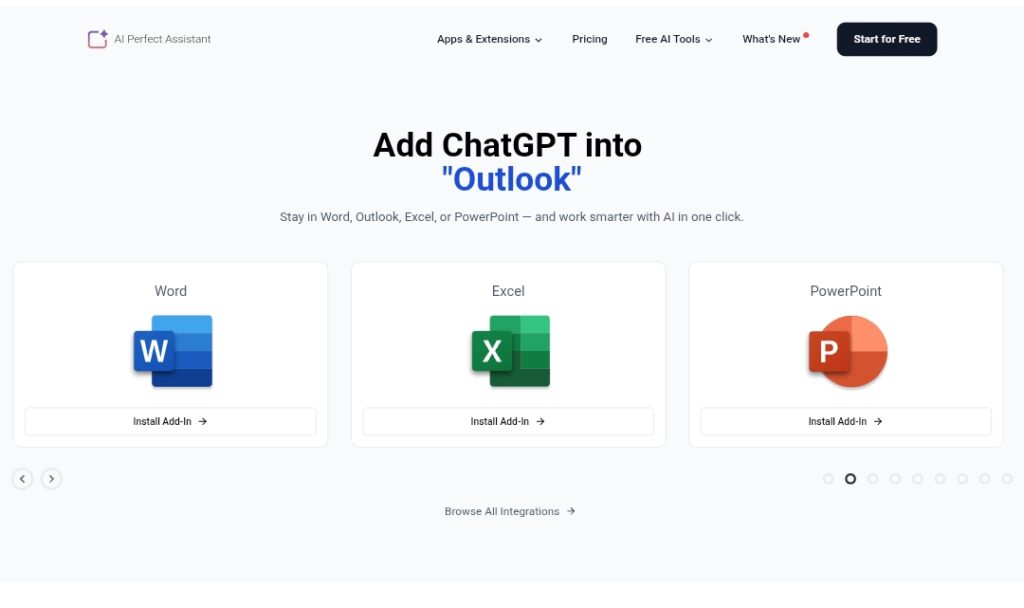
AI Perfect Assistant is a comprehensive AI productivity add-in that integrates directly into Microsoft Office apps (Word, Excel, PowerPoint, Outlook, OneNote, Teams) and other platforms like Gmail and Chrome.

It brings ChatGPT-like capabilities (plus Copilot, Gemini, Claude, Perplexity, DeepSeek models) for over 60 tools, including drafting emails/replies, improving text, summarizing documents/emails/meetings, generating PowerPoint slides/outlines, creating Excel formulas, writing resumes/cover letters, blog posts, ads, social media content, meeting notes, translations, grammar/style fixes, paraphrasing, and OCR for images/scans.

Users can chat with files (ask questions about Word docs, Excel sheets, PPT presentations), get one-click suggestions, and automate mundane tasks without leaving native apps.

Launched around 2023-2024 with continuous updates (major ones in 2025-2026 adding file chatting and model switching), it’s positioned as a more feature-rich, affordable alternative to Grammarly Business or QuillBot Premium.

Freemium model offers free forever basic access with token limits; Premium unlocks unlimited use across apps, higher tokens, and advanced features.

With over 2,362 happy users and strong Microsoft Marketplace ratings (hundreds of 5-star reviews), it’s ideal for professionals, teams, and businesses automating writing, presentations, emails, and data tasks in Office ecosystems.

Key Features

  1. Native Office integration: Works directly in Word, Excel, PowerPoint, Outlook, OneNote, Teams without switching apps
  2. Multi-model support: Switch between ChatGPT, Copilot, Gemini, Claude, Perplexity, DeepSeek for different tasks
  3. File chatting: Ask questions, summarize, or extract insights from Word docs, Excel sheets, PPT presentations
  4. Email and message assistance: Generate full replies, improve drafts, translate content in Outlook/Teams/Gmail
  5. Presentation tools: Create stunning slides, outlines, speaker notes, or polish existing PowerPoint decks
  6. Excel formula generator: Build complex formulas, analyze data, and automate spreadsheets
  7. Content creation suite: Write blogs, ads, social posts, resumes, cover letters, meeting minutes, reports
  8. OCR and image tools: Extract text from scanned docs/images for further editing/generation
  9. One-click enhancements: Grammar, style, paraphrasing, summarization, translation in context
  10. Cross-app subscription: Single plan covers all integrated apps and extensions

Price Plans

  1. Free ($0): Forever free with limited monthly tokens, basic AI tools, and access to core features across supported apps
  2. Premium ($16.99/Month billed annually or $25.99/Month): Unlimited tokens, full access to all 60 plus tools, file chatting, priority support, higher limits, multi-app use; 30 percent off annual

Pros

  1. Deep native integration: Stays in your workflow for faster, seamless productivity
  2. 60 plus tools: Covers writing, editing, analysis, generation across multiple use cases
  3. Model flexibility: Choose best AI for task (e.g. Claude for reasoning, Gemini for speed)
  4. Affordable alternative: Cheaper than Grammarly Business or QuillBot Premium with more features
  5. File-aware AI: Chat with documents for summaries, questions, insights without copy-paste
  6. Strong user feedback: High ratings and testimonials on Microsoft Marketplace
  7. Free tier available: Basic tools and limited tokens forever for light users

Cons

  1. Token limits on free: Basic plan restricts heavy use; Premium needed for unlimited
  2. Requires account/license: Some features need active subscription key (email support for setup)
  3. Microsoft-focused: Core value in Office ecosystem; less utility outside it
  4. Learning curve for full features: 60 plus tools require exploration to maximize
  5. Potential model variability: Output quality depends on chosen AI backend
  6. No offline mode: Relies on cloud AI processing
  7. Extension-based: Needs installation in each app/browser for full coverage

Use Cases

  1. Business writing and emails: Draft replies, improve tone, translate in Outlook/Teams/Gmail
  2. Presentation creation: Generate slides, outlines, speaker notes in PowerPoint
  3. Document productivity: Summarize, edit, proofread Word docs; chat with files for insights
  4. Spreadsheet tasks: Create formulas, analyze data, automate Excel work
  5. Content marketing: Write blogs, ads, social posts, SEO titles/descriptions
  6. Professional documents: Build resumes, cover letters, reports, meeting minutes
  7. Team collaboration: Refine notes, generate summaries for shared Office files

Target Audience

  1. Office professionals: Daily users of Word, Excel, PowerPoint, Outlook needing AI boosts
  2. Marketers and content creators: Generating ads, posts, presentations quickly
  3. Business teams: Automating emails, meetings, reports in Microsoft 365
  4. Freelancers and small businesses: Affordable alternative to premium tools
  5. Students and educators: Writing, summarizing, creating educational content
  6. Productivity enthusiasts: Integrating multiple AI models in daily workflow

How To Use

  1. Install add-in: Get from Microsoft AppSource for Word/Excel/PPT/Outlook/Teams or Chrome Web Store for Gmail
  2. Sign up: Create account on perfectassistant.ai and get license key (email support if needed)
  3. Activate in app: Open Office tool, enable AI Perfect Assistant sidebar or ribbon
  4. Select task: Highlight text or open file, choose tool (e.g. summarize, generate reply, create slide)
  5. Choose model: Switch between ChatGPT, Claude, Gemini etc. for best results
  6. Generate and refine: Click to create/edit output; chat with document for questions/insights
  7. Upgrade for unlimited: Subscribe Premium for no token limits and full features

How we rated AI Perfect Assistant

  • Performance: 4.6/5
  • Accuracy: 4.5/5
  • Features: 4.8/5
  • Cost-Efficiency: 4.7/5
  • Ease of Use: 4.7/5
  • Customization: 4.6/5
  • Data Privacy: 4.4/5
  • Support: 4.3/5
  • Integration: 4.9/5
  • Overall Score: 4.6/5

AI Perfect Assistant integration with other tools

  1. Microsoft 365 Apps: Native add-ins for Word, Excel, PowerPoint, Outlook, OneNote, Teams
  2. Gmail and Chrome: Browser extension for email drafting and content generation in Google Workspace
  3. Multiple AI Backends: Switch between ChatGPT, Copilot, Gemini, Claude, Perplexity, DeepSeek within the tool
  4. Telegram (Potential): Mentioned support for messaging assistance
  5. Microsoft AppSource: Easy installation and updates through official marketplace

Best prompts optimised for AI Perfect Assistant

  1. Improve this email draft to sound more professional and persuasive while keeping it concise: [paste email text]
  2. Generate a 10-slide PowerPoint outline on [topic] with key points, visuals suggestions, and speaker notes
  3. Summarize this Word document and extract main action items and deadlines: [attach or paste content]
  4. Create an Excel formula to calculate [specific metric] from columns A to D with conditional formatting
  5. Write a LinkedIn post promoting [product/service] in engaging, professional tone under 200 words
AI Perfect Assistant shines as a versatile Office add-in, embedding multiple AI models for writing, summarizing, slide creation, and email automation right in Word, Excel, PowerPoint, Outlook. With over 60 tools and file-chatting, it outpaces Grammarly in breadth and integration. Premium at about $17/month (annual) offers great value for heavy Office users.

FAQs

  • What is AI Perfect Assistant?

    AI Perfect Assistant is an AI add-in suite for Microsoft Office (Word, Excel, PowerPoint, Outlook, OneNote, Teams) and Gmail, offering over 60 tools for writing, summarizing, generating slides, emails, formulas, and more with multiple AI models.

  • Is AI Perfect Assistant free to use?

    Yes, it has a free forever plan with limited tokens; Premium starts at $16.99/month (annual billing, 30 percent off) for unlimited use across all integrated apps.

  • How many users does AI Perfect Assistant have?

    It has over 2,362 happy users reported on the official site, with hundreds of five-star reviews on Microsoft Marketplace.

  • What apps does AI Perfect Assistant integrate with?

    Native support for Word, Excel, PowerPoint, Outlook, OneNote, Teams, Gmail (Chrome extension), and more via add-ins and browser.

  • What AI models can I use with AI Perfect Assistant?

    Switch between ChatGPT, Copilot, Gemini, Claude, Perplexity, DeepSeek for different tasks and strengths.

  • Can I chat with my documents in AI Perfect Assistant?

    Yes, major update allows chatting with Word docs, Excel sheets, and PowerPoint files to ask questions, summarize, or get insights.

  • Is AI Perfect Assistant a good Grammarly alternative?

    Yes, it offers deeper Office integration, more tools (beyond grammar), file chatting, and lower cost than Grammarly Business for teams.

  • How do I get started with AI Perfect Assistant?

    Install add-ins from Microsoft AppSource or Chrome Store, sign up on perfectassistant.ai, and activate with your account/license key.


Newly Added Toolsโ€‹

Qodo AI

$0/Month

Codiga

$10/Month

Tabnine

$59/Month

CodeRabbit

$0/Month
AI Perfect Assistant Alternatives

Cognosys AI

$0/Month

Intern-S1-Pro

$0/Month

Claude Opus 4.6

$20/Month

AI Perfect Assistant Reviews

0.0
0.0 out of 5 stars (based on 0 reviews)
Excellent0%
Very good0%
Average0%
Poor0%
Terrible0%

There are no reviews yet. Be the first one to write one.