



Zelili AI

AskCodi

Multi-Model AI Coding Assistant and Unified API for Developers
Tool Release Date

1 Jan 2022

Tool Users
350K+
0.0
๐Ÿ‘ 18

About This AI

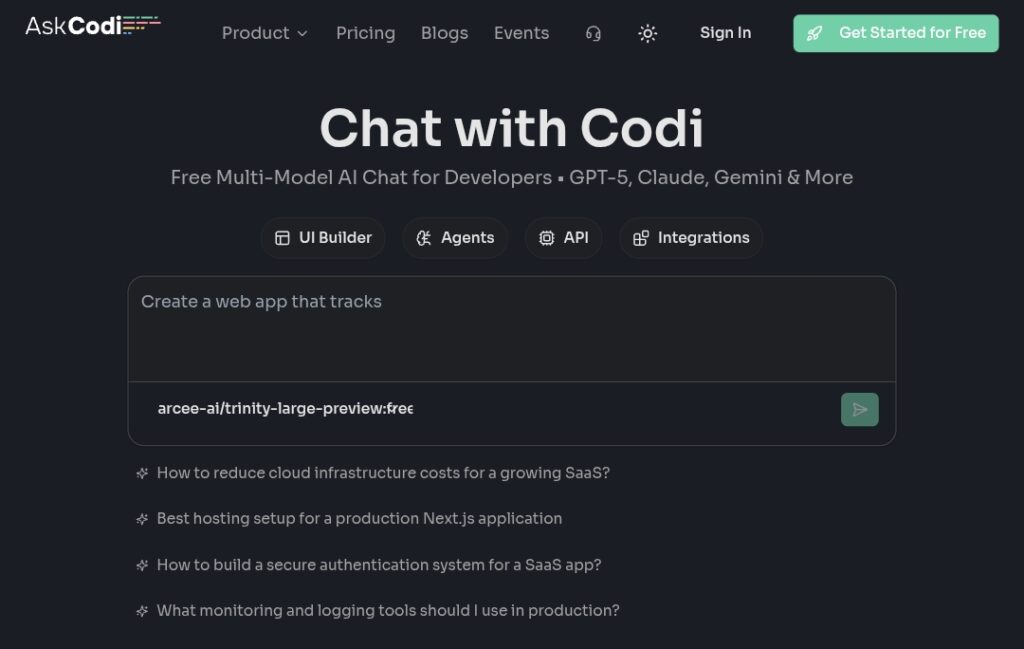
AskCodi is an AI-powered coding assistant and developer tool that provides code generation, debugging, explanations, unit tests, documentation, and chat-based help using multiple LLMs.

It offers an OpenAI-compatible unified API allowing seamless switching between models like GPT-5, Claude, Gemini, LLaMA, Mistral, Qwen, DeepSeek, and others without lock-in.

Features include code completion, refactoring, bug detection/fixing, regex/JS one-liner/HTML/CSS generators, time complexity analysis, custom agents, UI builder, and IDE integrations (VS Code, JetBrains, Visual Studio).

Users can chat with AI for instant technical answers, generate code snippets, automate pipelines, create Dockerfiles, and build custom agents with reusable prompts and tools.

The platform emphasizes flexibility with free models unlimited, pay-per-token for premium, no expiration, detailed usage analytics, and collaboration features.

Founded in 2022 in Sao Paulo, Brazil by Sachin Sharma and Shreyans Bhansali, AskCodi has grown to serve over 350,000 developers worldwide.

Freemium model with generous free tier (100,000 one-time tokens, unlimited free models), flexible paid token packs, and enterprise custom plans.

Ideal for individual developers, teams, and enterprises seeking a vendor-neutral, multi-model AI layer for coding productivity and API integrations.

Key Features

  1. Multi-model support: Switch between GPT-5, Claude, Gemini, LLaMA, Mistral, Qwen, DeepSeek, and more via unified API
  2. OpenAI-compatible API: Drop-in replacement with base URL https://api.askcodi.com for easy integration
  3. Code generation and completion: Generate snippets, full functions, tests, documentation from natural language
  4. Debugging and refactoring: Detect bugs, suggest fixes, optimize code, analyze time complexity
  5. Custom agents: Build reusable agents with prompts, reasoning modes, guardrails, tool integrations
  6. UI Builder: Browser-based sandbox for generating and deploying web UIs from prompts
  7. Chat interface: Conversational AI for technical questions, explanations, and live coding help
  8. Specialized generators: Regex, JS one-liners, HTML/CSS, Dockerfiles, CI/CD pipelines
  9. Usage analytics: Real-time tracking of tokens, costs, and performance across models
  10. IDE plugins: Extensions for VS Code, JetBrains, Visual Studio for in-editor assistance

Price Plans

  1. Free ($0): Unlimited free models without rate limits, 100,000 one-time tokens, custom agents, OpenAI-compatible API, chat/UI builder; fair usage applies
  2. Flexible/Paid ($20/Month and up): Token packs scaling from approx 16M tokens ($20) to 160M ($200), pay only for premium model usage, all features included
  3. Enterprise (Custom): Tailored for organizations with custom logging, analytics, integrations, dedicated support, unlimited workspaces, centralized billing

Pros

  1. Vendor-neutral flexibility: Use any LLM without lock-in, switch models instantly
  2. Generous free tier: Unlimited free models, 100K one-time tokens, no rate limits on basics
  3. Strong developer focus: Tailored for coding tasks with agents, UI builder, and API
  4. Scalable pricing: Pay-per-token starting low (from $5/month packs), no expiration
  5. High adoption: Trusted by over 350,000 developers worldwide
  6. Custom agents and UI tools: Advanced features for automation and prototyping
  7. Transparent analytics: Detailed token usage and cost monitoring

Cons

  1. Token-based costs for premium: Heavy use of advanced models requires purchasing tokens
  2. No unlimited flat plan: Relies on pay-as-you-go; no fixed unlimited option mentioned
  3. Setup for API/agents: Requires some technical knowledge for custom integrations
  4. IDE plugins limited: May not cover every editor or have full feature parity
  5. Enterprise custom only: Large teams need to contact sales for tailored pricing
  6. Recent major updates: Some features like UI builder still evolving
  7. Dependency on external models: Output quality varies by chosen LLM provider

Use Cases

  1. Code generation and debugging: Quickly write functions, fix bugs, refactor code
  2. Learning and explanations: Get instant answers on technical concepts or code understanding
  3. Automation and pipelines: Create Dockerfiles, CI/CD scripts, regex patterns
  4. UI prototyping: Build and deploy web interfaces from natural language prompts
  5. Custom AI agents: Develop reusable bots for repetitive coding tasks
  6. Team collaboration: Share agents, prompts, and analytics for consistent workflows
  7. Multi-LLM experimentation: Test different models for best results without switching tools

Target Audience

  1. Individual developers: Freelancers and hobbyists needing fast AI coding help
  2. Software teams: Engineers building custom agents and pipelines
  3. Startups and enterprises: Seeking vendor-neutral multi-model API layer
  4. AI enthusiasts: Experimenting with various LLMs in one platform
  5. Non-technical users: Using UI builder for simple web apps without code
  6. Productivity-focused coders: Automating repetitive tasks and documentation

How To Use

  1. Sign up: Visit askcodi.com and create free account (no credit card needed)
  2. Choose interface: Use web chat, API, or install IDE plugin (VS Code/JetBrains)
  3. Select model: Pick from GPT-5, Claude, Gemini etc. for your task
  4. Ask or generate: Type natural language prompt for code, explanations, or fixes
  5. Use agents/UI builder: Create custom agents or build web UIs via sandbox
  6. Monitor usage: Check token analytics in dashboard; top up if needed
  7. Integrate API: Use https://api.askcodi.com with your key for apps

How we rated AskCodi

  • Performance: 4.6/5
  • Accuracy: 4.7/5
  • Features: 4.8/5
  • Cost-Efficiency: 4.8/5
  • Ease of Use: 4.5/5
  • Customization: 4.9/5
  • Data Privacy: 4.5/5
  • Support: 4.4/5
  • Integration: 4.7/5
  • Overall Score: 4.7/5

AskCodi integration with other tools

  1. IDE Plugins: VS Code, JetBrains (IntelliJ, PyCharm etc.), Visual Studio for in-editor assistance
  2. OpenAI-Compatible API: Unified endpoint for custom apps, scripts, or frameworks like LangChain
  3. Multiple LLM Providers: Seamless access to OpenAI, Anthropic, Google, Meta, Mistral, and more
  4. Web UI and Chat: Browser-based interface with UI builder sandbox for rapid prototyping
  5. Custom Agents: Reusable configurations integrable into workflows or other tools

Best prompts optimised for AskCodi

  1. Generate a Python function to [specific task] with error handling, type hints, and unit tests using pytest
  2. Refactor this JavaScript code to be more efficient and modern ES6+: [paste code]
  3. Explain this regex pattern step by step and suggest improvements: [regex here]
  4. Create a Dockerfile for a Node.js app with multi-stage build and best practices
  5. Build a simple React component for a todo list with state management using hooks
AskCodi stands out as a flexible, multi-model AI coding companion with unified API access to top LLMs, strong code generation/debugging, custom agents, and UI builder. The free tier is generous for basics, with affordable token packs for premium use. Ideal for developers wanting model choice without lock-in and powerful automation.

FAQs

  • What is AskCodi?

    AskCodi is a multi-model AI coding assistant and unified API layer that lets developers use GPT-5, Claude, Gemini, and other LLMs for code generation, debugging, agents, and UI building without vendor lock-in.

  • Is AskCodi free to use?

    Yes, it offers a free plan with unlimited free models, 100,000 one-time tokens, and generous limits; paid token packs start around $5/month for premium models.

  • How many users does AskCodi have?

    AskCodi is trusted by over 350,000 developers worldwide, according to official claims and marketing materials.

  • What models does AskCodi support?

    It provides access to GPT-5, Claude 4.5, Gemini Pro/Flash, LLaMA, Mistral, Qwen, DeepSeek, and more through a single OpenAI-compatible API.

  • When was AskCodi founded?

    AskCodi was founded in 2022 in Sao Paulo, Brazil by Sachin Sharma and Shreyans Bhansali.

  • Does AskCodi have IDE integrations?

    Yes, it offers plugins/extensions for VS Code, JetBrains IDEs (IntelliJ, PyCharm etc.), and Visual Studio for in-editor AI assistance.

  • What is the pricing model for AskCodi?

    Free tier with limits; flexible pay-per-token plans starting low (e.g., $5 for ~4M tokens), scaling up; enterprise custom pricing available.

  • Can I build custom AI agents with AskCodi?

    Yes, create reusable custom agents with prompts, reasoning modes, safety guardrails, and tool integrations for consistent use across API/chat/IDE.


Newly Added Toolsโ€‹

Qodo AI

$0/Month

Codiga

$10/Month

Tabnine

$59/Month

CodeRabbit

$0/Month
AskCodi Alternatives

Qodo AI

$0/Month

Codiga

$10/Month

Tabnine

$59/Month

AskCodi Reviews

0.0
0.0 out of 5 stars (based on 0 reviews)
Excellent0%
Very good0%
Average0%
Poor0%
Terrible0%

There are no reviews yet. Be the first one to write one.