
What is Autodraft AI?
Autodraft AI is a free-to-use AI animation platform for creating 2D cartoons, characters, voices, backgrounds, and full animated videos, ideal for YouTube storytellers and creators.
Is Autodraft AI free?
Yes, 90% of features are free with no credit card required and unlimited basic downloads; paid plans start at $10/month for more credits and premium tools like unlimited 4K.
How many creators use Autodraft AI?
It is trusted by over 150,000 creators, with 30 million+ assets generated and 350,000+ minutes of animation downloaded.
What are the main features of Autodraft AI?
Key features include AI character generator, backgrounds, voices with lip-sync, video animation, thumbnail maker, object remover, upscaler, and 4K exports in paid plans.
Who is Autodraft AI best for?
Best for YouTubers making animated stories/rhymes, content creators, educators, marketers, and beginners wanting quick cartoon videos without skills.
Does Autodraft AI support mobile use?
Yes, it works on mobile browsers and has mobile-friendly design for creating animations on phones or tablets.
Can I use Autodraft AI commercially?
Yes, paid plans (Base/Pro) support commercial use and watermark-free high-res outputs for YouTube monetization or business content.
How do I start with Autodraft AI?
Sign up free on autodraft.in, choose a project type, generate characters/scenes with prompts, animate, add voice, and export.

Autodraft AI

About This AI
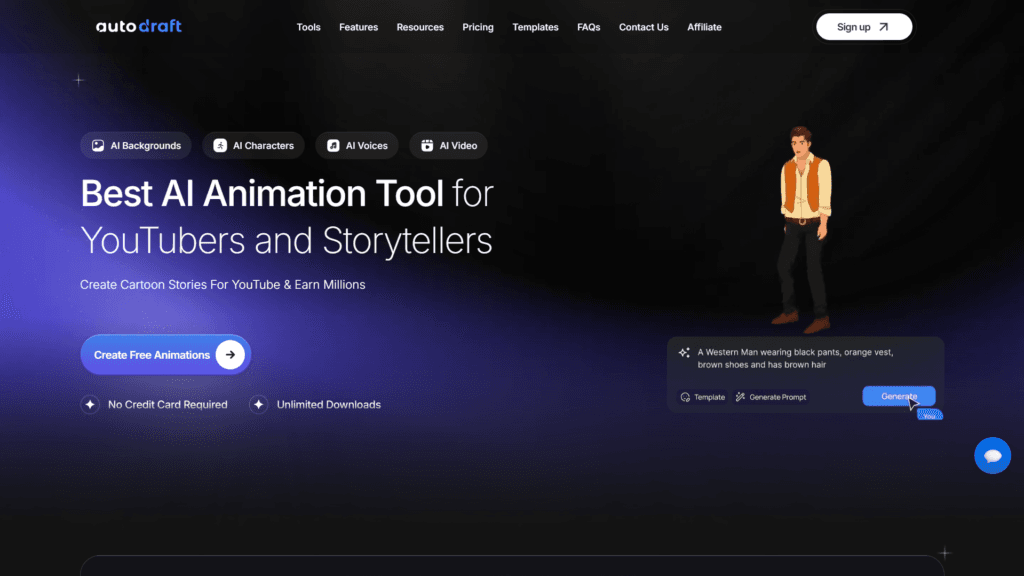
Autodraft AI is an all-in-one AI-powered animation platform that enables users to create high-quality 2D cartoon animations, digital art, and animated videos without advanced skills.
It offers tools for generating consistent characters from text prompts or references, customizable backgrounds, AI voices with lip-sync, motion controls, scene building, and full video export in up to 4K.
Key strengths include easy drag-and-drop editing, 200+ prebuilt animations, facial expressions, voice cloning, AI thumbnail maker, image-to-video conversion, and style templates (anime, comic, semi-realistic).
The platform supports text-to-image, image-to-image, AI paint (inpainting), pose maker, object/background remover, and creative upscaler for professional results.
Designed for YouTubers, storytellers, educators, marketers, and content creators, it streamlines workflows to produce animated stories, explainer videos, nursery rhymes, product demos, or social media content quickly and affordably.
With a generous free tier (no credit card required, unlimited downloads for basics), it claims to help creators monetize on YouTube by speeding up production.
Trusted by over 150,000 creators with 30 million+ assets generated and 350,000+ minutes of animation downloaded, Autodraft emphasizes accessibility, consistency, and creative control in a browser-based or mobile-friendly interface.
Key Features
- AI Character Generator: Create customizable 2D characters from text prompts or references with consistent styles
- AI Backgrounds and Scenes: Generate detailed cartoon backgrounds or convert sketches to images
- AI Voices and Lip-Sync: Built-in voiceover generator with cloning, multiple languages, and automatic mouth movements
- AI Video and Animation: Build full animated scenes with 200+ motions, poses, and transitions
- Text to Image and Image to Image: Generate or edit visuals from descriptions or uploads
- AI Thumbnail Maker: Create eye-catching YouTube thumbnails automatically
- Object and Background Remover: Erase unwanted elements or swap backgrounds seamlessly
- Creative Upscaler: Enhance images with detail recovery and upscaling
- Pose Maker and Animation Controls: Custom poses, facial expressions, and motion editing
- 4K Cloud Downloads: Export high-resolution animations without watermarks in paid plans
Price Plans
- Free ($0): 90 percent of features free with daily/credit limits, basic generations, unlimited downloads for allowed content, no credit card required
- Base ($10/Month): 1000 credits/month, feedback on YouTube videos, unlimited 4K cloud downloads, core premium tools
- Pro ($39/Month): Higher credits (e.g., 4000/month), advanced features, priority processing, full commercial use, custom models
Pros
- Beginner-friendly: No animation skills needed; drag-and-drop with real-time previews
- Generous free tier: Core features accessible without payment, unlimited downloads for basics
- All-in-one workflow: Characters, voices, scenes, thumbnails, and video in one platform
- Strong for YouTube creators: Tailored for animated stories, rhymes, and monetization
- Consistent styles: Custom models and templates ensure brand or series uniformity
- Mobile support: Works well on phones/tablets for on-the-go creation
- High community adoption: Trusted by 150K+ creators with millions of assets generated
Cons
- Credit limits on free: Heavy use requires paid plans for unlimited generations
- Pro pricing for full features: Unlimited 4K, priority, and advanced tools need subscription
- Occasional quality variance: Complex prompts may need refinements for best results
- Cloud-dependent: No offline mode; requires internet for AI processing
- Learning curve for advanced: Custom models or intricate scenes take practice
- Watermarks on some free outputs: Full professional use needs Pro
- Potential queue times: Free users may wait during peak hours
Use Cases
- YouTube animated stories: Create cartoon series, nursery rhymes, or explainer videos
- Content creation for social media: Generate shorts, Reels, or TikToks with characters and voiceovers
- Educational videos: Animate lessons, concepts, or stories for students
- Marketing and ads: Produce product demos, testimonials, or promotional cartoons
- Personal projects: Fun animations, custom greetings, or creative experiments
- Branded content: Maintain consistent character styles for channels or businesses
Target Audience
- YouTubers and storytellers: Needing quick animated content for monetization
- Content creators: Producing shorts, educational videos, or social media animations
- Educators: Visualizing concepts or creating engaging lessons
- Marketers: Making promotional or explainer animations affordably
- Beginners/hobbyists: Experimenting with AI animation without skills or budget
- Small businesses: Generating branded videos cost-effectively
How To Use
- Sign up: Visit autodraft.in and create free account (no card needed)
- Start project: Choose animation/video type or select template
- Generate characters: Use text prompt or reference for AI character creation
- Build scenes: Add backgrounds, poses, motions, and voiceovers from library
- Edit and animate: Drag-drop timeline, sync lips, add effects or music
- Preview and export: Watch full video, download in 4K (Pro for unlimited)
- Iterate: Refine with AI tools like upscaler or remover as needed
How we rated Autodraft AI
- Performance: 4.6/5
- Accuracy: 4.5/5
- Features: 4.8/5
- Cost-Efficiency: 4.7/5
- Ease of Use: 4.9/5
- Customization: 4.6/5
- Data Privacy: 4.4/5
- Support: 4.3/5
- Integration: 4.5/5
- Overall Score: 4.6/5
Autodraft AI integration with other tools
- YouTube Integration: Direct feedback on uploaded videos and optimized export for channel uploads
- Social Media Export: Formats tailored for TikTok, Instagram Reels, YouTube Shorts sharing
- Cloud Storage: Unlimited 4K downloads and storage in Pro for easy access across devices
- Voice Tools: Built-in AI voice cloning and generation compatible with animation workflow
- Browser-Based: Works seamlessly on desktop and mobile browsers without downloads
Best prompts optimised for Autodraft AI
- Create a cute cartoon fox character in anime style, big expressive eyes, orange fur, wearing a scarf, happy pose for children's story video
- Generate a vibrant fantasy forest background with glowing mushrooms, ancient trees, and soft fog, suitable for magical adventure animation
- Animate a young girl reading a book under a tree, turning pages with gentle wind, soft lighting, emotional expression for storytelling scene
- Produce a funny skit scene: two cartoon cats arguing over fish, exaggerated expressions, dynamic motions, comic style for YouTube short
- Make a professional explainer character in semi-realistic style, business suit, confident pose, ready for product demo animation
FAQs
Newly Added Tools







About Author