
What is Canva AI?
Canva AI is the Magic Studio suite of AI tools integrated in Canva for generating designs, images, videos, text, and more with features like Magic Design, Magic Write, Magic Media, and advanced photo editing.
Is Canva AI free to use?
Basic AI access is available on Canva Free with monthly limits; full/unlimited AI features require Canva Pro starting at $15/month or equivalent plans.
How many users does Canva have?
Canva has over 220 million monthly active users as of late 2025, with strong growth in education and enterprise.
What are the main Canva AI tools?
Key tools include Magic Design (auto-layouts), Magic Write (text generation), Magic Media (text-to-image/video), Magic Edit/Eraser/Expand, Background Remover, Magic Animate, AI Voice, and Canva AI assistant.
When was Magic Studio launched?
Magic Studio launched in October 2023, with major expansions and new features through 2025-2026 including own design model and AI assistant.
Does Canva AI support video generation?
Yes, Magic Media includes text-to-video (beta) powered by partners like Runway, with additional video editing AI like Beat Sync and Highlights.
Is Canva AI good for businesses?
Yes, especially with Pro/Teams/Enterprise plans offering brand kits, collaboration, AI controls, and scalability; 95% of Fortune 500 use Canva.
How does Canva AI compare to competitors?
It stands out for ease of use, integration in a full design platform, editable outputs, and brand consistency, though some advanced users prefer Adobe for precision.
Canva AI

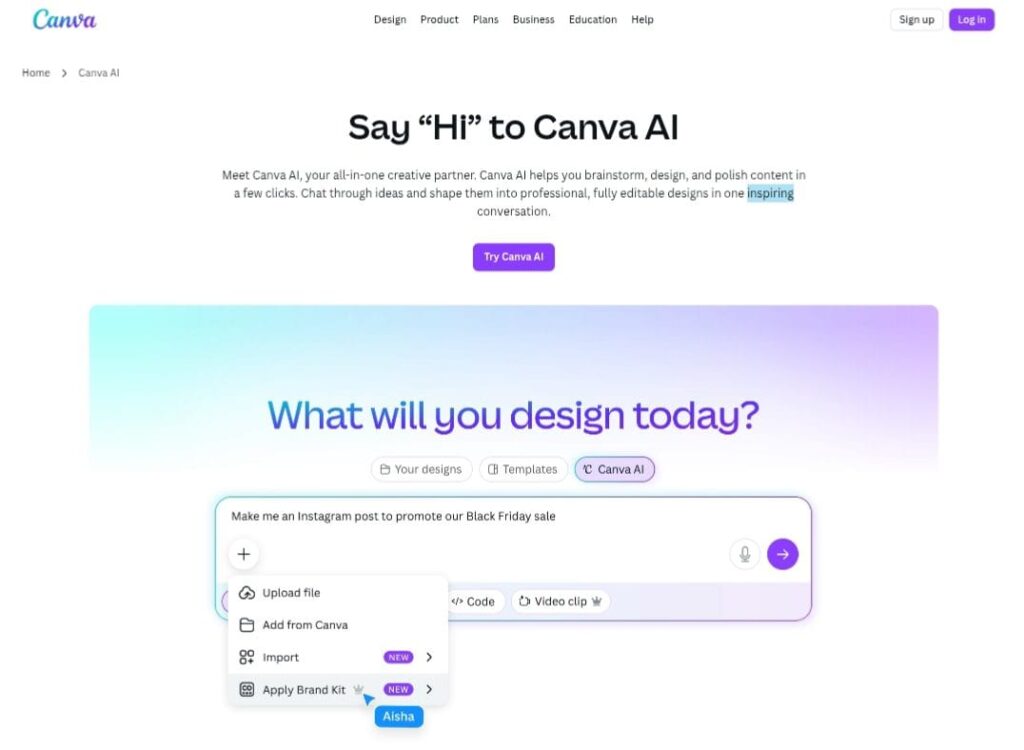
About This AI
Canva AI, powered by Magic Studio, is the integrated AI suite within Canva that transforms ideas into professional designs, images, videos, text, and more.
Launched as Magic Studio in October 2023 and continuously expanded through 2025-2026 updates, it includes tools like Magic Design (auto-generates layouts from prompts/media), Magic Write (generates/rewrites text in brand tone), Magic Media (text-to-image/video/graphic), Magic Edit/Expand/Grab/Eraser (AI photo editing), Background Remover/Generator, Magic Animate/Morph/Resize, AI Voice (text-to-speech), and Canva AI (conversational assistant for brainstorming/creation).
Newer features include AI-powered photo editor, Background Generator, Magic Switch (reformats/translates designs), Canva Code (no-code interactive elements), Magic Insights/Formulas in Canva Sheets (data visualization), and integrations with models like DALL-E, Imagen, Runway, Leonardo.AI (acquired 2024).
Canva AI emphasizes safe, brand-consistent output with Canva Shield privacy controls, editable layers, and workflow efficiency for individuals, teams, and enterprises.
The platform serves over 220 million monthly active users (as of late 2025), with strong adoption in education (100M+ users), businesses (95% Fortune 500), and creators.
Freemium model offers limited AI access on Free plan; Pro unlocks high/unlimited usage, premium assets, and full features starting at $15/month (or equivalent regional pricing).
Ideal for non-designers, marketers, educators, teams, and enterprises needing quick, high-quality visuals without advanced skills.
Key Features
- Magic Design: Auto-generates custom templates and layouts from text prompts or uploaded media
- Magic Write: Generates, rewrites, or expands text in brand voice or specific tones
- Magic Media: Text-to-image, text-to-video (beta), text-to-graphic for visuals/icons/stickers
- Magic Edit/Expand/Grab/Eraser: AI photo editing to add/remove/replace elements, extend images, select/manipulate objects
- Background Remover/Generator: One-click background removal or creation from prompts
- Magic Animate/Morph/Resize: Applies animations, transforms shapes/text, resizes/translates designs automatically
- AI Voice: Text-to-speech with natural voices for videos/presentations
- Canva AI Assistant: Conversational interface for brainstorming, generating content, design advice, and refinements
- Magic Switch: Reformats designs across platforms/languages while maintaining brand consistency
- Canva Code: No-code interactive elements and widgets for advanced designs
- AI Photo Editor: Detects subjects for recoloring, duplicating, adjusting, or removing via point-and-click
- Magic Insights/Formulas: AI data analysis and chart generation in Canva Sheets
Price Plans
- Free ($0): Basic design tools, limited monthly AI access (e.g., capped generations/edits), 5GB storage, core templates/assets
- Pro ($15/Month or $120/Year): Unlimited premium assets, high AI usage, 1TB storage, Brand Kits, resize/translate, full Magic Studio access
- Teams/Business ($10-15/user/Month or higher): Pro features plus collaboration, team Brand Kits, admin controls, AI team management
- Enterprise (Custom): Teams features plus SSO, advanced security, dedicated support, higher AI limits for large organizations
Pros
- Extremely user-friendly: Drag-drop interface with AI making design accessible to non-professionals
- Comprehensive AI suite: Covers generation, editing, text, voice, data viz, and more in one platform
- Brand consistency: Magic tools maintain style across outputs with Brand Kits and editable layers
- High accessibility: Generous free tier with limited AI; Pro unlocks full power affordably
- Massive adoption: 220M+ monthly users, 95% Fortune 500, 100M+ in education show reliability
- Constant innovation: Frequent updates with new models/features (Leonardo.AI integration, own design model)
- Collaboration focus: Real-time team editing, approvals, and enterprise security/controls
Cons
- Limited free AI: Premium AI tools have monthly caps; heavy use requires Pro
- Learning curve for advanced: While easy, mastering AI prompts and editing takes practice
- Dependency on internet: No full offline mode for AI features
- Occasional output variability: AI generations may need refinements for perfection
- Pricing for teams: Teams/Enterprise starts higher with minimum seats in some cases
- AI limits reset monthly: Usage caps on generative features can frustrate power users
- Less pro-level control: Not as precise as Adobe for complex professional design
Use Cases
- Social media graphics: Quick posts, stories, Reels with AI-generated visuals/text
- Marketing materials: Flyers, ads, presentations with brand-consistent AI designs
- Educational content: Worksheets, infographics, classroom visuals for teachers/students
- Business reports: Charts from data, AI-enhanced slides, branded documents
- Product mockups: Generate images/videos for e-commerce or prototypes
- Personal projects: Invitations, photo edits, custom art from prompts
- Team collaboration: Real-time design with AI assistance for agencies/companies
Target Audience
- Non-designers and beginners: Anyone needing quick visuals without skills
- Marketers and content creators: Producing branded graphics/social content fast
- Educators and students: Creating teaching materials and projects affordably
- Small businesses and teams: Collaborative design with brand consistency
- Enterprises: Scaling visual communication with AI and security
- Freelancers: Professional outputs on a budget with Pro features
How To Use
- Sign up/log in: Go to canva.com or app; free account starts immediately
- Access Magic Studio: Click Magic tab or search 'Magic' tools in editor
- Use Magic Design: Enter prompt/media; generate layout options and customize
- Generate with Magic Media: Text-to-image/video; refine with edits/expand
- Edit photos: Upload image, use Magic Edit/Eraser/Grab for changes
- Ask Canva AI: Chat interface for ideas, text, or design help
- Export/share: Download or share directly; upgrade to Pro for unlimited AI/high-res
How we rated Canva AI
- Performance: 4.8/5
- Accuracy: 4.7/5
- Features: 4.9/5
- Cost-Efficiency: 4.6/5
- Ease of Use: 4.9/5
- Customization: 4.7/5
- Data Privacy: 4.6/5
- Support: 4.5/5
- Integration: 4.7/5
- Overall Score: 4.8/5
Canva AI integration with other tools
- Apps Marketplace: Thousands of third-party apps like DALL-E, Imagen, Runway for extended AI generation
- Google Workspace/Microsoft 365: Import/export docs/sheets, embed designs in slides/docs
- Social Platforms: Direct scheduling/posting to Instagram, Facebook, TikTok, LinkedIn, Pinterest
- Print Services: Seamless ordering of prints, merch, signage from designs
- Enterprise Tools: SSO, SCIM, custom integrations for large organizations via API
Best prompts optimised for Canva AI
- Create a vibrant social media post for a summer sale: tropical beach background, bold text '50% Off Summer Vibes', colorful product mockups of sunglasses and swimsuits, Instagram square format, energetic and fun style
- Design a professional business presentation slide: company overview with blue corporate theme, bullet points on mission/vision/values, subtle data chart, clean modern layout, high contrast for readability
- Generate a cute cartoon illustration of a red panda eating bamboo in a forest, kawaii style, pastel colors, whimsical and adorable, perfect for children's book cover or sticker
- Transform this photo into a cyberpunk city night scene: neon lights, rain reflections, futuristic buildings, add dramatic lighting and atmosphere while keeping the subject intact
- Write engaging Instagram caption and generate matching graphic: motivational quote 'Dream Big Work Hard', sunrise mountain background, bold typography, inspirational tone
FAQs
Newly Added Tools






About Author