
What is Clipdrop?
Clipdrop is an AI-powered platform for image editing and generation, offering tools like background removal, cleanup, uncrop, upscaling, relight, text removal, and replace background.
Is Clipdrop free to use?
Yes, it has a free tier with daily limits on tools (e.g., 20 uses/24h for most, 50 for text remover); Pro at $15/month removes limits and adds high-res/skip queue.
Who owns Clipdrop now?
Clipdrop was founded in 2020, acquired by Stability AI in 2023, and then by Jasper AI in February 2024; it operates standalone via clipdrop.co.
What are Clipdrop’s main tools?
Popular tools include Remove Background (free HD), Cleanup (object removal), Uncrop (extend images), Image Upscaler (up to 16x in Pro), Relight, Text Remover, and Text to Image.
Does Clipdrop have an API?
Yes, Clipdrop offers a usage-based API for background removal, cleanup, upscaling, etc., with 100 free credits for testing after login; contact for higher volumes.
Can I use Clipdrop commercially?
Free tier is for personal use; Pro plan supports commercial licensing and watermark-free high-res outputs for professional or business projects.
How do I remove background for free in Clipdrop?
Go to clipdrop.co/remove-background, upload your image, let AI process, and download the HD result at no cost (no limits specified for this tool in free tier).
What integrations does Clipdrop support?
It includes a Photoshop plugin, API for custom apps, mobile/desktop apps, and ties into Jasper AI for marketing workflows.

Clipdrop

About This AI
Clipdrop is an AI-powered visual creation and editing platform offering a suite of intuitive tools for image manipulation and generation.
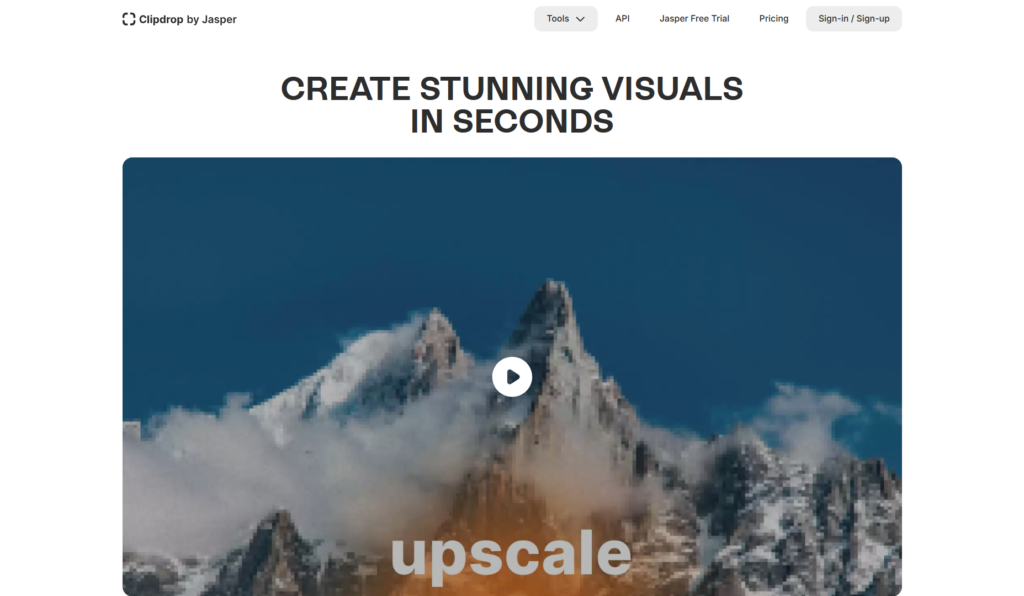
Key features include Remove Background (precise subject extraction with HD downloads), Cleanup (remove unwanted objects/people/text/defects), Uncrop (extend images to any format intelligently), Image Upscaler (enhance resolution up to 16x in Pro with noise reduction and detail recovery), Relight (adjust lighting realistically), Text Remover (erase text seamlessly), Replace Background (swap scenes while preserving subject), and Text to Image generation.
Powered by advanced generative AI (influenced by Stable Diffusion heritage), it supports high-resolution outputs, skip-queue priority in paid plans, and limits like 20-50 uses per 24h on free tools.
Founded in 2020 by Cyril Diagne, Jonathan Blanchet, and Damien Henry (Google alumni), Clipdrop was acquired by Stability AI in 2023 and then by Jasper AI in February 2024, integrating deeper with marketing workflows while remaining standalone.
Accessible via web, desktop apps, mobile, and Photoshop plugin, it’s popular for quick professional edits, social media visuals, e-commerce product shots, and creative experimentation.
The freemium model provides generous free access for basic tasks (with daily limits and watermarks on some outputs), while Pro unlocks unlimited high-res, faster processing, and commercial rights.
With millions of users historically and ongoing adoption in creative fields, Clipdrop excels at making advanced AI editing simple and accessible without complex software.
Key Features
- Remove Background: Automatically extracts main subject with precise edges and HD free downloads
- Cleanup: Removes unwanted objects, people, text, or defects from images intelligently
- Uncrop: Extends or reframes images to new aspect ratios while filling content naturally
- Image Upscaler: Increases resolution up to 16x in Pro with detail recovery and noise reduction
- Relight: Adjusts lighting realistically on subjects for better mood or consistency
- Text Remover: Erases text overlays seamlessly without artifacts
- Replace Background: Swaps backgrounds while keeping subject intact and blended
- Text to Image: Generates new images from descriptive prompts
- Skip Queue and High Resolution: Pro unlocks faster processing and HD outputs for all tools
- API Access: Usage-based integration for developers to embed tools in apps
Price Plans
- Free ($0): Access to core tools with daily limits (e.g., 20 Background Removal, Cleanup, Relight per 24h; 50 Text Remover), standard quality, possible watermarks on some outputs
- Pro ($15/Month): Unlimited high-resolution generations, skip queue priority, full access to all tools without limits, enhanced features like 16x upscaling, commercial use support
Pros
- User-friendly interface: Simple drag-drop or upload for quick edits without learning curve
- High accuracy on common tasks: Excellent background removal, cleanup, and uncrop results
- Generous free tier: Many tools usable daily without payment (limits apply)
- Multi-platform access: Web, mobile apps, desktop, and Photoshop plugin for seamless workflow
- Fast processing: Quick results even on free; Pro skips queues entirely
- Commercial potential: Paid plans support professional and business use cases
- Constant updates: Benefits from Jasper integration and AI advancements post-acquisition
- User-friendly interface: Simple drag-drop or upload for quick edits without learning curve
- High accuracy on common tasks: Excellent background removal, cleanup, and uncrop results
- Generous free tier: Many tools usable daily without payment (limits apply)
- Multi-platform access: Web, mobile apps, desktop, and Photoshop plugin for seamless workflow
- Fast processing: Quick results even on free; Pro skips queues entirely
- Commercial potential: Paid plans support professional and business use cases
- Constant updates: Benefits from Jasper integration and AI advancements post-acquisition
Cons
- Daily limits on free: Tools capped at 20-50 uses per 24h, requiring Pro for heavy use
- Watermarks or restrictions: Some free outputs may have limits or lower quality
- Pro pricing jump: $15/month for unlimited high-res and skip queue
- Occasional artifacts: Complex scenes or edge cases may need manual tweaks
- Web-focused: While apps exist, core experience is browser-based
- No offline mode: Requires internet for AI processing
- API separate cost: Developer integration uses additional usage-based pricing
Use Cases
- Product photography: Remove backgrounds, replace scenes, or clean up e-commerce images
- Social media visuals: Quick edits, uncrop for formats, add/remove elements for posts
- Graphic design: Cleanup photos, relight subjects, upscale low-res assets
- Marketing content: Generate or edit images for ads, banners, or presentations
- Personal projects: Fix family photos, remove photobombers, extend cropped shots
- Content creation: Text-to-image for concepts or illustrations
- Professional workflows: Integrate via API or Photoshop plugin for teams
Target Audience
- Graphic designers and marketers: Needing fast, accurate image edits for campaigns
- E-commerce sellers: Cleaning product photos, background swaps for listings
- Social media creators: Quick enhancements and format adjustments
- Photographers and hobbyists: Removing objects, upscaling, relighting shots
- Developers and businesses: Using API for automated image processing
- Casual users: Free tools for everyday photo fixes
How To Use
- Visit site: Go to clipdrop.co and select a tool (e.g., remove-background, cleanup)
- Upload image: Drag/drop or browse to add your photo
- Process automatically: AI handles removal, cleanup, uncrop, etc., in seconds
- Edit if needed: Brush over areas for precise control in tools like Cleanup
- Preview and download: View result; download HD (free for some, Pro for unlimited)
- Switch tools: Use multiple in sequence (e.g., remove bg then replace)
- Pro upgrade: Sign up for account to access unlimited and skip queue
How we rated Clipdrop
- Performance: 4.6/5
- Accuracy: 4.7/5
- Features: 4.8/5
- Cost-Efficiency: 4.5/5
- Ease of Use: 4.9/5
- Customization: 4.4/5
- Data Privacy: 4.5/5
- Support: 4.3/5
- Integration: 4.6/5
- Overall Score: 4.6/5
Clipdrop integration with other tools
- Photoshop Plugin: Direct integration for seamless editing within Adobe Photoshop workflow
- API Access: Usage-based API for developers to embed background removal, cleanup, upscaling, and other tools in custom apps
- Jasper AI Ecosystem: Deep integration with Jasper's marketing copilot for on-brand image generation and editing
- Mobile and Desktop Apps: Standalone apps for iOS, Android, and desktop to edit on any device
- Web Export Formats: Easy output to PNG/JPG for import into Canva, Figma, or other design tools
Best prompts optimised for Clipdrop
- A futuristic cyberpunk cityscape at night with neon lights reflecting on wet streets, high detail, cinematic lighting, 8k resolution, vibrant colors
- A serene Japanese zen garden in autumn with red maple leaves falling gently, koi pond, stone lantern, misty morning atmosphere, photorealistic
- Portrait of a majestic lion in golden hour savanna light, dramatic close-up, intense eyes, detailed fur texture, national geographic style
- Fantasy elf warrior standing on a cliff overlooking an enchanted forest, intricate armor, glowing sword, epic fantasy art, ultra detailed
- Minimalist product shot of a sleek black wireless earbuds on white background with soft shadows, studio lighting, commercial photography style
FAQs
Newly Added Tools






About Author