Zelili AI

Codiga

Customizable Static Code Analysis Tool for Real-Time Issue Detection and Autofix
Tool Release Date

Early 2021

Tool Users
N/A
0.0
๐Ÿ‘ 12

About This AI

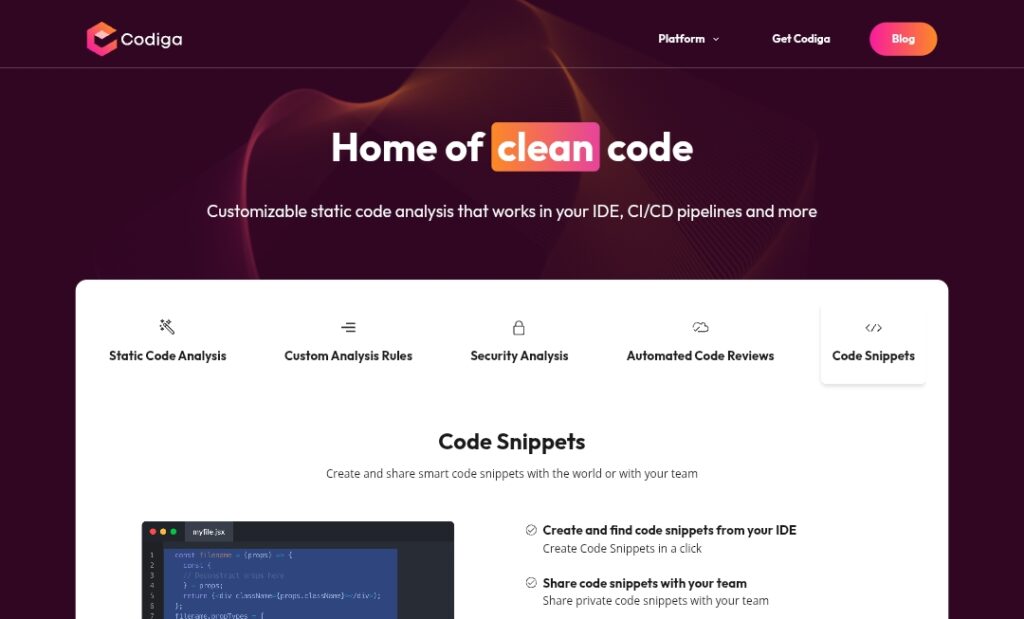
Codiga is a powerful customizable static code analysis platform that detects and fixes coding issues, vulnerabilities, and quality problems in real time across the development lifecycle.

It provides instant analysis in IDEs (VS Code, JetBrains, Visual Studio) as developers write code, with one-click autofix for vulnerabilities and issues.

Security-focused rules cover OWASP Top 10, MITRE CWE, SANS/CWE Top 25, and custom rules creatable in minutes via Codiga Hub.

Additional features include Git hooks to block pushes with issues, automated pull request reviews flagging duplicates/complex functions, historical error tracking per commit, and seamless integration with GitHub, GitLab, Bitbucket.

Codiga emphasizes real-time feedback, security compliance, code quality enforcement, and reduced technical debt without slowing workflows.

Founded around 2020-2021 (first funding in 2021, Code Analysis launch early 2021), it supports popular languages and libraries with strong emphasis on security and customization.

Pricing includes a free tier (limited analyses/day) and paid plans (Silver $10/month for 100+ analyses, Gold $18/month for unlimited), though recent updates or changes may apply.

Ideal for development teams prioritizing secure, high-quality code, especially in regulated industries or open-source projects needing automated enforcement.

Key Features

  1. Real-time static analysis: Instant issue detection as code is written in IDEs
  2. One-click autofix: Automatically corrects vulnerabilities and coding issues
  3. Security rule coverage: Rules for OWASP Top 10, MITRE CWE, SANS/CWE Top 25
  4. Custom rules: Create and share rules in 5 minutes via Codiga Hub
  5. Git hooks enforcement: Block code pushes with outstanding issues
  6. Pull request reviews: Flag violations, code duplication, long/complex functions
  7. Historical analysis: Track errors per commit in production
  8. IDE integrations: VS Code, JetBrains (IntelliJ etc.), Visual Studio
  9. CI/CD pipeline support: Analysis in GitHub, GitLab, Bitbucket workflows
  10. Code quality metrics: Duplication detection, complexity scoring, best practices

Price Plans

  1. Free ($0): Limited to 10 analyses per day; suitable for light/individual use
  2. Silver ($10/Month): 100+ analyses per day; premium access
  3. Gold ($18/Month): Unlimited analyses; full features and priority
  4. Students/Researchers (Free): Full membership after academic verification via contact form

Pros

  1. Highly customizable: Create/share rules tailored to project needs
  2. Strong security focus: Comprehensive coverage of major vulnerability standards
  3. Real-time feedback: Prevents issues before they reach review or production
  4. Autofix capability: Saves time by auto-correcting many problems
  5. Multi-platform integration: Works across popular IDEs and version control systems
  6. Free tier available: Limited daily analyses for individuals/small teams
  7. Enforces quality early: Reduces technical debt and review back-and-forth

Cons

  1. Limited free tier: Only 10 analyses/day; heavy use requires paid plan
  2. Pricing dated: 2019 plans (Silver $10, Gold $18/month); may have updated
  3. Language support not detailed: Covers popular languages but specifics unclear
  4. Setup for custom rules: Requires learning Codiga Hub for advanced use
  5. Potential false positives: Like any static analyzer, may flag non-issues
  6. IDE-dependent performance: Best in supported editors; others may lack full features
  7. No recent user stats: Adoption numbers not publicly highlighted recently

Use Cases

  1. Secure code development: Detect/fix OWASP/MITRE vulnerabilities early
  2. Team code quality enforcement: Block bad commits via Git hooks
  3. Pull request reviews: Automate checks for duplication/complexity
  4. Custom linting: Create organization-specific rules in minutes
  5. Production monitoring: Track historical errors per commit
  6. IDE productivity: Real-time suggestions/fixes in VS Code/JetBrains
  7. Open-source compliance: Enforce standards before merging

Target Audience

  1. Development teams: Needing consistent code quality and security
  2. Security-focused engineers: Prioritizing vulnerability detection
  3. Individual developers: Wanting real-time analysis and autofix
  4. Students/researchers: Eligible for free full access
  5. Open-source maintainers: Enforcing rules in PRs and repos
  6. Enterprises: With compliance needs (OWASP, CWE coverage)

How To Use

  1. Sign up: Create free account at codiga.io
  2. Install IDE plugin: Add Codiga extension for VS Code, JetBrains, or Visual Studio
  3. Connect repository: Link GitHub/GitLab/Bitbucket for PR analysis/hooks
  4. Write code: Get real-time analysis and autofix suggestions in IDE
  5. Create custom rules: Use Codiga Hub to build/share project-specific rules
  6. Enable hooks: Set up Git hooks to block pushes with issues
  7. Review PRs: See automated checks and fixes in pull requests

How we rated Codiga

  • Performance: 4.5/5
  • Accuracy: 4.6/5
  • Features: 4.7/5
  • Cost-Efficiency: 4.4/5
  • Ease of Use: 4.5/5
  • Customization: 4.8/5
  • Data Privacy: 4.5/5
  • Support: 4.3/5
  • Integration: 4.7/5
  • Overall Score: 4.6/5

Codiga integration with other tools

  1. IDE Plugins: VS Code, JetBrains (IntelliJ etc.), Visual Studio for real-time analysis
  2. Version Control: GitHub, GitLab, Bitbucket for PR reviews and Git hooks
  3. CI/CD Pipelines: Runs analysis in build workflows to catch issues early
  4. Codiga Hub: Community/shared custom rules repository
  5. Git Hooks: Local enforcement before pushing code

Best prompts optimised for Codiga

  1. N/A - Codiga is a static code analysis tool with real-time detection and autofix; it works automatically on code without manual prompting.
  2. N/A - No generative prompting needed; tool analyzes code directly in IDE or CI/CD.
  3. N/A - Focus is on rule-based/static analysis rather than chat-based code generation.
Codiga stands out as a customizable static analysis tool with real-time detection, autofix, and strong security rules (OWASP/MITRE coverage). Its IDE and Git integrations enforce quality early, reducing debt. Free tier suits individuals; paid plans offer unlimited power. Excellent for security-conscious teams needing tailored rules.

FAQs

  • What is Codiga AI?

    Codiga is a customizable static code analysis tool that provides real-time issue detection, autofix, and security checks in IDEs and CI/CD pipelines.

  • Is Codiga free to use?

    Yes, free tier offers 10 analyses per day; paid Silver ($10/month) gives 100+ analyses, Gold ($18/month) unlimited.

  • What security standards does Codiga cover?

    It includes rules for OWASP Top 10, MITRE CWE, SANS/CWE Top 25, plus custom rules for specific needs.

  • Which IDEs does Codiga support?

    It integrates with VS Code, JetBrains (IntelliJ etc.), and Visual Studio for real-time analysis.

  • Can Codiga block bad code pushes?

    Yes, Git hooks prevent pushing code with outstanding issues to repositories.

  • When was Codiga founded?

    Codiga launched its first tool in early 2021, with seed funding in 2021.

  • Does Codiga support custom rules?

    Yes, users can create and share custom rules in 5 minutes via Codiga Hub.

  • Who is Codiga best for?

    Development teams focused on security, code quality, and early issue prevention in CI/CD workflows.


Newly Added Toolsโ€‹

Qodo AI

$0/Month

Codiga

$10/Month

Tabnine

$59/Month

CodeRabbit

$0/Month
Codiga Alternatives

Qodo AI

$0/Month

Tabnine

$59/Month

CodeRabbit

$0/Month

Codiga Reviews

0.0
0.0 out of 5 stars (based on 0 reviews)
Excellent0%
Very good0%
Average0%
Poor0%
Terrible0%

There are no reviews yet. Be the first one to write one.