




Zelili AI

Continue Dev

Open-Source AI Coding Assistant for VS Code and JetBrains IDEs
Tool Release Date

Jun 2023

Tool Users
300K+
0.0
๐Ÿ‘ 14

About This AI

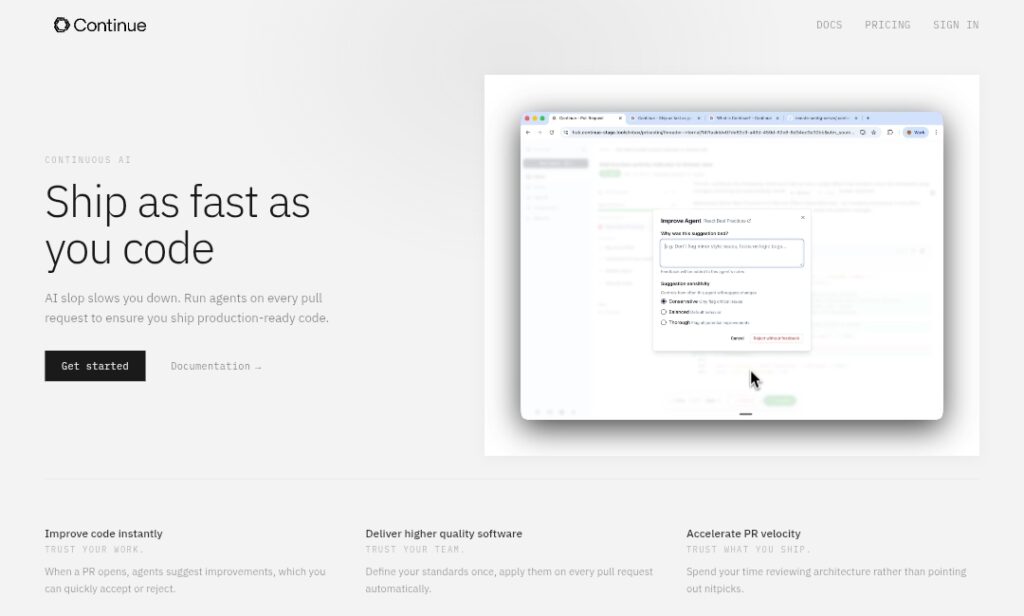
Continue is the leading open-source autopilot for software development, providing an AI coding assistant that integrates directly into VS Code and JetBrains IDEs.

It enables developers to chat with code, autocomplete intelligently, edit/refactor sections, generate explanations, and run custom agents for tasks like bug fixing, feature implementation, or PR reviews.

Fully customizable, it connects to any LLM (local or cloud: GPT-4, Claude, Gemini, Llama, DeepSeek, Ollama, etc.) via user-provided API keys or built-in options.

Key features include context-aware chat (using codebase, docs, diffs), slash commands (/edit, /generate, /test), autocomplete ghost text, codebase indexing for fast retrieval, custom rules/models, and headless/TUI modes for CI/CD or terminal agents.

Founded in 2023 by Ty Dunn and Nate Sesti (YC alum), Continue has grown rapidly with over 31,000 GitHub stars, 300,000+ extension downloads, and strong community contributions.

It emphasizes privacy (local models possible), transparency (open-source), and extensibility (hub for sharing custom assistants).

Pricing includes a free Solo plan for individuals; Team/Company plans add centralized management, SSO, and enterprise security.

Ideal for developers wanting control over AI tools without vendor lock-in, teams standardizing quality, and anyone accelerating coding while maintaining ownership.

Key Features

  1. Context-aware chat: Ask questions about code, docs, diffs, or entire codebase with intelligent retrieval
  2. Autocomplete and ghost text: Inline suggestions that appear as you type, accept with tab
  3. Edit and refactor: Highlight code and use /edit to modify, refactor, or fix bugs in place
  4. Slash commands: /generate, /test, /doc, /explain for quick actions without leaving editor
  5. Custom models and providers: Use any LLM (OpenAI, Anthropic, local Ollama, DeepSeek, etc.) via config
  6. Codebase indexing: Fast search and context from full repo without manual copy-paste
  7. Agent capabilities: Run autonomous agents for tasks, PR reviews, or CI/CD workflows
  8. Headless/TUI modes: Use in terminal or cloud for batch processing or async agents
  9. Custom rules and assistants: Define project-specific guidelines or share via Continue Hub
  10. Privacy-focused: Run locally with open models; no data sent without consent

Price Plans

  1. Solo ($0): Free for individuals with full core features, custom models, agents, and extensions
  2. Team ($20/seat/Month): Centralized config management, team rules, analytics, priority support
  3. Company (Custom): Enterprise features including SSO (SAML/OIDC), BYOK, compliance, dedicated support

Pros

  1. Complete open-source control: Audit code, customize deeply, no black-box vendor lock-in
  2. Any model flexibility: Bring your own keys or use local LLMs for privacy/cost
  3. Strong community: 31,000+ GitHub stars, active Discord, 300,000+ downloads
  4. IDE-native experience: Seamless in VS Code/JetBrains without separate apps
  5. Agent and automation power: Beyond chat: agents for PRs, testing, workflows
  6. Free core features: Solo plan fully functional for individuals
  7. Rapid evolution: Frequent updates from small, focused team

Cons

  1. Setup required: Config files and model keys needed for full use
  2. Team plans paid: Centralized management, SSO for organizations only in Team/Company tiers
  3. Model quality varies: Depends on chosen LLM; local models slower on consumer hardware
  4. No built-in model hosting: Users manage API keys or local inference
  5. Learning curve: Slash commands and config take time to master
  6. Resource intensive: Large context or agents can be heavy on CPU/GPU
  7. Extension-based: Limited to supported IDEs (VS Code/JetBrains)

Use Cases

  1. Daily coding acceleration: Autocomplete, explain, refactor code inline
  2. Codebase exploration: Chat with repo to understand legacy systems or find patterns
  3. PR reviews and quality: Run agents to suggest improvements or enforce standards
  4. Learning and onboarding: Ask questions about code or generate explanations/docs
  5. Team standardization: Apply consistent rules and best practices via config
  6. Prototyping and experimentation: Quickly generate/test features with any model
  7. CI/CD automation: Headless agents for linting, testing, or fixes in pipelines

Target Audience

  1. Individual developers: Wanting free, powerful, customizable AI coding help
  2. Open-source enthusiasts: Preferring transparent, auditable tools
  3. Engineering teams: Standardizing AI use with shared configs and agents
  4. Privacy-conscious users: Running local models or controlling data
  5. Enterprises: Needing SSO, compliance, and team management
  6. AI tinkerers: Experimenting with different models and assistants

How To Use

  1. Install extension: Add Continue from VS Code Marketplace or JetBrains Plugins
  2. Configure models: Edit config.json to add API keys (OpenAI, Anthropic, etc.) or local Ollama
  3. Start chatting: Open Continue sidebar, ask about code or highlight section for context
  4. Use autocomplete: Type and accept ghost text suggestions with Tab
  5. Run commands: Use slash commands like /edit, /generate, /test in chat
  6. Customize: Add rules, create custom assistants, or share via Continue Hub
  7. Team setup: Use Team/Company plan for shared configs and management

How we rated Continue Dev

  • Performance: 4.6/5
  • Accuracy: 4.5/5
  • Features: 4.8/5
  • Cost-Efficiency: 4.9/5
  • Ease of Use: 4.4/5
  • Customization: 5.0/5
  • Data Privacy: 4.9/5
  • Support: 4.5/5
  • Integration: 4.7/5
  • Overall Score: 4.7/5

Continue Dev integration with other tools

  1. VS Code and JetBrains IDEs: Native extensions for seamless in-editor experience
  2. Any LLM Provider: Connect to OpenAI, Anthropic, Google, local Ollama, DeepSeek, etc.
  3. Continue Hub: Share and discover custom assistants, rules, and configurations
  4. GitHub and Version Control: Context from repos, PR diffs, commits
  5. Terminal and CI/CD: Headless mode for automated workflows and agents

Best prompts optimised for Continue Dev

  1. Explain this function and suggest improvements for readability and performance: [highlight code]
  2. Refactor this class to follow SOLID principles while keeping functionality identical
  3. Generate unit tests for this component using Jest and React Testing Library
  4. Convert this Python script to TypeScript with proper typing and modern syntax
  5. Review this PR diff and suggest fixes for bugs, security, or style issues
Continue stands out as the premier open-source AI coding assistant, offering unmatched customization, model flexibility, and IDE-native integration for VS Code and JetBrains. With strong community backing, privacy focus, and powerful agents, it’s ideal for developers wanting control without lock-in. Free for individuals; team plans add management. A top choice for modern coding workflows.

FAQs

  • What is Continue Dev AI?

    Continue is an open-source AI coding assistant extension for VS Code and JetBrains IDEs, allowing chat with code, autocomplete, editing, refactoring, and custom agents using any LLM.

  • Is Continue free to use?

    Yes, the Solo plan is completely free with full core features; Team ($20/seat/month) and Company (custom) plans add management, SSO, and enterprise features.

  • How many users or downloads does Continue have?

    Continue has over 300,000 extension downloads across VS Code and JetBrains, plus 31,000+ GitHub stars and a large Discord community.

  • What IDEs does Continue support?

    It has native extensions for Visual Studio Code and JetBrains IDEs (IntelliJ, PyCharm, etc.).

  • What AI models can I use with Continue?

    Any model: OpenAI GPT, Claude, Gemini, Llama, DeepSeek, Ollama local models, or others via API keys or config.

  • Is Continue privacy-focused?

    Yes, fully open-source for auditing; supports local models with no data leaving your machine; no forced telemetry.

  • When was Continue founded?

    Continue was founded in June 2023 by Ty Dunn and Nate Sesti as a Y Combinator project.

  • Can Continue run agents or automate tasks?

    Yes, it supports custom agents for PR reviews, CI/CD, terminal use, or complex workflows in headless/TUI modes.


Newly Added Toolsโ€‹

Qodo AI

$0/Month

Codiga

$10/Month

Tabnine

$59/Month

CodeRabbit

$0/Month
Continue Dev Alternatives

Qodo AI

$0/Month

Codiga

$10/Month

Tabnine

$59/Month

Continue Dev Reviews

0.0
0.0 out of 5 stars (based on 0 reviews)
Excellent0%
Very good0%
Average0%
Poor0%
Terrible0%

There are no reviews yet. Be the first one to write one.




