



Zelili AI

GLM-OCR

State-of-the-Art Multimodal OCR Model – Fast, Accurate Document Understanding for Complex Layouts and Structures
Tool Users
N/A
0.0
๐Ÿ‘ 105

About This AI

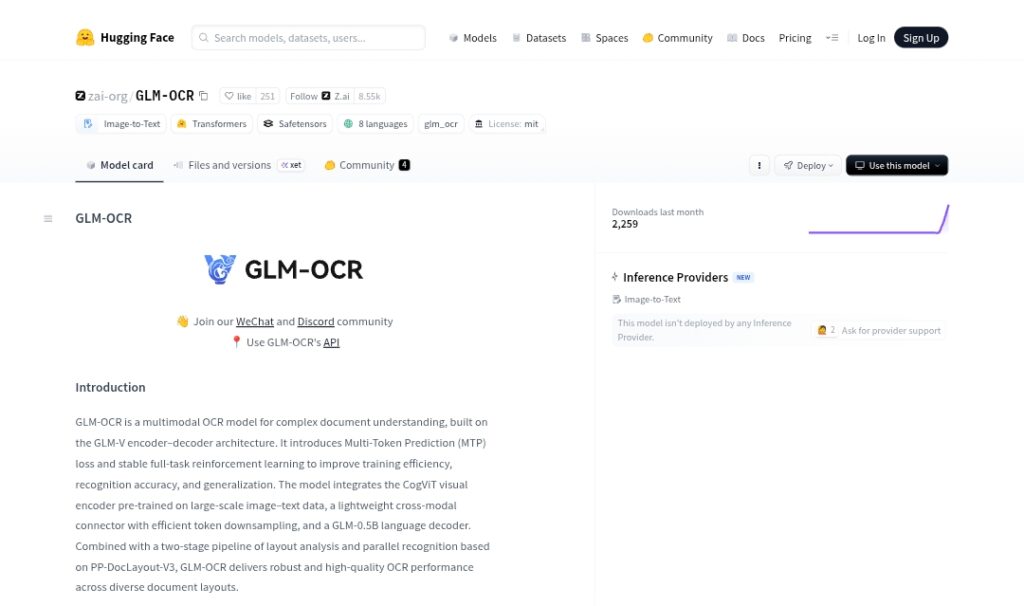
GLM-OCR is a powerful multimodal OCR model developed by Z.ai (Zhipu AI), built on the GLM-V encoder-decoder architecture for advanced document understanding.

It excels at text recognition, formula recognition, table recognition, and structured information extraction from complex real-world documents including scanned PDFs, images with challenging layouts, seals, code-heavy content, and multi-column formats.

The model integrates the CogViT visual encoder (pre-trained on large-scale image-text data), a lightweight cross-modal connector with token downsampling, and a GLM-0.5B language decoder.

It uses a two-stage pipeline with PP-DocLayout-V3 for layout analysis and parallel recognition, delivering high accuracy and speed.

GLM-OCR achieves top performance with a score of 94.62 on OmniDocBench V1.5 (ranking #1 overall) and state-of-the-art results across major benchmarks for formula, table, and extraction tasks.

Inference throughput is impressive at 1.86 pages/second for PDFs and 0.67 images/second (single replica).

With approximately 0.9B parameters, it supports efficient deployment via vLLM, SGLang, Ollama, and Transformers.

Released open-source under MIT license on Hugging Face (with weights, code, and SDK), it supports 8 languages and is ideal for developers, researchers, enterprises, and applications needing robust, fast OCR without proprietary APIs.

Community access includes WeChat/Discord groups, and an optional hosted API is available through docs.z.ai for easier use.

Key Features

  1. Multimodal document understanding: Combines vision and language for end-to-end parsing of complex layouts
  2. Text, formula, and table recognition: High-accuracy extraction from scanned documents, PDFs, and images
  3. Structured information extraction: Outputs in JSON schema for key-value pairs, tables, and entities
  4. Two-stage pipeline: Layout analysis with PP-DocLayout-V3 followed by parallel recognition
  5. State-of-the-art benchmarks: 94.62 on OmniDocBench V1.5 (top rank), excels in formula/table tasks
  6. High inference speed: 1.86 pages/second PDFs, 0.67 images/second on standard hardware
  7. Efficient architecture: 0.9B parameters with lightweight connector and downsampling
  8. Deployment flexibility: Supports vLLM, SGLang, Ollama, Transformers, and hosted API
  9. Multi-language support: Handles 8 languages for global document processing
  10. Open-source SDK: Full code, inference toolchain, and examples for easy integration

Price Plans

  1. Free ($0): Full open-source model weights, code, SDK, and local inference under MIT license with no usage fees
  2. Hosted API (Custom/Paid): Optional Z.ai API access for cloud-based OCR with tiered pricing (details at docs.z.ai)

Pros

  1. Top-tier accuracy: Leads open-source OCR with SOTA on OmniDocBench and specialized tasks
  2. Fast and efficient: High throughput on modest hardware, suitable for production use
  3. Fully open-source: MIT license with weights, code, and tools freely available
  4. Robust on complex docs: Handles tables, formulas, seals, and messy layouts effectively
  5. Easy deployment options: Multiple backends including Ollama for quick local testing
  6. Community and support: Active WeChat/Discord groups and GitHub for help
  7. Cost-free core use: No fees for local/self-hosted running

Cons

  1. Requires setup for local use: Needs GPU and dependencies for best performance
  2. Limited languages: Supports only 8 languages (not as broad as some general OCRs)
  3. No native mobile/edge focus: Primarily server/desktop deployment
  4. Recent release: Limited real-world user reports and integrations yet
  5. API may cost: Hosted Z.ai API has separate pricing (local is free)
  6. Potential VRAM needs: 0.9B model still requires decent GPU for fast batch processing
  7. No built-in UI: Command-line or code-based; no simple web demo mentioned

Use Cases

  1. Document digitization: Convert scanned PDFs/images to searchable/editable text
  2. Information extraction: Pull structured data from invoices, forms, IDs, contracts
  3. Academic/research processing: Handle papers with formulas, tables, and equations
  4. Enterprise automation: Batch OCR for compliance, archiving, or data entry
  5. Developer integrations: Embed in apps for real-time document parsing
  6. Table/formula-heavy content: Extract from technical docs, financial reports, code screenshots
  7. Multi-language workflows: Process documents in supported 8 languages

Target Audience

  1. Developers and AI engineers: Integrating advanced OCR into applications
  2. Researchers in document AI: Benchmarking or extending OCR models
  3. Enterprises and businesses: Automating document processing pipelines
  4. Data analysts/scientists: Extracting structured info from visual documents
  5. Open-source enthusiasts: Running local, customizable OCR without costs
  6. Academic users: Processing papers, theses, and technical materials

How To Use

  1. Install via Hugging Face: pip install transformers; load with AutoProcessor and AutoModelForImageTextToText
  2. Use Ollama: ollama run glm-ocr; drag image into terminal for quick testing
  3. vLLM deployment: vllm serve zai-org/GLM-OCR --allowed-local-media-path / --port 8080
  4. SGLang server: python -m sglang.launch_server --model zai-org/GLM-OCR --port 8080
  5. Prompt examples: Use 'Text Recognition:', 'Formula Recognition:', 'Table Recognition:', or structured JSON extraction prompts
  6. Process image: Upload PDF/image, apply chat template, generate output with max_new_tokens up to 8192
  7. Hosted API option: Use docs.z.ai for cloud-based calls if local setup is complex

How we rated GLM-OCR

  • Performance: 4.8/5
  • Accuracy: 4.9/5
  • Features: 4.7/5
  • Cost-Efficiency: 5.0/5
  • Ease of Use: 4.5/5
  • Customization: 4.6/5
  • Data Privacy: 5.0/5
  • Support: 4.4/5
  • Integration: 4.7/5
  • Overall Score: 4.8/5

GLM-OCR integration with other tools

  1. Hugging Face Transformers: Direct loading and inference with AutoProcessor/AutoModelForImageTextToText
  2. Ollama: One-command local running with drag-and-drop image support
  3. vLLM and SGLang: High-throughput serving for production or batch processing
  4. GitHub SDK: Full inference toolchain and examples at github.com/zai-org/GLM-OCR
  5. Z.ai Hosted API: Cloud-based endpoint for easy integration without local hardware

Best prompts optimised for GLM-OCR

  1. Text Recognition: Extract all visible text from this document image accurately, including headers, paragraphs, and footnotes
  2. Formula Recognition: Identify and convert all mathematical equations in this scanned page to LaTeX format
  3. Table Recognition: Parse this table into structured JSON with rows, columns, headers, and cell values
  4. Structured Extraction: Extract personal information from this ID card image as JSON: name, ID number, date of birth, address
  5. Full Document Parsing: Provide a complete summary and key-value extraction from this invoice image in JSON schema
GLM-OCR delivers exceptional multimodal OCR performance with top rankings on OmniDocBench and strong speed/accuracy for complex documents, formulas, and tables. Fully open-source and free locally, it’s ideal for developers needing reliable extraction without costs. Deployment options like Ollama make it accessible, though setup and GPU requirements exist for best results.

FAQs

  • What is GLM-OCR?

    GLM-OCR is a multimodal OCR model from Z.ai for complex document understanding, excelling at text, formula, table recognition, and structured extraction with SOTA performance.

  • Is GLM-OCR free to use?

    Yes, it’s fully open-source under MIT license with weights and code on Hugging Face; local inference is free, while optional hosted API may have costs.

  • What benchmarks does GLM-OCR lead on?

    It scores 94.62 on OmniDocBench V1.5 (ranking #1 overall) and achieves state-of-the-art in formula, table recognition, and information extraction tasks.

  • How fast is GLM-OCR inference?

    It processes 1.86 PDF pages/second and 0.67 images/second (single replica), making it highly efficient for production use.

  • How many parameters does GLM-OCR have?

    GLM-OCR has approximately 0.9 billion parameters, balancing high accuracy with reasonable compute requirements.

  • What deployment options does GLM-OCR support?

    It runs via Hugging Face Transformers, Ollama (easy local), vLLM/SGLang (high-throughput serving), and optional Z.ai hosted API.

  • How many languages does GLM-OCR support?

    It supports 8 languages for document processing (exact list not detailed in model card).

  • Who developed GLM-OCR?

    GLM-OCR was developed by Z.ai (Zhipu AI), with open-source release on Hugging Face in early 2026.

Newly Added Toolsโ€‹

Qwen-Image-2.0

$0/Month

Qodo AI

$0/Month

Codiga

$10/Month

Tabnine

$59/Month
GLM-OCR Alternatives

Qwen-Image-2.0

$0/Month

Lummi AI

$10/Month

Bing Image Creator

$0/Month

GLM-OCR Reviews

0.0
0.0 out of 5 stars (based on 0 reviews)
Excellent0%
Very good0%
Average0%
Poor0%
Terrible0%

There are no reviews yet. Be the first one to write one.