
What is Humata AI?
Humata AI is an AI assistant that lets you chat with PDFs and other documents to get instant answers, summaries, explanations, and key insights with source citations.
Is Humata AI free to use?
Yes, it has a free plan with limited pages and queries per month; Pro starts at $14/month for unlimited chats, larger files (up to 2000 pages), and advanced features.
What file types does Humata AI support?
It handles PDFs, Word docs, PowerPoint, scanned images, research papers, books, contracts, and more, including OCR for scanned or image-based files.
How accurate is Humata AI on technical documents?
It performs strongly on research papers, legal contracts, scientific reports, and financial documents, with answers cited to specific pages for verification.
Can Humata AI handle multiple documents at once?
Yes, paid plans allow chatting across multiple files for comparisons, combined insights, or cross-referencing information.
Does Humata AI cite sources in answers?
Yes, every response includes clickable page references and highlights the exact section in the document for easy verification.
Who is Humata AI best for?
Researchers, students, lawyers, consultants, analysts, and anyone who works with long or complex documents and needs fast understanding.
Is my data private with Humata AI?
Humata states documents are processed securely and not used for training without consent; review privacy policy for sensitive uploads.

Humata AI

About This AI
Humata AI is an intelligent document analysis platform that lets users chat with PDFs and other files to get instant answers, summaries, explanations, and insights.
Users upload documents (PDFs, Word, PowerPoint, scanned images, research papers, books, legal contracts, financial reports, etc.), and the AI answers questions in natural language, highlights relevant sections, generates summaries, explains complex terms, compares documents, and extracts key data points.
It supports multi-document chats (ask across multiple files), source citation with page numbers, follow-up questions, and export of answers as text or reports.
Key strengths include high accuracy on technical/legal/scientific content, handling large files (up to 2000 pages in Pro), OCR for scanned documents, and strong performance on research papers, theses, and dense reports.
Launched around 2022-2023, Humata has grown popular among researchers, students, lawyers, consultants, and professionals needing fast document understanding without manual reading.
The platform offers a free tier with limited queries/pages, plus paid plans for unlimited chats, larger uploads, priority processing, team collaboration, and API access.
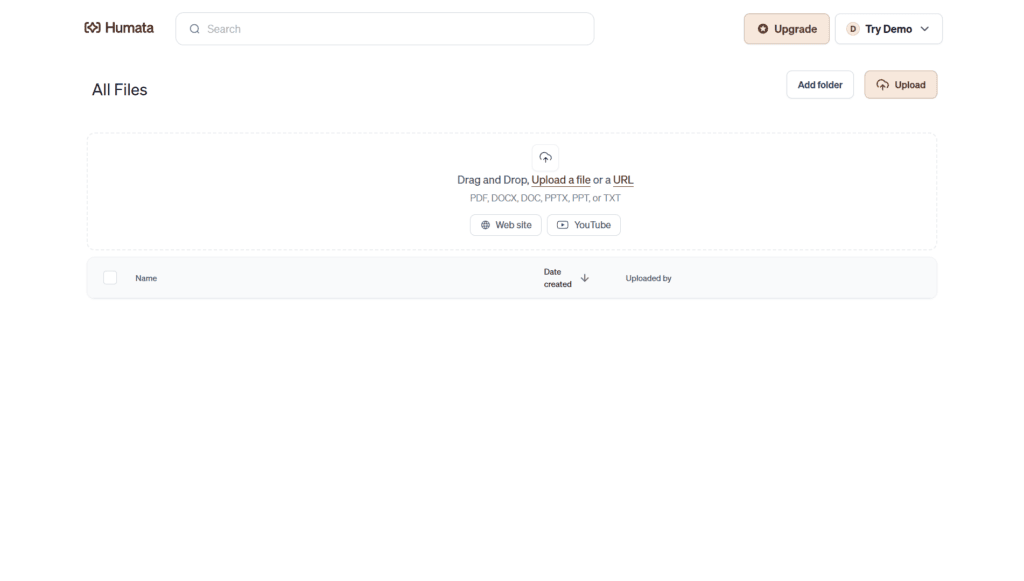
With a clean web interface and browser extensions, Humata saves significant time on reading and research by making documents conversational and searchable.
Key Features
- Chat with PDFs: Ask any question about uploaded documents in natural language and get precise answers
- Instant summaries: Generate concise overviews, executive summaries, or key takeaways from long files
- Source citations: Every answer links back to exact page/section with clickable references
- Multi-document support: Query across multiple files simultaneously for comparisons or combined insights
- OCR and scanned document support: Handles image-based PDFs, books, and handwritten notes
- Follow-up questions: Maintain conversation context for deeper exploration of topics
- Export answers: Download responses, summaries, or highlighted sections as text/PDF
- Team collaboration: Share chats and documents with team members in paid plans
- API access: Integrate Humata's document understanding into custom apps or workflows
- Large file handling: Pro plan supports up to 2000 pages per document and unlimited chats
Price Plans
- Free ($0): Limited pages (e.g., 60/month), limited queries/chats, basic features, no team sharing or API
- Pro ($14/Month or $120/Year): Unlimited chats, up to 2000 pages per document, priority support, team collaboration, faster processing, export options
- Team/Enterprise (Custom $29+/user/Month): Multi-user seats, advanced admin controls, higher limits, dedicated support, API access, SOC 2 compliance
Pros
- High accuracy on technical content: Excels at research papers, legal contracts, and scientific documents
- Time-saving: Reduces hours of reading to minutes of targeted Q&A
- Strong citation reliability: Answers always tied to source pages for verification
- User-friendly interface: Simple upload-and-chat experience with fast responses
- Generous free tier: Enough for occasional use without payment
- Multi-format support: Works with PDFs, Word, PPT, scanned images, and more
- Team features in paid: Collaboration and sharing for professional workflows
Cons
- Limited free tier: Caps on pages/queries (e.g., 60 pages/month or limited chats) push toward paid
- Pro pricing for heavy use: Unlimited and large-file features require subscription
- Occasional hallucinations: Like all LLMs, rare misinterpretations of complex context
- No offline mode: Fully cloud-based; requires internet connection
- File size limits: Free tier restricts upload size; Pro needed for very large documents
- Privacy for sensitive docs: Users should review data policy before uploading confidential files
- No native desktop/mobile app: Web-only (though responsive and extension available)
Use Cases
- Academic research: Summarize papers, extract findings, answer questions from multiple studies
- Legal review: Analyze contracts, find clauses, compare agreements quickly
- Business reports: Get key insights from financials, annual reports, or market analyses
- Student learning: Understand textbooks, lecture notes, or research materials
- Consulting and due diligence: Rapidly review large document sets for clients
- Technical documentation: Navigate manuals, code comments, or specs efficiently
- Personal knowledge management: Query personal notes, books, or archives
Target Audience
- Researchers and academics: Handling papers, theses, and literature reviews
- Lawyers and legal professionals: Reviewing contracts and case documents
- Students: Studying textbooks, articles, and course materials
- Business analysts and consultants: Analyzing reports and data-heavy files
- Professionals in finance/tech: Dealing with dense technical or financial docs
- Knowledge workers: Anyone needing to extract value from large documents fast
How To Use
- Sign up: Visit humata.ai and create free account (no card needed for free tier)
- Upload document: Drag/drop PDF, Word, PPT, or scanned file (or paste text)
- Ask questions: Type any query in the chat box (e.g., 'summarize key findings' or 'what is clause 5.2')
- Review answers: Read response with cited page links; click to jump to source
- Follow up: Ask clarifying questions to dive deeper
- Generate summary: Request full document summary or specific section insights
- Upgrade for more: Switch to Pro for unlimited chats and larger files
How we rated Humata AI
- Performance: 4.6/5
- Accuracy: 4.7/5
- Features: 4.8/5
- Cost-Efficiency: 4.5/5
- Ease of Use: 4.9/5
- Customization: 4.4/5
- Data Privacy: 4.5/5
- Support: 4.4/5
- Integration: 4.5/5
- Overall Score: 4.6/5
Humata AI integration with other tools
- Browser Extension: Chrome/Edge extension for quick PDF chat directly from browser
- Zapier: Connect Humata to thousands of apps for automated workflows (e.g., new upload triggers Slack notification)
- API Access (Enterprise): Programmatic document upload and querying for custom integrations
- Google Drive / Dropbox: Import files directly from cloud storage
- Team Sharing: Share chats and documents with collaborators in Pro/Team plans
Best prompts optimised for Humata AI
- Summarize the main arguments and conclusions of this research paper in simple terms
- What are the key findings from page 15 to 25? Include exact quotes and page numbers
- Explain the methodology section in detail as if teaching a student
- Compare the results in Table 3 with the discussion on page 40
- Extract all action items, deadlines, and responsible parties from this contract
FAQs
Newly Added Tools







About Author