


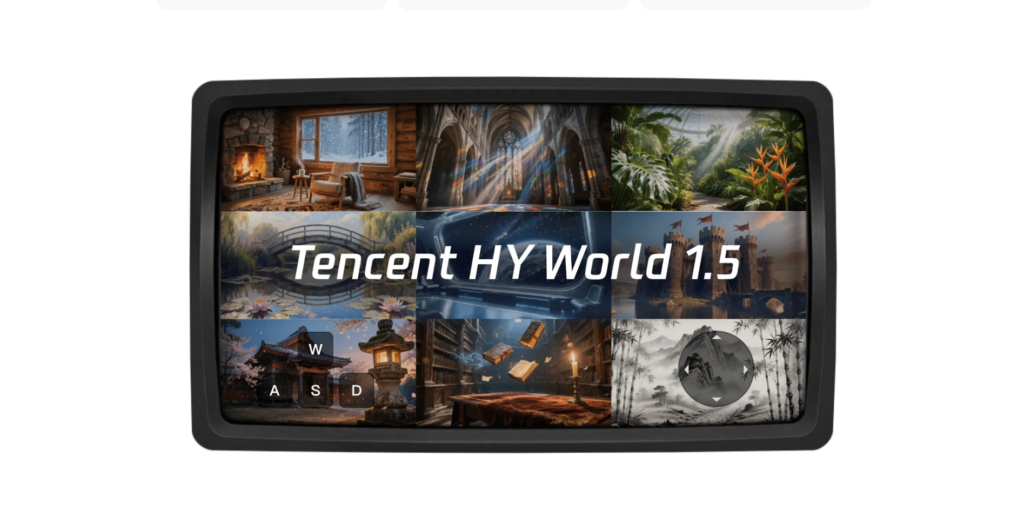

In the rapidly evolving landscape of artificial intelligence and generative modeling, few advancements have captured the imagination quite like HY-World 1.5. Developed by Tencent’s Hunyuan AI team, this open-source framework represents a quantum leap in creating interactive, real-time 3D worlds from simple text or image prompts.
Unlike traditional video generation tools that produce static clips, HY-World 1.5—also known as WorldPlay—enables users to explore dynamic environments with full control over movement, camera angles, and even triggered events, all while maintaining geometric consistency over extended sessions.
Released in late 2025, it bridges the gap between high-fidelity world simulation and practical, low-latency performance, making it accessible for developers, researchers, and creative professionals alike.
What sets HY-World 1.5 apart is its focus on real-time interactivity at 24 frames per second (FPS), achieved through innovative designs like dual action representation, reconstituted context memory, reinforcement learning post-training, and context forcing distillation.
These elements resolve longstanding trade-offs between speed and memory, allowing for seamless navigation in both first-person and third-person perspectives across real-world and stylized scenes.
Whether you’re building virtual reality prototypes, simulating environments for robotics training, or experimenting with infinite world extensions, installing and optimizing this model locally empowers you to harness its full potential without relying on cloud services.
This comprehensive guide dives deep into every aspect of deploying HY-World 1.5 on your own hardware.
We’ll cover step-by-step installation, advanced integration techniques for custom workflows, optimization strategies to maximize performance on various local setups, and a thorough comparison with leading commercial alternatives.
By the end, you’ll have the knowledge to not only get it running but also push its boundaries for your specific needs. Let’s embark on this journey into the future of interactive AI world modeling.
Understanding HY-World 1.5: The Foundation of Interactive World Modeling
Before delving into installation, it’s essential to grasp what makes HY-World 1.5 a groundbreaking tool.
At its core, this framework is a streaming video diffusion model built upon the HunyuanVideo 1.5 architecture, which itself is an efficient diffusion transformer (DiT) with a 3D causal variational autoencoder (VAE).
The result is a system capable of generating long-horizon videos that respond instantaneously to user inputs, such as keyboard commands for movement or mouse adjustments for viewing angles.
The model’s magic lies in addressing key challenges in world modeling. Traditional approaches often falter in maintaining long-term geometric consistency meaning scenes might warp or change unrealistically when revisited.
HY-World 1.5 counters this with reconstituted context memory, which dynamically retrieves and reframes past frames based on spatial and temporal relevance, ensuring that distant elements remain influential without overwhelming computational resources.
Additionally, dual action representation combines discrete keyboard inputs with continuous camera poses, providing precise control while stabilizing training across varied scene scales.
For users, this translates to practical applications: Generate a bustling cityscape from a prompt like “futuristic urban skyline at dusk,” then walk through it, trigger events like a sudden rainstorm, or even reconstruct 3D meshes from the generated video.
Its open-source nature under the Tencent Hunyuan Community License means you can modify, train, and deploy it freely, fostering innovation in fields like game development, architectural visualization, and autonomous systems testing.
One of the most appealing aspects is its efficiency. With parameter counts optimized for performance leveraging selective and sliding tile attention (SSTA) to prune redundant tokens HY-World 1.5 runs on consumer-grade hardware, albeit with some caveats we’ll explore later.
This democratizes access to advanced AI, allowing hobbyists with a mid-range NVIDIA GPU to experiment alongside enterprise teams.
Step-by-Step Guide to Local Installation
Installing HY-World 1.5 locally is straightforward but requires careful attention to dependencies and environment setup.
The process is designed for Linux or Windows with WSL, leveraging Conda for virtual environments to avoid conflicts. Assume you have Python 3.10 and CUDA installed; if not, start there via NVIDIA’s official drivers.
Begin by cloning the repository from GitHub. Open a terminal and execute:
git clone https://github.com/Tencent-Hunyuan/HY-WorldPlay.git
cd HY-WorldPlay
This pulls down the core code, including inference scripts, training guidelines, and demo examples. Next, create a dedicated Conda environment to isolate dependencies:
conda create –name hyworld python=3.10 -y
conda activate hyworld
Install the required packages from the provided requirements file:
pip install -r requirements.txt
This step pulls in essentials like Torch, Transformers, and Diffusers, along with specialized libraries for video processing and attention mechanisms. For enhanced performance, install optional attention optimizations. Flash Attention reduces GPU memory usage and speeds up inference—highly recommended for local runs:
pip install flash-attn
Follow up with AngelSlim and DeepGEMM, which optimize matrix operations for better throughput:
pip install angelslim deepgemm
Now, download the pretrained models. HY-World 1.5 relies on the HunyuanVideo-1.5 base (specifically the 480P image-to-video variant) from Hugging Face. Use the CLI for efficiency:
huggingface-cli download tencent/HY-WorldPlay –local-dir models/
This places the weights in a ‘models’ directory. If you encounter authentication issues, log in via huggingface-cli login with your token.
To verify the installation, run a basic inference test. The repository includes a script like infer.py. Customize it with a prompt:
python infer.py –prompt “A serene mountain landscape at sunset” –mode ar –num_inference_steps 4
If everything works, you’ll see generated video chunks streaming in real-time. Common pitfalls include mismatched CUDA versions or insufficient VRAM—address these by checking nvidia-smi and adjusting batch sizes in the config.
For those new to diffusion models, the inference pipeline involves encoding the prompt, conditioning on actions, and autoregressively predicting frame chunks. The default settings output 480p at 24 FPS, but you can upscale via integrated super-resolution modules.
Advanced Integration: Customizing and Extending HY-World 1.5
Once installed, HY-World 1.5’s true power emerges through advanced integration. The framework provides a complete training pipeline, allowing you to fine-tune for domain-specific tasks like medical simulations or urban planning visualizations.
The three-stage training process is particularly noteworthy. Start with mid-end training, which injects world knowledge using dynamic sampling and anchor data to balance legal and general capabilities—wait, that’s a mix-up; for HY-World, it’s tailored to spatiotemporal data. Use provided scripts to preprocess your datasets, ensuring they include action sequences and long-horizon videos.
Next, instruction fine-tuning aligns the model with interactive workflows. Supply prompt-action pairs, and the model learns to respond to inputs like “turn left” or “jump.” This stage uses supervised fine-tuning (SFT) techniques, with loss functions optimized for consistency.
The crown jewel is WorldCompass, a reinforcement learning (RL) framework for post-training. It employs reward models to steer behavior, mitigating exposure bias through clip-level rollouts. Rewards penalize inconsistencies (e.g., via PSNR metrics) and encourage action adherence. To integrate, prepare a reward dataset and run:
python train_rl.py –config configs/rl.yaml
This boosts performance in complex scenarios, like navigating crowded scenes without artifacts.
For deeper customization, modify the DiT architecture. The SSTA mechanism allows selective token pruning—tweak thresholds in the code to favor temporal over spatial attention in memory-constrained setups. Integrate with external tools like Unity for exporting generated worlds into game engines, using the model’s 3D reconstruction capabilities to output meshes via integrated NeRF-like modules.
Distillation is key for advanced users. Context Forcing aligns teacher-student memory, enabling lighter models for edge devices. Distill a bidirectional teacher into an autoregressive student:
python distill.py –teacher_model bidirectional –steps 10000
This reduces inference time while preserving long-range dependencies.
Security considerations are crucial for integration. Since the model processes user inputs, sanitize prompts to prevent injection attacks. For enterprise setups, containerize with Docker:
docker build -t hyworld .
docker run –gpus all -it hyworld
This facilitates scalable deployments, integrating with APIs for remote control.
Optimizing HY-World 1.5 for Local Hardware
Optimization is where HY-World 1.5 shines for local users, as its design accommodates a range of hardware from mid-tier RTX 30-series cards to high-end A100 clusters. The base model requires 28-72 GB VRAM depending on parallelization (sp=8 for lower memory), but clever tweaks can halve this.
Start with quantization. Recent updates include support for 8-bit and 4-bit weights via bitsandbytes:
pip install bitsandbytes
Load models with quantization_config in the inference script. This drops memory footprint by 50% with minimal quality loss, ideal for RTX 4060 (16GB) users aiming for 480p.
Enable model offloading if VRAM is tight—shift unused layers to CPU/RAM using accelerate:
from accelerate import Accelerator
accelerator = Accelerator(mixed_precision=”fp16″)
model = accelerator.prepare(model)
This leverages FP16 precision for 30% speed gains.
For multi-GPU setups, use DeepSpeed or torch.distributed:
python -m torch.distributed.launch –nproc_per_node=4 infer.py
Distribute chunks across cards for faster autoregression.
Engineering optimizations include latency reduction techniques like precomputing embeddings and batching actions. Adjust the num_inference_steps to 4 for real-time, balancing quality via context forcing.
Monitor with nvidia-smi and profile bottlenecks using torch.profiler. Common optimizations: Disable unnecessary modules (e.g., super-resolution for low-res tests) and use TensorRT for inference acceleration on NVIDIA hardware.
On non-NVIDIA setups, like AMD via ROCm, compatibility is emerging—compile with rocblas and test inference. For laptops, cap FPS to 15 and use power-saving modes to avoid thermal throttling.
Comparing HY-World 1.5 with Commercial Alternatives
When evaluating HY-World 1.5 against commercial giants, its open-source edge becomes clear. Let’s break it down.
Google’s Genie 2 excels in embodied AI, generating interactive 3D from images, but lacks HY-World’s real-time consistency—Genie 2 processes at sub-10 FPS with higher error rates (0.431 LPIPS vs. HY’s 0.371). Commercial access requires cloud credits, costing $0.50/hour, while HY is free and local.
WorldLabs (backed by OpenAI) focuses on simulation but demands enterprise hardware; its consistency scores trail (0.517 SSIM vs. HY’s 0.585). Proprietary pricing starts at $10K/year for API access.
Matrix-Game 2.0 from a startup offers game-like worlds but sacrifices memory for speed, leading to 1.117 translation error (vs. HY’s 0.797). It’s subscription-based at $20/month.
In benchmarks like VBench, HY-World leads in temporal smoothness (0.733) and aesthetic quality. Human preferences favor it 78-92% over competitors.
Pros of HY: Free, customizable, efficient. Cons: Steeper learning curve vs. plug-and-play commercials. Overall, for cost-conscious innovators, HY-World outperforms in value and flexibility.
Conclusion: Unlocking the Potential of HY-World 1.5
HY-World 1.5 democratizes interactive world modeling, blending ease of use with cutting-edge capabilities. From installation to optimization, this guide equips you to deploy it locally, integrate advanced features, and outpace commercial rivals. As AI evolves, tools like this pave the way for immersive futures—start exploring today.
What is HY-World 1.5?
HY-World 1.5 (WorldPlay) is Tencent Hunyuan’s open-source interactive world model that generates real-time streaming video at 24 FPS with long-term geometric consistency from user inputs.
When was HY-World 1.5 released?
It was officially released and open-sourced on December 17, 2025, with the technical report and code made available.
Is HY-World 1.5 free to use?
Yes, it is completely open-source with full training framework, inference code, and model weights available under community license; no costs involved.
What are the key innovations in HY-World 1.5?
Dual Action Representation, Reconstituted Context Memory, WorldCompass RL framework, and Context Forcing distillation enable real-time speed with geometric consistency.
What hardware does HY-World 1.5 require?
It needs powerful GPUs for real-time inference (high-end consumer or better); lightweight 5B variant fits smaller VRAM but with quality trade-offs.
How does HY-World 1.5 compare to other world models?
It achieves both high FPS and long-term consistency, outperforming methods that sacrifice one for the other, and rivals closed models like Genie in open-source form.
What applications does HY-World 1.5 support?
Suited for game prototyping, embodied AI/robot training, autonomous driving simulation, VFX pre-vis, 3D reconstruction, and interactive content creation.
Where can I access HY-World 1.5?
Model weights on Hugging Face, full code and docs on GitHub (Tencent-Hunyuan/HY-WorldPlay), plus technical report on the Hunyuan site.






