
What is Qwen-Image-Edit-2511?
Qwen-Image-Edit-2511 is an open-source image editing model from Alibaba’s Qwen team, enhanced for better consistency, character preservation, LoRA support, and precise edits via natural language instructions.
When was Qwen-Image-Edit-2511 released?
It was released on December 23, 2025 as an upgrade over Qwen-Image-Edit-2509.
Is Qwen-Image-Edit-2511 free to use?
Yes, it is fully open-source under Apache 2.0 with weights on Hugging Face; run locally at no cost or use hosted options via providers.
What are the main improvements in Qwen-Image-Edit-2511?
Key upgrades include reduced image drift, superior character and multi-person consistency, integrated LoRA support, enhanced industrial design, and stronger geometric reasoning.
How do I run Qwen-Image-Edit-2511?
Use Diffusers library: load QwenImageEditPlusPipeline, provide input image(s) and prompt, generate with parameters like 40 steps and cfg scale 4.0; ComfyUI workflows also available.
What hardware is needed for Qwen-Image-Edit-2511?
It requires a capable GPU for efficient inference (large model size); consumer high-end cards work but may be slow without optimization.
Does Qwen-Image-Edit-2511 support LoRAs?
Yes, it has built-in LoRA compatibility for community adapters like lighting, multi-angle views, poses, and specialized edits.
What tasks is Qwen-Image-Edit-2511 best for?
Ideal for character-consistent edits, product design variations, multi-person fusions, industrial prototyping, and precise geometric or style changes.

Qwen Image Edit 2511

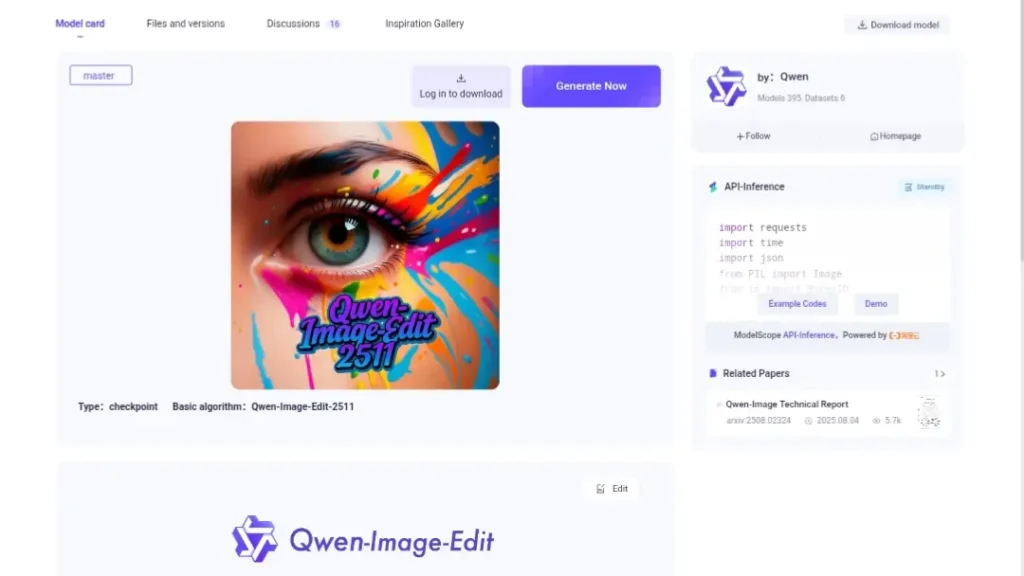
About This AI
Qwen-Image-Edit-2511 is an enhanced open-source image-to-image editing model from Alibaba’s Qwen team, released December 23, 2025 as an upgrade over Qwen-Image-Edit-2509.
Built on a powerful multi-modal diffusion transformer architecture (likely around 20B parameters), it excels at precise, consistent edits using natural language instructions while preserving subject identity, visual characteristics, and overall coherence.
Major improvements include mitigation of image drift during iterative edits, significantly better character and multi-person consistency, integrated LoRA support for community adapters, enhanced industrial design generation (e.g., product material swaps, batch designs), and strengthened geometric reasoning (e.g., adding construction lines or accurate perspective changes).
It supports imaginative transformations (e.g., style transfers, pose adjustments, scene fusions) with dual semantic and appearance editing, making it ideal for professional creative workflows.
Fully open-source under Apache 2.0 license with weights on Hugging Face and ModelScope, it integrates easily with Diffusers library or ComfyUI workflows for local deployment.
The model shines in real-world applications like portrait editing, group photo fusions, product photography enhancements, and multi-angle generation via LoRA adapters.
With high adoption in the community (over 115K downloads last month on Hugging Face), it’s a strong free alternative to proprietary editors, especially for developers and artists needing controllable, high-fidelity results without commercial restrictions.
Key Features
- Image-to-Image Editing: Transform input images via natural language prompts with precise control
- Improved Character Consistency: Maintains subject identity and appearance across imaginative or iterative edits
- Multi-Person Consistency: High-fidelity fusion of multiple subjects in group scenes without drift
- Mitigated Image Drift: Reduces unwanted changes during sequential editing operations
- Integrated LoRA Support: Compatible with community LoRAs for lighting, poses, angles, and style enhancements
- Industrial Design Generation: Supports batch product redesigns, material swaps, and design variations
- Geometric Reasoning: Accurately handles perspective, construction lines, and spatial edits
- Dual Semantic and Appearance Editing: Combines meaning-based changes with visual style preservation
- High-Fidelity Outputs: Delivers detailed, coherent results suitable for professional use
- Open-Source Deployment: Full weights and Diffusers pipeline for local inference
Price Plans
- Free ($0): Full open-source model weights, code, and inference pipeline under Apache 2.0; no usage fees
- Cloud Hosting (Custom): Potential paid options via ModelScope, Replicate, or fal.ai for hosted inference
Pros
- Exceptional consistency: Major leap in preserving characters and scenes over prior versions
- Strong open-source accessibility: Apache 2.0 license with easy Hugging Face integration
- LoRA ecosystem: Benefits from community adapters for advanced controls like multi-angle views
- Professional-grade edits: Excels in industrial design, product photography, and precise modifications
- Free and local-run: No cloud dependency or costs for full power on capable hardware
- Community momentum: Rapid adoption with 115K+ downloads/month and ComfyUI support
- Versatile applications: From creative art to e-commerce enhancements
Cons
- Hardware intensive: Large model size requires powerful GPU for efficient inference
- Slower on consumer setups: Not as fast as smaller models or cloud services without optimization
- Setup required: Needs Diffusers/ComfyUI installation; no simple web demo for casual users
- Occasional inconsistencies: Complex multi-step edits may still show minor artifacts
- Recent release: Limited long-term benchmarks or widespread user stats yet
- Text prompt sensitivity: Best results need detailed, well-phrased instructions
- No native mobile support: Primarily desktop/local deployment
Use Cases
- Portrait and character editing: Change outfits, poses, or expressions while keeping identity intact
- Product photography enhancement: Swap backgrounds, materials, or add elements for e-commerce
- Multi-person scene fusion: Combine individuals into coherent group photos
- Industrial and design prototyping: Batch generate variations of products or layouts
- Artistic style transfer: Apply new aesthetics or artistic effects consistently
- Multi-angle generation: Use LoRA adapters to create consistent views from different perspectives
- Geometric corrections: Add accurate lines, perspectives, or spatial adjustments
Target Audience
- AI artists and creators: Needing consistent, controllable image transformations
- Graphic designers: For precise edits in marketing or product visuals
- E-commerce professionals: Enhancing product images at scale
- Developers and researchers: Fine-tuning or integrating via open-source pipeline
- ComfyUI/Diffusers users: Leveraging community workflows and LoRAs
- Industrial designers: Prototyping and material experimentation
How To Use
- Install Diffusers: Run pip install git+https://github.com/huggingface/diffusers for latest support
- Load pipeline: Use QwenImageEditPlusPipeline.from_pretrained('Qwen/Qwen-Image-Edit-2511', torch_dtype=torch.bfloat16)
- Prepare inputs: Load input image(s) with PIL.Image.open()
- Craft prompt: Write detailed editing instruction (e.g., 'change outfit to red dress, keep face identical')
- Generate: Call pipeline with parameters like true_cfg_scale=4.0, num_inference_steps=40
- Save output: Access output.images[0] and save as PNG
- Try ComfyUI: Use native workflow examples for easier visual node-based editing
How we rated Qwen Image Edit 2511
- Performance: 4.6/5
- Accuracy: 4.7/5
- Features: 4.8/5
- Cost-Efficiency: 5.0/5
- Ease of Use: 4.4/5
- Customization: 4.9/5
- Data Privacy: 5.0/5
- Support: 4.5/5
- Integration: 4.7/5
- Overall Score: 4.7/5
Qwen Image Edit 2511 integration with other tools
- Hugging Face Diffusers: Native pipeline for easy local inference and integration in Python scripts
- ComfyUI: Dedicated workflows and nodes for visual node-based editing with Qwen-Image-Edit-2511
- LoRA Ecosystem: Supports community adapters for lighting, poses, multiple angles, and specialized edits
- ModelScope: Alibaba's platform for hosted inference, demos, and additional Qwen model access
- Replicate / fal.ai: Cloud hosting options for API-based or no-setup usage
Best prompts optimised for Qwen Image Edit 2511
- Change the background to a serene beach at sunset while preserving the person's exact appearance and clothing, high detail, photorealistic
- Replace the outfit with a futuristic cyberpunk jacket and pants, keep face and pose identical, add neon city lights in background
- Add construction lines and annotations to show geometric proportions for industrial design review, clean technical style
- Fuse two people into a group photo: person from image1 on left, person from image2 on right, facing each other in central park
- Generate the same portrait from a different angle (side view) using LoRA adapter, maintain identity and lighting consistency
FAQs
Newly Added Tools






About Author