
What is Immersity AI?
Immersity AI is a platform that uses AI to convert 2D images and videos into immersive 3D experiences with depth, motion parallax, and stereo views, viewable on phones, XR headsets, and more.
When was Immersity AI launched?
It evolved from LeiaPix and officially launched with video conversion support on May 24, 2024, with unified branding in August 2025.
Is Immersity AI free to use?
It offers a free tier with watermarked conversions up to 720p; paid plans start at $4.99/month for image credits or higher for video, unlocking no watermarks, higher resolutions, and commercial use.
What formats does Immersity AI support?
It handles images and videos, exporting in stereo side-by-side/top-bottom, MP4, MKV, MOV, with resolutions up to 8K/35MP and FPS up to 60.
How does Immersity AI work?
Upload 2D media, let the Neural Depth Engine generate depth maps and motion effects, preview, and export immersive 3D versions for standard or XR viewing.
Who is behind Immersity AI?
Developed by Leia Inc., a company specializing in spatial computing and display technologies.
Can Immersity AI be used commercially?
Yes, paid plans enable watermark-free commercial exports for professional and business use.
What devices support Immersity AI outputs?
Content works on any phone, tablet, monitor, laptop, or XR headset (including Meta Quest, Apple Vision Pro) via stereo formats or native viewing.

Immersity AI

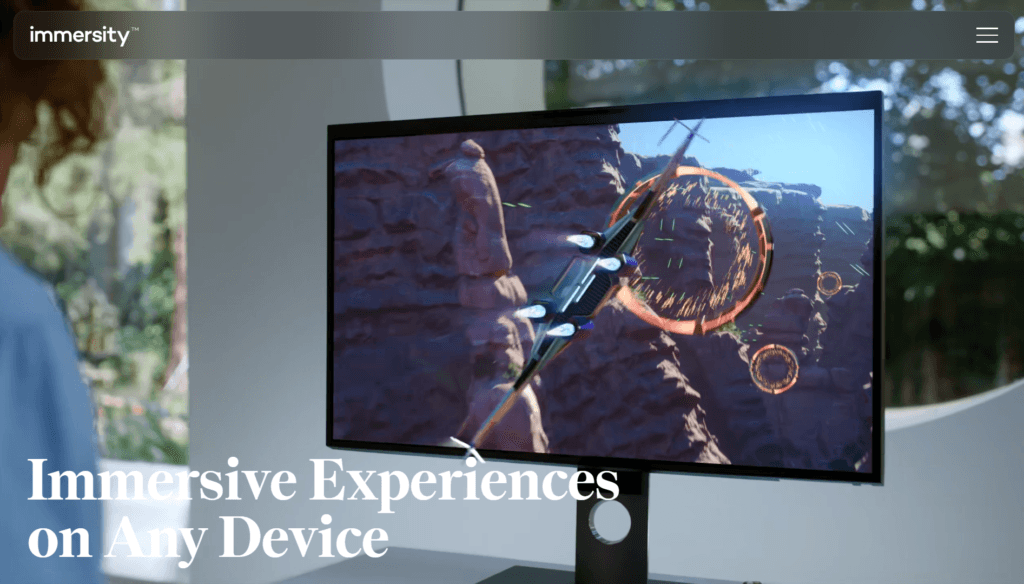
About This AI
Immersity AI is an innovative platform developed by Leia Inc. that uses advanced Neural Depth Engine and Spatial AI to convert standard 2D images and videos into immersive 3D content.
It enables users to add depth, motion parallax, and animated effects to flat media, creating experiences viewable on phones, tablets, monitors, laptops, XR headsets, and other devices without special hardware.
Core capabilities include generating disparity/depth maps, creating stereo side-by-side or top-bottom 3D views, Immersive Motion animations with camera movements (pan, zoom, orbit), and high-resolution exports up to 8K/35MP.
The tool supports various output formats (MP4, MKV, MOV) with FPS options up to 60, and features like commercial use, no watermarks on paid exports, and flexible credit-based pricing.
Originally evolving from LeiaPix (launched earlier), Immersity AI introduced video conversion in May 2024 and unified branding in August 2025.
It targets creators, designers, marketers, and XR enthusiasts for social media content, Apple Music album art motion, XR-ready videos, and immersive storytelling.
With user-friendly web and mobile apps, it offers free watermarked trials and paid credits/subscriptions for full features, making high-quality 3D conversion accessible and fast.
Key Features
- 2D to 3D Image Conversion: Transforms photos into depth-enhanced 3D images with stereo views and motion effects
- 2D to 3D Video Conversion: Converts videos into immersive 3D clips with parallax, depth animation, and camera movements
- Neural Depth Engine: Generates accurate disparity maps for realistic depth perception
- Immersive Motion: Adds dynamic animations like pan, zoom, orbit, and perspective shifts to static or video content
- High-Resolution Exports: Supports up to 8K/35MP images and 60 FPS videos in multiple formats (MP4, MKV, MOV)
- Stereo Output Modes: Side-by-side, top-bottom, or XR-compatible formats for various devices
- Commercial Licensing: Paid plans enable watermark-free, commercial-use exports
- Flexible Credit System: Pay-as-you-go credits valid for 12 months across all features
- Mobile and Web Access: User-friendly apps for on-the-go conversion and preview
- Apple Music Integration: Specialized motion effects for album artwork
Price Plans
- Free ($0): Watermarked conversions, unlimited basic 2D to 3D up to 720p, limited features and no commercial use
- Image Plan ($4.99/Month): 500 credits/month for image conversions, higher quality, no watermarks, commercial use
- Video Plan ($24.99/Month): Credits for video/Immersive Motion conversions, up to 4K, advanced features
- Video Pro ($49.99/Month): Higher credits, 8K support, premium exports, and priority processing
Pros
- High-quality depth conversion: Produces convincing 3D effects from 2D media with minimal artifacts
- Device-agnostic immersion: Works on everyday screens and XR headsets without new hardware
- Fast and intuitive: Simple upload-process-export workflow with real-time previews
- Versatile outputs: Supports images, videos, motion animations, and various stereo formats
- Commercial ready: Paid options enable professional use without restrictions
- Flexible pricing: Credit packs allow pay-for-what-you-use without fixed subscriptions
- Ongoing improvements: Evolved from LeiaPix with added video support and better speed/quality
Cons
- Credit-based limits: Free/watermarked only; paid credits needed for full/high-res exports
- Variable credit costs: Higher FPS or resolutions consume more credits
- No offline mode: Requires internet for AI processing
- Learning curve for advanced settings: Optimal results need tweaking motion/depth parameters
- Limited free tier: Watermarks and resolution caps restrict casual/pro use
- Potential artifacts: Complex scenes or fast motion may show inconsistencies
- API/enterprise separate: Advanced integrations may require custom contact
Use Cases
- Social media content: Convert photos/videos to 3D for engaging posts/Reels/Stories
- Marketing and ads: Create immersive product visuals or promotional videos
- Music and album art: Add motion to album covers for streaming platforms
- XR/VR experiences: Generate stereo 3D content for headsets and immersive viewing
- Photography enhancement: Add depth and parallax to portraits or landscapes
- Creative projects: Animate 2D art or turn flat videos into dynamic 3D scenes
- Professional design: Prototype immersive assets for apps, games, or presentations
Target Audience
- Content creators and influencers: Enhancing social media with 3D effects
- Marketers and advertisers: Producing immersive promotional visuals
- Musicians and artists: Animating album art or creative media
- XR/VR developers: Generating stereo content for headsets
- Photographers and designers: Adding depth to portfolios or client work
- Casual users: Experimenting with fun 3D conversions
How To Use
- Visit site: Go to immersity.ai and sign up/log in (free trial credits available)
- Upload media: Drag/drop image or video file (supports photos, clips)
- Adjust settings: Choose motion style, depth intensity, camera path (pan/zoom/orbit), FPS, resolution
- Generate: Let AI process to create Immersive Motion or stereo 3D output
- Preview and tweak: View result in viewer; regenerate with changes if needed
- Export: Download watermark-free HD in paid plans; select format (MP4, etc.)
- Share or integrate: Use for social, XR, or further editing
How we rated Immersity AI
- Performance: 4.6/5
- Accuracy: 4.5/5
- Features: 4.7/5
- Cost-Efficiency: 4.4/5
- Ease of Use: 4.8/5
- Customization: 4.5/5
- Data Privacy: 4.4/5
- Support: 4.3/5
- Integration: 4.5/5
- Overall Score: 4.6/5
Immersity AI integration with other tools
- Web and Mobile Apps: Native access via browser and iOS/Android apps for on-device conversion
- XR Platforms: Outputs optimized for Meta Quest, Apple Vision Pro, and other headsets with stereo formats
- Social Media: Easy export for TikTok, Instagram, YouTube, and streaming platforms
- Design Tools: Compatible with Photoshop, Premiere, After Effects for further editing of exported files
- Apple Music: Specialized support for animated album artwork integration
Best prompts optimised for Immersity AI
- Not applicable - Immersity AI is primarily a 2D-to-3D conversion tool using uploaded images/videos and automatic depth/motion processing rather than text prompts for generation. It focuses on input media enhancement with adjustable parameters (motion intensity, depth map, camera path) instead of descriptive text prompts.
FAQs
Newly Added Tools







About Author