
What is InVideo Vision?
InVideo Vision is an AI cinematographer tool that generates 9 connected storyboard shots from a single sentence, helping users visualize stories and concepts instantly.
When was InVideo Vision launched?
It was launched around December 22, 2025, as a new feature within the InVideo platform.
Is InVideo Vision free to use?
Available free and unlimited on paid InVideo plans during promotional periods (e.g., 7 days post-launch); requires a subscription for ongoing unlimited access.
How many users does InVideo have?
InVideo serves over 50 million users globally, generating millions of videos monthly across its AI tools including Vision.
What can you do with InVideo Vision?
Generate complete storyboards with coherent shots, change angles, maintain visual consistency, and export directly to InVideo for full video editing.
How does InVideo Vision compare to other AI tools?
It focuses on narrative-driven storyboarding rather than full video generation, offering intelligent shot progression and cinematic understanding unique for pre-vis.
What pricing is needed for InVideo Vision?
Included in paid plans starting around $20-28/month (Plus tier); promotional unlimited access on paid subscriptions, limited or unavailable in free tier.
Who is InVideo Vision best for?
Content creators, marketers, filmmakers, and agencies needing fast visual planning and storyboard generation before full production.

InVideo Vision

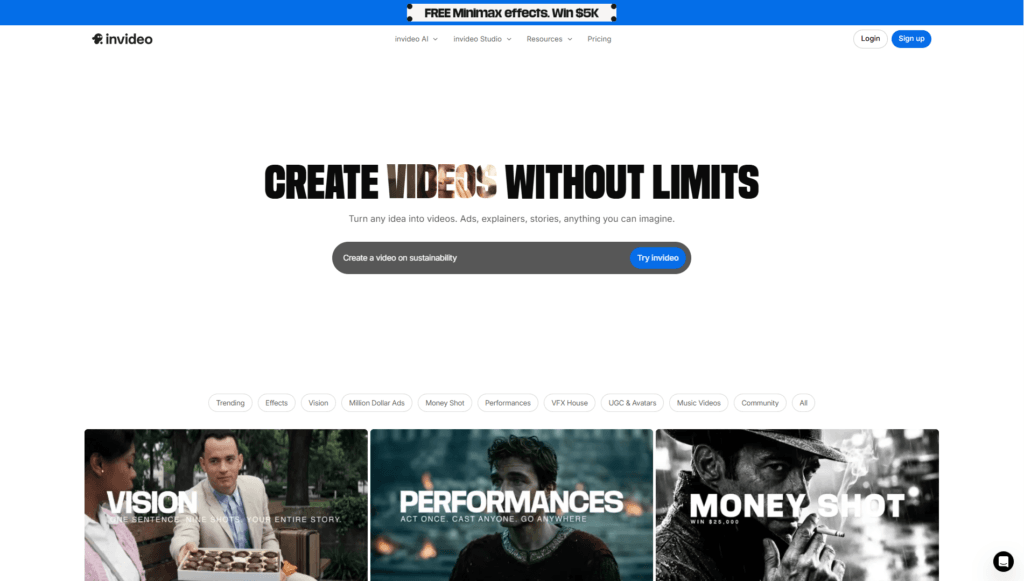
About This AI
InVideo Vision is an innovative AI-powered feature from InVideo that acts as a virtual cinematographer, enabling users to generate complete visual storyboards from a single sentence or prompt.
It collapses the gap between idea and storyboard by creating 9 connected, coherent shots that tell an entire story with intelligent visual narrative understanding.
Launched around late December 2025, Vision leverages advanced AI to extract shots, change angles, maintain consistency, and suggest cinematic sequences automatically.
Users can describe concepts, scenes, or scripts, and Vision produces professional-looking storyboard frames with realistic compositions, transitions, and storytelling flow.
It integrates seamlessly into the InVideo platform, allowing direct export to video editing workflows, editing of individual shots, or refinement with additional prompts.
As part of InVideo’s broader AI video ecosystem (which includes text-to-video, AI avatars, and generative tools), Vision is available free and unlimited on all paid plans for promotional periods (e.g., 7 days post-launch) and remains included in higher tiers.
It targets content creators, marketers, filmmakers, and advertisers needing rapid pre-visualization, reducing planning time from hours to minutes.
With InVideo’s massive scale (over 50 million users and millions of videos monthly), Vision enhances the platform’s generative capabilities for professional-grade visual planning without manual drawing or complex software.
Key Features
- One-sentence to storyboard: Generate 9 connected shots from a single descriptive prompt
- Intelligent visual storytelling: AI understands narrative flow, shot progression, and cinematic composition
- Shot extraction and angle changes: Automatically create varied angles and perspectives for dynamic sequences
- Consistency maintenance: Ensures visual coherence across shots (characters, lighting, style)
- Instant pre-visualization: Rapid generation for quick idea testing and concept validation
- Export to editing: Seamless transfer to InVideo editor for full video production
- Prompt refinement: Edit or add details to regenerate specific shots or entire boards
- Integration with InVideo ecosystem: Works alongside text-to-video, avatars, and generative tools
- Promotional free access: Unlimited use on paid plans during launch periods (e.g., 7 days free)
- Cinematic quality output: Professional-looking frames suitable for film, ads, or social content
Price Plans
- Free ($0): Limited InVideo access (e.g., 2 video mins/week, watermarked exports); Vision may be restricted or unavailable in free tier
- Plus ($20-28/Month): Access to Vision (unlimited during promos), higher generation limits, 50+ mins video, stock assets, no watermarks
- Max/Generative ($50-100/Month): Full Vision + advanced generative features, 200+ mins, more credits, higher storage, team options
- Enterprise (Custom): Tailored pricing with priority support, advanced security, and high-volume access
Pros
- Revolutionary speed: Turns ideas into full storyboards in seconds instead of hours
- Strong narrative intelligence: Produces coherent, story-driven sequences beyond random shots
- Accessible to all: No need for drawing skills or expensive software; prompt-based
- Boosts creativity: Enables rapid iteration and exploration of visual concepts
- Platform synergy: Enhances InVideo's full video creation workflow seamlessly
- Free during promos: Unlimited access on paid plans for limited-time trials
- Scalable for pros: Ideal for marketers, filmmakers, and agencies needing quick pre-vis
Cons
- Requires paid plan for full access: Unlimited use tied to InVideo subscriptions post-promo
- Limited to storyboards: Focuses on static shot sequences, not full motion video (yet)
- Potential style variability: Outputs depend on prompt quality and AI interpretation
- Platform dependency: Only available within InVideo ecosystem, no standalone
- Early feature: Launched late 2025; may have growing pains or refinements needed
- No offline use: Web-based, requires internet connection
- Output customization limits: May need multiple generations for perfect results
Use Cases
- Video pre-production: Quickly storyboard ads, explainers, or social content from concepts
- Marketing campaigns: Visualize scripts or ideas for client pitches and approvals
- Film and content planning: Create shot sequences for YouTube videos, shorts, or reels
- Creative brainstorming: Explore visual directions for stories or product demos
- Agency workflows: Rapid concept generation for multiple clients
- Educational content: Plan visual sequences for tutorials or presentations
- Social media creators: Test thumbnail/storyboard ideas before filming
Target Audience
- Content creators and YouTubers: Needing fast visual planning for videos
- Marketers and advertisers: Storyboarding campaigns and ad concepts
- Filmmakers and directors: Pre-vis scenes and shot lists efficiently
- Agencies and teams: Collaborating on visual ideas quickly
- Businesses with video needs: Creating explainers or product videos
- AI video enthusiasts: Experimenting with generative storytelling tools
How To Use
- Access InVideo: Log in at invideo.io (sign up free if new)
- Navigate to Vision: Find Vision feature (may be under AI tools or dashboard)
- Enter prompt: Type one sentence describing your story or scene idea
- Generate storyboard: Submit to create 9 connected shots automatically
- Review and refine: View frames, edit prompt for variations, adjust angles
- Export or edit: Send to InVideo editor for full video production
- Upgrade for unlimited: Use paid plan for no limits during promos
How we rated InVideo Vision
- Performance: 4.6/5
- Accuracy: 4.5/5
- Features: 4.7/5
- Cost-Efficiency: 4.4/5
- Ease of Use: 4.8/5
- Customization: 4.5/5
- Data Privacy: 4.4/5
- Support: 4.3/5
- Integration: 4.6/5
- Overall Score: 4.6/5
InVideo Vision integration with other tools
- InVideo Studio Editor: Seamless export from Vision storyboards to full video editing workflow
- Stock Media Libraries: Pulls from iStock and internal assets for enhanced generation
- Social Platforms: Optimized exports for YouTube, Instagram, TikTok, and other channels
- Team Collaboration: Supports multi-user access in higher plans for agency workflows
- API/Enterprise: Custom integrations for large-scale automated video production
Best prompts optimised for InVideo Vision
- A young entrepreneur pitching a sustainable tech startup to investors in a modern boardroom, dramatic lighting, confident expressions, 9-shot sequence showing introduction, product demo, Q&A, and handshake
- Epic fantasy battle between elves and orcs in an enchanted forest at dusk, dynamic action angles, magical effects, cinematic progression from wide establishing shot to close-up combat
- Step-by-step tutorial on making homemade pizza, kitchen setting, close-ups of ingredients, dough kneading, topping, baking, final slice pull, friendly instructional style
- Luxury car commercial driving through coastal highway at golden hour, sleek black sports car, ocean views, slow-motion curves, dramatic reveals, high-end cinematic feel
- Emotional short film scene of a reunion at an airport, slow build-up from anticipation to hug, tearful expressions, warm lighting, heartfelt narrative flow across 9 shots
FAQs
Newly Added Tools







About Author