



Zelili AI

Motion

AI-Powered SuperApp for Work – Tasks, Projects, Calendar, Meetings, Docs, and Agents in One
Tool Release Date

1 Jan 2019

Tool Users
100K+
0.0
๐Ÿ‘ 14

About This AI

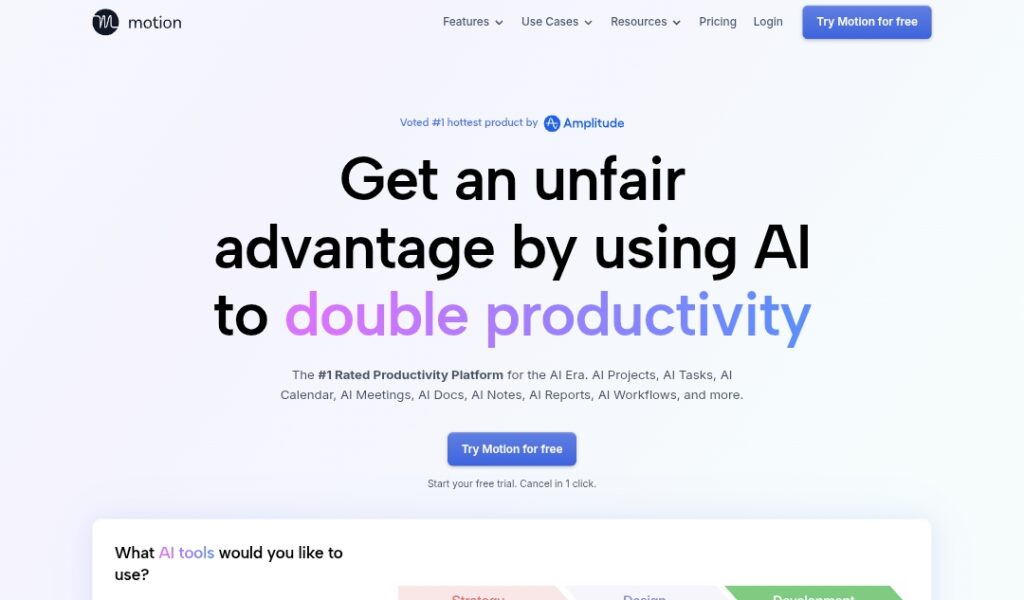
Motion is an AI-powered productivity superapp that combines task management, project planning, calendar scheduling, meeting notes, docs, notes, and autonomous AI agents into a single platform.

It automatically prioritizes tasks, creates and manages projects from descriptions, optimizes schedules by timeblocking around deadlines and dependencies, takes accurate meeting notes (better than human in 80 percent of cases), generates summaries/action items, drafts emails, and handles repetitive work.

The platform integrates deeply with tools like Gmail, Outlook, Zoom, Google Meet, Teams, Slack, Salesforce, HubSpot, and hundreds more via Zapier/API, pulling context from emails, meetings, and docs for hyper-personalized planning.

Key AI features include AI Task Planner (auto-creates/prioritizes), AI Project Manager (generates full projects), AI Meeting Notetaker (real-time notes/summaries), AI Docs Assistant (turns notes into tasks, searches/edits), AI Calendar (reschedules dynamically), AI Workflow Builder (from SOPs), and AI Business Intelligence (predicts ETAs, analyzes capacity).

Launched in 2019, Motion has grown to serve over 100,000 customers (with 10,000+ SMBs on agentic features), achieved 8-figure ARR, raised $60M Series C at $550M valuation in 2025, and focuses on reducing stress while boosting output for professionals, teams, and businesses.

With cutting-edge models from OpenAI/Anthropic fully included, SOC 2 Type 2 security, and no seat limits on some plans, it’s built for individuals and teams wanting AI to manage chaos and focus on high-value work.

Key Features

  1. AI Task Planner: Automatically creates, prioritizes, and reschedules tasks based on deadlines, dependencies, and preferences
  2. AI Project Manager: Generates complete projects from descriptions/docs with tasks, deadlines, assignees, and auto-status updates
  3. AI Meeting Notetaker: Real-time notes, summaries, action items from calls (trained on 10K+ hours for 80 percent better accuracy)
  4. AI Docs Assistant: Converts notes to tasks/projects, searches/edits content, embeds elements, and summarizes files
  5. AI Calendar Assistant: Timeblocks tasks, prevents conflicts, auto-reschedules, creates booking pages, integrates calendars
  6. AI Workflow Builder: Turns SOPs into automated projects/workflows with assigned tasks and prioritization
  7. AI Business Intelligence: Predicts ETAs, flags delays, analyzes capacity/load, provides dashboards/ROI insights
  8. AI Agents: Autonomous 'employees' for scheduling, email replies, note-taking, marketing, support, and more
  9. Context-Aware Personalization: Uses full work data (emails/meetings/docs) for hyper-accurate planning
  10. Integrations Hub: Connects with Gmail, Outlook, Zoom, Teams, Slack, Salesforce, HubSpot, Zapier, and hundreds more

Price Plans

  1. Pro AI ($19/seat/Month billed annually): AI Chat, Projects/Tasks, Calendar/Meetings, Docs/Notes, Sheets/Databases, Task Planner, Writer/Editor, unlimited storage, integrations, 7500 credits/seat/month
  2. Business AI ($29/seat/Month billed annually): All Pro features plus Team Capacity Planning, Advanced Dashboards/Reports, Timeline/Gantt, Time Tracking, Permissions/Access Control, Central Billing, Priority Support, 15000 credits/seat/month
  3. Enterprise (Custom): All Business features plus advanced security, dedicated support, custom integrations, higher credits, and scalability for large teams

Pros

  1. All-in-one replacement: Combines calendar, tasks, projects, notes, docs, and agents into single app
  2. Proactive automation: AI handles planning/rescheduling/notes/follow-ups, saving hours daily
  3. High accuracy and personalization: Context from full workspace makes outputs 10x more relevant
  4. Strong growth and trust: Over 100K customers, 8-figure ARR, $550M valuation, major funding
  5. Unlimited seats on plans: Scales well for teams without per-user pricing hikes
  6. Enterprise security: SOC 2 Type 2 compliant, encrypted data, reliable for businesses
  7. Cutting-edge models included: Full access to OpenAI/Anthropic without extra cost

Cons

  1. Steep learning curve: Many features and AI agents require time to master
  2. Premium pricing: Starts at $19/seat/month; higher for full agentic power
  3. Credit/token system: Usage-based credits may limit heavy agent/AI use
  4. Dependency on integrations: Best value with connected tools (email/calendar/meetings)
  5. No free unlimited tier: Basic free trial; paid for core productivity features
  6. Potential over-reliance: AI decisions need review to avoid errors in complex cases
  7. Web/app focus: Strong mobile/desktop but primarily cloud-based (no offline)

Use Cases

  1. Daily work management: Auto-plan tasks/meetings around priorities and deadlines
  2. Project execution: Generate/manage full projects from ideas or docs with auto-updates
  3. Meeting productivity: Real-time notes, summaries, action items without manual effort
  4. Team coordination: Capacity planning, dashboards, task assignment for alignment
  5. Email and follow-up: Draft replies, create tasks from messages, automate responses
  6. Business intelligence: Predict timelines, analyze bottlenecks, optimize resources
  7. AI agent automation: Deploy 'employees' for scheduling, support, marketing, etc.

Target Audience

  1. Busy professionals: Individuals juggling tasks, meetings, and projects
  2. Small to mid-size teams: Needing coordinated planning without heavy PM tools
  3. Executives and managers: Wanting capacity insights and automated oversight
  4. Remote/hybrid workers: Streamlining communication and follow-ups
  5. Productivity enthusiasts: Embracing AI for work-life balance and efficiency
  6. Businesses scaling with AI: Deploying agents to automate repetitive roles

How To Use

  1. Sign up: Visit usemotion.com and start free trial (no card needed initially)
  2. Connect tools: Link calendar (Google/Outlook/iCloud), email, meetings (Zoom/Meet/Teams), Slack, etc.
  3. Add tasks/projects: Create from email/voice/description; AI auto-plans and prioritizes
  4. Let AI schedule: Motion timeblocks tasks, reschedules on conflicts, warns of risks
  5. Join meetings: AI notetaker auto-joins, captures notes/summaries/action items
  6. Use agents/docs: Deploy AI employees, chat with files, build workflows from SOPs
  7. Review and adjust: Check dashboards, tweak preferences, approve AI suggestions

How we rated Motion

  • Performance: 4.7/5
  • Accuracy: 4.6/5
  • Features: 4.8/5
  • Cost-Efficiency: 4.4/5
  • Ease of Use: 4.5/5
  • Customization: 4.7/5
  • Data Privacy: 4.6/5
  • Support: 4.5/5
  • Integration: 4.8/5
  • Overall Score: 4.7/5

Motion integration with other tools

  1. Calendar and Email: Google Calendar, Outlook, Gmail, iCloud for scheduling and task creation
  2. Meeting Platforms: Zoom, Google Meet, Microsoft Teams for auto-notes and summaries
  3. Communication Tools: Slack, Teams for sending updates/action items
  4. CRM and Business: Salesforce, HubSpot for sales/customer workflows
  5. Automation: Zapier and robust API for connecting to hundreds of other apps

Best prompts optimised for Motion

  1. Create a full project plan for launching a new product including tasks, deadlines, assignees, dependencies, and timeline from this description: [paste product idea]
  2. Prioritize and schedule my to-do list for the week given these deadlines and meetings: [list tasks and calendar]
  3. Generate meeting notes and action items from this Zoom recording/transcript: [upload or link]
  4. Draft a follow-up email summarizing key decisions and tasks from our client call: [paste notes]
  5. Build a weekly dashboard report on team capacity, project ETAs, and bottlenecks: [provide data]
Motion is a powerful AI superapp that automates task prioritization, project creation, calendar scheduling, meeting notes, and workflows in one place. With deep integrations and autonomous agents, it saves significant time for professionals and teams. Pricing starts at $19/seat/month; best for those ready to let AI handle planning chaos.

FAQs

  • What is Motion AI?

    Motion is an AI-powered superapp for work that integrates tasks, projects, calendar, meetings, docs, notes, and autonomous AI agents into one platform for automated planning and productivity.

  • Is Motion free to use?

    It offers a free trial; paid plans start at $19/seat/month (Pro AI) for core features and $29/seat/month (Business AI) for advanced team tools, with credits-based usage.

  • How many users does Motion have?

    Motion serves over 100,000 customers worldwide, including 10,000+ SMBs on agentic features, with strong growth reported in 2025-2026.

  • What are Motion’s main AI features?

    Key features include AI Task/Project Planner, Meeting Notetaker, Docs Assistant, Calendar Optimizer, Workflow Builder, Business Intelligence, and autonomous AI Employees.

  • What integrations does Motion support?

    It connects with Google/Outlook Calendar, Gmail, Zoom, Meet, Teams, Slack, Salesforce, HubSpot, Zapier, and hundreds more via API.

  • When was Motion founded?

    Motion was founded in 2019 by Harry Qi, Ethan Yu, and Omid Rooholfada as a YC-backed startup.

  • How much funding has Motion raised?

    Motion has raised over $60M in funding, including a Series C at $550M valuation in 2025.

  • Is Motion suitable for teams?

    Yes, Business AI plan includes team capacity planning, dashboards, permissions, central billing, and scales well for SMBs and larger organizations.


Newly Added Toolsโ€‹

Qodo AI

$0/Month

Codiga

$10/Month

Tabnine

$59/Month

CodeRabbit

$0/Month
Motion Alternatives

Intercom AI

$29/Month

Reclaim AI

$10/Month

Trevor AI

$5/Month

Motion Reviews

0.0
0.0 out of 5 stars (based on 0 reviews)
Excellent0%
Very good0%
Average0%
Poor0%
Terrible0%

There are no reviews yet. Be the first one to write one.