
What is Napkin AI?
Napkin AI is a visual AI tool that transforms plain text into editable professional visuals like diagrams, charts, infographics, mind maps, and scenes without needing design skills or prompting.
When was Napkin AI launched?
Napkin AI officially launched publicly in August 2024 after beta, with founding in 2021 and $10M seed funding from Accel and CRV.
How many users does Napkin AI have?
Napkin AI has over 5 million registered users as reported in 2025 sources, with rapid growth from 2 million beta users shortly after launch.
Is Napkin AI free to use?
Yes, it offers a free forever plan with 500 AI credits per week for generation, unlimited editing/imports/exports (with Napkin branding); paid plans start at $9/month for higher credits and clean exports.
What are Napkin AI’s main features?
Core features include text-to-visual conversion, smart customization (icons/colors/fonts), file import (PPT/DOC/PDF), unlimited editing, team collaboration, and exports to PNG/PDF/SVG.
Who founded Napkin AI?
Founded in 2021 by Pramod Sharma (CEO) and Jerome Scholler, creators of the AI gaming company Osmo.
What languages does Napkin AI support?
It generates visuals in 60+ languages based on text input, though the interface is primarily in English.
Can Napkin AI be used for teams?
Yes, Teamspace allows real-time collaboration, inviting members, commenting, and feedback for team-based visual creation.

Napkin AI

About This AI
Napkin AI is an AI-powered visual creation tool that turns plain text into editable, professional visuals like diagrams, charts, infographics, mind maps, flowcharts, and scenes.
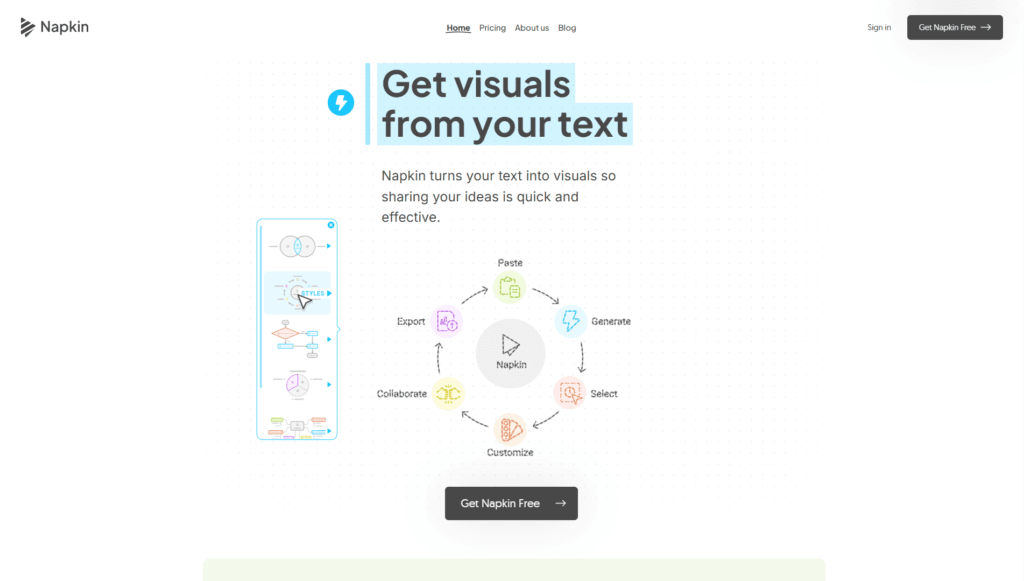
Users paste or import text (from PPT, DOC, PDF, HTML, MD), click to generate multiple relevant visuals, select the best one, and customize elements such as icons, colors, fonts, connectors, and layouts.
It eliminates the need for complex prompting by directly using existing text content, making it ideal for presentations, reports, blog posts, social media, emails, and business communication.
Key strengths include high customization (built-in styles, fonts, light/dark mode), unlimited editing/export in free plan (PNG, PDF), team collaboration via Teamspace (real-time editing, comments), and support for 60+ languages in visual generation.
Founded in 2021 by Pramod Sharma (CEO) and Jerome Scholler, Napkin launched publicly in August 2024 after beta, raised $10M seed funding from Accel and CRV, and grew rapidly to over 5 million registered users by 2025.
Freemium model offers a free plan with 500 AI credits/week (for generation), unlimited editing/imports/exports (with Napkin branding/watermarks), while paid Plus/Pro plans provide higher credits, unlimited projects, clean exports, brand kits, integrations, and team features.
Accessible via web (desktop creation, mobile viewing), it’s targeted at non-designers in business, marketing, education, consulting, and content creation who want quick, effective visual storytelling without design skills.
Key Features
- Text-to-Visual Generation: Directly converts pasted/imported text into multiple relevant diagrams, charts, infographics, and scenes without prompting
- Smart Customization: Edit icons, decorators, connectors, colors (light/dark mode), fonts (casual/formal), and layouts post-generation
- File Import Support: Upload PPT, DOC, PDF, HTML, MD files for instant visual transformation
- Unlimited Editing and Export: Free plan allows unlimited visual edits, PNG/PDF exports (with branding)
- Team Collaboration: Real-time Teamspace for inviting members, commenting, feedback with highlighter
- Built-in Styles and Icons: Pre-made styles, fonts, and standard icon library for quick professional looks
- Multi-Language Visuals: Generates visuals in 60+ languages based on text input
- Export Formats: PNG, PDF, SVG, and copy-paste ready for Google Docs/Slides, Canva, Slack, etc.
- AI Credit System: 500 weekly free credits for generation (~1 credit per word selected)
- Branding Removal: Paid plans offer clean exports without Napkin watermark
Price Plans
- Free ($0): 500 AI credits/week for generation, unlimited editing/imports (PPT/DOC/PDF/HTML/MD), unlimited PNG/PDF exports (with Napkin branding), built-in styles/fonts/icons
- Plus ($9/Month): Higher/unlimited credits, unlimited projects, clean/no-watermark exports, additional features (exact limits vary)
- Pro ($22/Month): Full team collaboration, brand kits, advanced integrations (Google Docs/Figma), priority support, highest limits
- Enterprise (Custom): Scalable for large teams with dedicated support and features (contact required)
Pros
- Extremely user-friendly: No prompting needed; works directly from existing text for fast results
- Rapid growth and adoption: Over 5 million registered users, strong traction in business/education
- Generous free tier: 500 weekly credits, unlimited editing/imports/exports (branded)
- High customization: Easy editing of elements for tailored professional visuals
- Collaboration features: Real-time team editing and feedback in Teamspace
- Multi-format export: Seamless integration with Docs, Slides, Canva, email, etc.
- Strong language support: 60+ languages for global visual generation
Cons
- Credit limits on free: 500/week caps heavy generation; paid needed for unlimited
- Branding on free exports: Napkin watermark on free visuals
- Desktop-focused creation: Editing/creation best on desktop; mobile for viewing only
- No advanced data viz: Not for uploading Excel/charts; text-based only
- Paid for full power: Higher credits, clean exports, team features require Plus/Pro
- Occasional generation variance: Multiple options; may need selection/editing
- Invite-based access: Some features may require request/invite in early phases
Use Cases
- Business presentations: Turn meeting notes or reports into diagrams/charts for slides
- Marketing content: Create infographics, social media visuals, email graphics from text
- Educational materials: Visualize concepts, processes, or lessons for students/teachers
- Consulting reports: Enhance proposals or analyses with professional flowcharts/mind maps
- Blog/social posts: Add engaging visuals to articles or LinkedIn updates
- Team collaboration: Co-edit visuals in real-time for project planning or brainstorming
- Quick ideation: Brainstorm and visualize ideas without design tools
Target Audience
- Business professionals: Marketers, consultants, project managers needing fast visuals
- Educators and trainers: Teachers/professors creating lesson visuals or presentations
- Content creators: Bloggers, social media managers, LinkedIn users
- Non-designers: Anyone avoiding complex tools like Canva/Adobe for simple graphics
- Teams and startups: Collaborating on reports, proposals, or internal docs
- Students: Visualizing study notes or assignments
How To Use
- Sign up: Visit napkin.ai and request invite or sign up for free account
- Create Napkin: Start new doc or 'napkin', paste/import text (or write directly)
- Generate visuals: Select text portion, click to generate multiple options
- Choose and edit: Pick best visual, customize icons/colors/fonts/connectors
- Collaborate: Invite team members to Teamspace for real-time edits/comments
- Export: Download as PNG/PDF/SVG or copy-paste into Docs/Slides/email
- Manage credits: Monitor weekly AI credits; upgrade to paid for more/unlimited
How we rated Napkin AI
- Performance: 4.6/5
- Accuracy: 4.7/5
- Features: 4.8/5
- Cost-Efficiency: 4.5/5
- Ease of Use: 4.9/5
- Customization: 4.6/5
- Data Privacy: 4.5/5
- Support: 4.4/5
- Integration: 4.5/5
- Overall Score: 4.7/5
Napkin AI integration with other tools
- Google Docs and Slides: Copy-paste generated visuals directly into Google Workspace documents
- Microsoft PowerPoint and Word: Export PNG/SVG for seamless import into Office tools
- Canva and Figma: Paste or export visuals for further design refinement in creative platforms
- Slack and Email: Share clean visuals in communications or team channels
- Teamspace Collaboration: Built-in real-time editing and commenting for internal teams
Best prompts optimised for Napkin AI
- Not applicable - Napkin AI generates visuals directly from pasted/imported text without manual prompting. Simply select text in the editor and click to create diagrams/charts from content.
FAQs
Newly Added Tools






About Author