
What is Qwen-Image-Layered?
Qwen-Image-Layered is an open-source diffusion model from Alibaba’s Qwen team that decomposes RGB images into multiple editable RGBA layers for inherent, consistent image editing.
When was Qwen-Image-Layered released?
It was officially released on December 19, 2025, with weights available on Hugging Face and ModelScope.
Is Qwen-Image-Layered free to use?
Yes, it is completely free and open-source under Apache 2.0 license, with full model weights and code on Hugging Face.
How many layers can Qwen-Image-Layered generate?
It supports variable layer counts specified by the user, commonly 3, 4, or 8 layers, with recursive decomposition for further breakdown.
What edits can be performed on decomposed layers?
Layers can be independently resized, repositioned, recolored, have content replaced, objects deleted, or moved within the canvas.
What hardware is needed for Qwen-Image-Layered?
It requires a GPU for efficient inference (CUDA with bfloat16 recommended); resolution optimized at 640.
How does it compare to traditional editing tools?
It automates Photoshop-like layering with AI, reducing manual masking time dramatically while maintaining high edit consistency.
Where can I try Qwen-Image-Layered online?
Use the official Hugging Face Space demo for no-code upload, decomposition, and layered PPTX export.

Qwen Image Layered

About This AI
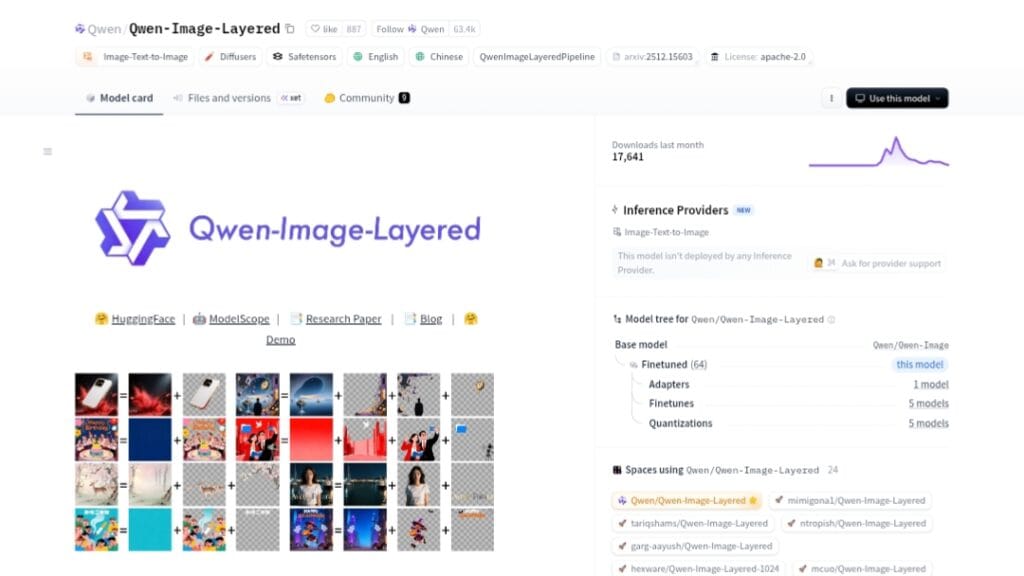
Qwen-Image-Layered is an innovative open-source diffusion model from Alibaba’s Qwen team, released on December 19, 2025, capable of decomposing a single RGB input image into multiple semantically disentangled RGBA layers.
This layered representation enables inherent editability, where each layer can be independently manipulated (resized, repositioned, recolored, replaced, deleted, or moved) without affecting other content, ensuring high-fidelity and consistent results.
The model supports variable layer counts (e.g., 3 or 8 layers), recursive decomposition for infinite refinement, and elementary operations like object removal or content swapping when combined with models like Qwen-Image-Edit.
It excels at isolating semantic or structural components, making complex Photoshop-like edits possible in seconds rather than minutes of manual masking.
Trained as part of the Qwen-Image family, it achieves strong performance in layer separation quality, transparency handling, and edit consistency across diverse images.
Fully open-source under Apache 2.0 license, with weights on Hugging Face and ModelScope, plus a demo Space for no-code testing and PPTX export of layered results.
Requires transformers >=4.51.3 and latest diffusers; runs on GPU with bfloat16 for efficiency.
Ideal for graphic designers, developers, researchers, and anyone needing non-destructive, AI-assisted image editing without proprietary software.
Key Features
- Image decomposition into RGBA layers: Breaks down RGB images into multiple transparent layers with semantic isolation
- Inherent editability: Each layer can be edited independently without impacting others for consistent results
- Variable layer count: Supports user-specified number of layers (e.g., 3, 8, or more)
- Recursive decomposition: Allows further breakdown of any generated layer for finer control
- Elementary operations support: Enables resizing, repositioning, recoloring, object deletion, movement, and content replacement on layers
- High-fidelity transparency: Clean RGBA outputs with proper alpha channels for compositing
- Integration with editing models: Pairs with Qwen-Image-Edit for advanced layer-specific modifications
- Demo and export options: Hugging Face Space demo with PPTX layered output download
- Open-source pipeline: Uses Diffusers and transformers for easy local inference
- Strong semantic understanding: Isolates objects, backgrounds, and structures intelligently
Price Plans
- Free ($0): Fully open-source model weights, code, and inference pipeline under Apache 2.0; no usage fees, available on Hugging Face and ModelScope
- Cloud/Enterprise (Custom): Potential Alibaba Cloud API hosting or premium compute options (not specified yet)
Pros
- Revolutionary editability: Brings Photoshop-grade layering to open-source AI without manual masking
- Consistent non-destructive edits: Layer isolation prevents unwanted changes during modifications
- Fully open-source: Apache 2.0 license with weights, code, and easy Hugging Face access
- Time-saving: Reduces complex editing from 30-60 minutes to seconds
- Flexible layer control: Variable and recursive decomposition adapts to workflow needs
- Community momentum: Rapid integrations (e.g., ComfyUI, DiffSynth-Studio) post-release
- High-quality transparency: Clean alpha channels for professional compositing
Cons
- Hardware requirements: Needs GPU for efficient inference (bfloat16 recommended)
- Setup dependencies: Requires specific transformers and diffusers versions
- Resolution limits: Optimal at 640 resolution; higher may need adjustments
- Occlusion challenges: Struggles with heavily overlapping or occluded elements
- No hosted easy UI: Primarily local/script-based; demo Space is limited
- Recent release: Community tools and fine-tunes still emerging
- Variable quality: Complex scenes may require prompt tuning or multiple runs
Use Cases
- Graphic design workflows: Isolate elements for quick recoloring, repositioning, or replacement
- Product image editing: Remove backgrounds, swap objects, or adjust layers for e-commerce
- Creative compositing: Build scenes by manipulating individual layers non-destructively
- Photo retouching: Delete unwanted objects or move elements seamlessly
- Research in image editing: Experiment with layered diffusion and semantic decomposition
- Content creation: Generate and edit layered assets for presentations or marketing
- Prototype UI/UX design: Edit mockups by isolating buttons, text, or backgrounds
Target Audience
- Graphic designers and illustrators: Seeking AI-powered non-destructive editing
- Digital artists: Experimenting with layered generation and manipulation
- Developers and AI researchers: Building on open-source diffusion models for editing
- E-commerce teams: Automating product photo editing and variations
- Content creators: Quickly modifying visuals for social media or videos
- Open-source enthusiasts: Deploying and extending the model locally
How To Use
- Install dependencies: pip install transformers>=4.51.3 and latest diffusers from GitHub
- Load pipeline: from diffusers import QwenImageLayeredPipeline; pipeline = QwenImageLayeredPipeline.from_pretrained('Qwen/Qwen-Image-Layered', torch_dtype=torch.bfloat16).to('cuda')
- Prepare input: Load image with PIL as RGBA
- Set parameters: Specify layers (e.g., 4), resolution (640), true_cfg_scale (4.0), num_inference_steps (50)
- Run decomposition: output = pipeline(image=image, layers=4, ...); save each layer as PNG
- Edit layers: Use tools like Qwen-Image-Edit on individual RGBA outputs
- Try demo: Visit Hugging Face Space for no-code upload and layered PPTX export
How we rated Qwen Image Layered
- Performance: 4.6/5
- Accuracy: 4.7/5
- Features: 4.8/5
- Cost-Efficiency: 5.0/5
- Ease of Use: 4.3/5
- Customization: 4.7/5
- Data Privacy: 5.0/5
- Support: 4.4/5
- Integration: 4.6/5
- Overall Score: 4.7/5
Qwen Image Layered integration with other tools
- Hugging Face Diffusers: Native pipeline support for easy local inference and experimentation
- ComfyUI Workflows: Community nodes and custom workflows for visual node-based editing
- ModelScope Studio: Alibaba's platform for online demo and testing without local setup
- Qwen-Image-Edit: Seamless pairing for targeted edits on decomposed layers
- Python Scripts and PPTX Export: Programmatic use with layered output to PowerPoint for presentations
Best prompts optimised for Qwen Image Layered
- Decompose this image into 4 RGBA layers with clear semantic separation: focus on isolating the main subject, background, and key objects for easy recoloring and repositioning
- Generate layered decomposition of this product photo: separate the item, shadow, background, and reflections into individual transparent layers for e-commerce editing
- Break down this portrait into 8 layers: skin, hair, clothing, accessories, background elements, lighting effects, and shadows for precise retouching
- Recursive decomposition needed: first split into main scene and foreground, then further decompose the foreground character into clothing layers
- Decompose this complex illustration: separate characters, props, environment, and text overlays into editable RGBA layers
FAQs
Newly Added Tools






About Author