



Zelili AI

Reclaim AI

Auto-Schedules Tasks, Habits, Focus Time, and Meetings
Tool Release Date

1 Jan 2019

Tool Users
320K+
0.0
๐Ÿ‘ 17

About This AI

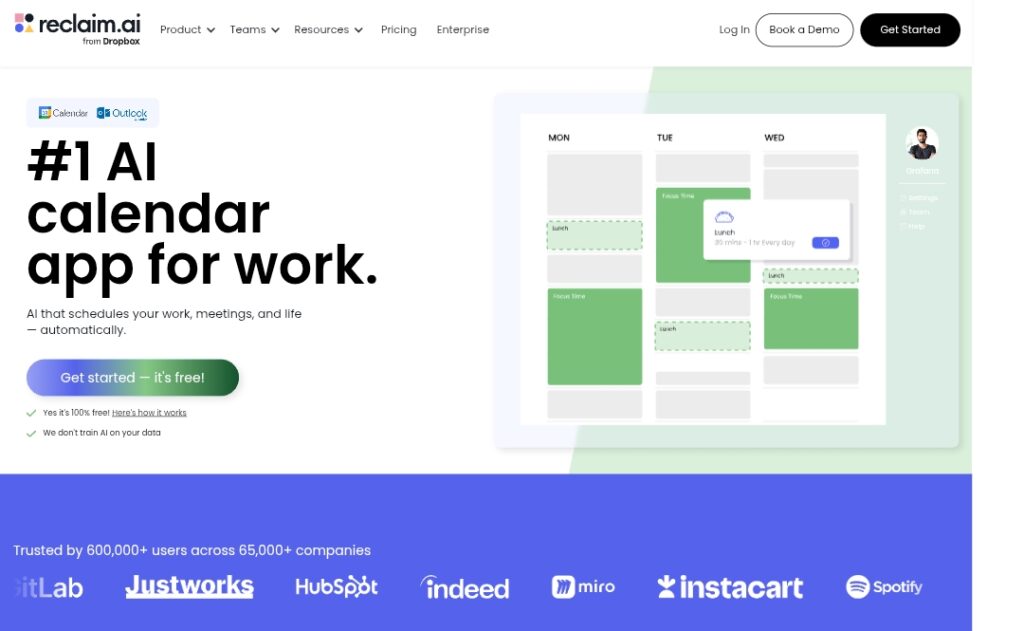
Reclaim AI is an intelligent AI scheduling assistant that integrates with Google Calendar and Outlook Calendar to automatically optimize your time.

It defends focus time blocks, auto-schedules tasks, habits, breaks, and meetings while adapting to shifting priorities in real-time.

The tool protects deep work, prevents interruptions, promotes work-life balance, and reduces burnout by intelligently finding optimal slots across your week.

Key capabilities include time blocking with goals (e.g., weekly focus hours), habit routines with templates, smart meeting rescheduling, task prioritization from integrated apps (Asana, Todoist, Jira, etc.), buffer time for transitions, and analytics for productivity insights.

It continuously reprioritizes as new events arise, supports team-wide policies in enterprise, and provides metrics like +7.6 hours focus time/week, fewer unnecessary meetings, and improved work-life balance.

Founded in 2019 and acquired by Dropbox in 2024, Reclaim serves over 320,000 users across 60,000 companies with a freemium model: free Lite plan for individuals and paid Starter/Business plans for advanced features and teams.

Ideal for busy professionals, remote teams, and organizations seeking to reclaim time, boost productivity, and maintain balance through adaptive AI calendar management.

Key Features

  1. AI time blocking: Automatically defends focus time goals and schedules around existing events
  2. Adaptive scheduling: Continuously reprioritizes tasks, habits, and meetings as priorities change
  3. Habit routines: Auto-schedules recurring habits with customizable templates and priority defense
  4. Smart Meetings: Optimizes meeting times, auto-reschedules conflicts, and supports scheduling links
  5. Task integration: Syncs and auto-schedules tasks from Asana, Todoist, Jira, Linear, ClickUp, Google Tasks
  6. Buffer time: Adds automatic buffers for transitions, breaks, and travel between events
  7. Analytics and insights: Tracks productivity, time spent on meetings/tasks/habits, and work-life balance metrics
  8. Calendar sync: Works with Google Calendar and Outlook, supports cross-calendar defense
  9. Team policies: Enterprise features for company-wide rules, analytics, and OKR alignment
  10. Slack integration: Syncs status and shares productivity reports

Price Plans

  1. Free/Lite ($0): Basic AI scheduling with limits on habits, syncs, links, meetings, and integrations; suitable for individuals
  2. Starter ($10/seat/Month annual or equivalent monthly): Expanded scheduling range, unlimited focus time/habits/syncs/links/smart meetings, people analytics, time tracking
  3. Business ($15/seat/Month annual or equivalent monthly): All Starter features plus larger team limits, advanced org controls, delegated access, SSO/SCIM, webhooks
  4. Enterprise (Custom ~$22/seat/Month): Unlimited features, 12-week scheduling, team analytics, security, and support for large organizations

Pros

  1. Significant time savings: Users gain average 7.6 hours focus time/week and reduce overtime
  2. Intelligent adaptation: AI handles dynamic rescheduling without manual effort
  3. Strong integrations: Seamless with major calendars and task tools for unified workflow
  4. Free tier available: Generous Lite plan for individuals with core scheduling
  5. Proven results: Trusted by 320K+ users and 60K+ companies with measurable productivity gains
  6. Work-life balance focus: Promotes breaks, habits, and prevents burnout
  7. Scalable for teams: From personal use to enterprise with policies and analytics

Cons

  1. Limited free plan: Lite version restricts scheduling range, habits, links, and integrations
  2. Paid for advanced features: Unlimited habits, syncs, smart meetings require Starter or higher
  3. Learning curve: Setting priorities, habits, and rules takes initial setup time
  4. Calendar dependency: Relies on Google/Outlook; no native standalone calendar
  5. Potential over-scheduling: AI may pack calendar too tightly if priorities not tuned
  6. Enterprise custom pricing: Higher tiers require contact for large teams
  7. Occasional conflicts: Rare issues with very complex or overlapping calendars

Use Cases

  1. Focus time protection: Defend deep work blocks against meetings and interruptions
  2. Habit building: Auto-schedule routines like exercise, lunch, learning for consistency
  3. Task management: Sync and prioritize project tasks from tools like Asana or Todoist
  4. Meeting optimization: Find best times, auto-reschedule, and reduce unnecessary meetings
  5. Work-life balance: Ensure breaks, personal time, and prevent overtime burnout
  6. Team productivity: Align company calendars with policies, analytics, and OKRs
  7. Personal planning: Auto-organize busy weeks for individuals

Target Audience

  1. Busy professionals: Individuals needing to protect focus time and habits
  2. Remote/hybrid teams: Coordinating schedules across time zones and tools
  3. Productivity enthusiasts: Automating calendar chaos for better balance
  4. Tech startups and companies: Scaling AI scheduling organization-wide
  5. Managers and leaders: Tracking team time and aligning priorities
  6. Freelancers and solopreneurs: Managing tasks and meetings efficiently

How To Use

  1. Sign up: Create free account at reclaim.ai and connect Google or Outlook Calendar
  2. Set goals: Define focus time targets, habits, and priorities in settings
  3. Integrate tasks: Link Asana/Todoist/Jira etc. to auto-schedule tasks
  4. Enable features: Turn on smart meetings, buffers, and analytics
  5. Let AI work: Reclaim auto-blocks time and reschedules as needed
  6. Review weekly: Check reports and adjust priorities for better results
  7. Upgrade for teams: Switch to Starter/Business for unlimited and advanced controls

How we rated Reclaim AI

  • Performance: 4.7/5
  • Accuracy: 4.6/5
  • Features: 4.8/5
  • Cost-Efficiency: 4.5/5
  • Ease of Use: 4.6/5
  • Customization: 4.7/5
  • Data Privacy: 4.6/5
  • Support: 4.4/5
  • Integration: 4.8/5
  • Overall Score: 4.7/5

Reclaim AI integration with other tools

  1. Google Calendar: Primary integration for scheduling, add-on for management, and Gmail sync
  2. Microsoft Outlook Calendar: Full support with cross-calendar sync and event defense
  3. Task Management Apps: Asana, ClickUp, Todoist, Jira, Linear, Google Tasks for auto-scheduling
  4. Slack: Sync status updates and share productivity reports
  5. Other: Zoom/Webex for meetings, Raycast for quick actions, webhooks for custom workflows

Best prompts optimised for Reclaim AI

  1. Not applicable - Reclaim AI is an automatic AI calendar scheduler that works via settings, goals, and integrations rather than manual text prompts for generation.
  2. N/A - Tool operates by analyzing your calendar and priorities; no user-generated prompts required for core scheduling.
  3. N/A - Focus is on AI-driven automation of time blocking and optimization, not prompt-based content creation.
Reclaim AI excels at intelligently optimizing calendars by auto-defending focus time, scheduling habits/tasks, and resolving meeting conflicts. It saves significant hours weekly and promotes better balance for busy users and teams. Free Lite plan works for basics, while paid plans starting at $10/month unlock full power. Strong choice for Google/Outlook users seeking AI-driven productivity.

FAQs

  • What is Reclaim AI?

    Reclaim AI is an AI-powered calendar tool that automatically schedules focus time, habits, tasks, meetings, and breaks on Google Calendar or Outlook to optimize productivity and work-life balance.

  • Is Reclaim AI free to use?

    Yes, it has a free Lite plan with basic features and limits; paid Starter starts at $10/seat/month (annual) for unlimited habits/syncs/meetings, Business at $15/seat/month for advanced team controls.

  • How many users does Reclaim AI have?

    Reclaim AI serves over 320,000 users across 60,000 companies, with strong adoption in teams and enterprises.

  • What calendars does Reclaim AI support?

    It works natively with Google Calendar (primary) and Microsoft Outlook Calendar, including cross-sync and event defense.

  • When was Reclaim AI founded?

    Reclaim AI was founded in 2019 and was acquired by Dropbox in 2024.

  • What are Reclaim AI’s key benefits?

    It saves average 7.6 hours/week in focus time, reduces unnecessary meetings, improves prioritization, and boosts work-life balance with adaptive AI scheduling.

  • Does Reclaim AI integrate with task apps?

    Yes, it syncs and auto-schedules tasks from Asana, ClickUp, Todoist, Jira, Linear, Google Tasks, and more.

  • Is Reclaim AI suitable for teams?

    Yes, Starter/Business/Enterprise plans support team policies, analytics, SSO/SCIM, and company-wide deployment for organizations.


Newly Added Toolsโ€‹

Qodo AI

$0/Month

Codiga

$10/Month

Tabnine

$59/Month

CodeRabbit

$0/Month
Reclaim AI Alternatives

Intercom AI

$29/Month

Motion

$19/Month

Trevor AI

$5/Month

Reclaim AI Reviews

0.0
0.0 out of 5 stars (based on 0 reviews)
Excellent0%
Very good0%
Average0%
Poor0%
Terrible0%

There are no reviews yet. Be the first one to write one.