
What is ShowUI?
ShowUI is a lightweight 2B open-source vision-language-action model for GUI visual agents, enabling direct screenshot perception and action prediction without text metadata APIs.
When was ShowUI released?
The paper was submitted and model released on November 26, 2024, with code and weights available on GitHub and Hugging Face.
Is ShowUI free to use?
Yes, it is fully open-source under MIT/Apache-2.0 with model weights, code, and demo freely available; no usage fees.
What are ShowUI’s main capabilities?
It supports zero-shot screenshot grounding (75.1% accuracy), navigation on web/mobile/online benchmarks, and end-to-end GUI action execution from visuals.
Where can I download or try ShowUI?
Model weights at huggingface.co/showlab/ShowUI-2B, code at github.com/showlab/ShowUI, and interactive demo Space at huggingface.co/spaces/showlab/ShowUI.
What benchmarks does ShowUI perform well on?
It shows strong results on Mind2Web (web), AITW (mobile), MiniWob (online), and 75.1% zero-shot grounding accuracy.
How does ShowUI differ from other GUI agents?
Unlike text/API-based agents, ShowUI processes screenshots visually like humans, using innovations like UI-guided token selection for efficiency.
What hardware is needed for ShowUI?
The 2B model runs locally on GPUs via transformers/PyTorch; consumer hardware sufficient for inference, though faster with high-end cards.

ShowUI

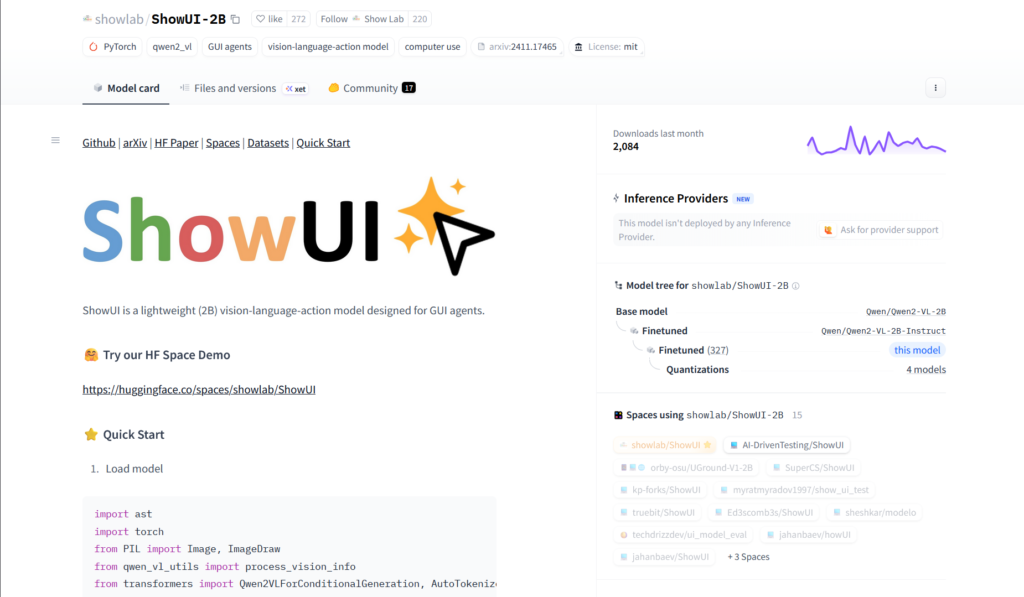
About This AI
ShowUI is an open-source vision-language-action model specifically designed for GUI visual agents, enabling end-to-end perception and interaction with user interfaces through screenshots alone.
Unlike traditional agents relying on closed-source APIs and text metadata (HTML/accessibility trees), ShowUI processes visual screenshots directly like humans, supporting tasks such as navigation, grounding, and action prediction in web, mobile, and desktop environments.
The 2B-parameter lightweight model (trained on 256K high-quality GUI instruction-following data) features UI-Guided Visual Token Selection to reduce redundant tokens by 33% and speed up training/inference by 1.4x, interleaved Vision-Language-Action streaming for multi-turn query-action handling, and curated datasets addressing data imbalances.
It achieves strong performance with 75.1% zero-shot screenshot grounding accuracy and competitive navigation results on benchmarks like Mind2Web (web), AITW (mobile), and MiniWob (online).
Released November 26, 2024 (arXiv submission), with code on GitHub (showlab/ShowUI), model weights on Hugging Face (showlab/ShowUI-2B), and a demo Space, it is licensed under MIT/Apache-2.0 and supports local deployment.
ShowUI advances GUI automation by making agents more visual, efficient, and accessible for developers, researchers, and applications in browser automation, desktop control, and mobile testing without external APIs.
Key Features
- UI-Guided Visual Token Selection: Reduces computational cost by identifying and pruning redundant visual tokens in screenshots via UI graph structure
- Interleaved Vision-Language-Action Streaming: Unifies multi-turn interactions, managing visual-action history for efficient navigation and query handling
- Zero-Shot Screenshot Grounding: Achieves 75.1% accuracy in locating UI elements from natural language instructions without prior examples
- End-to-End GUI Agent Capabilities: Processes screenshots to predict actions (click, tap, input, scroll etc.) across web, mobile, and desktop
- Lightweight 2B Model: Efficient design trained on only 256K curated high-quality GUI data for fast local inference
- Benchmark Navigation Performance: Competitive results on Mind2Web (web), AITW (mobile), and MiniWob (online) environments
- Open-Source Full Stack: Complete code, weights, datasets, and demo available on GitHub and Hugging Face
- Multi-Platform Support: Works for browser, desktop apps, and mobile UI automation without API dependencies
Price Plans
- Free ($0): Fully open-source under MIT/Apache-2.0 with model weights, code, datasets, and demo on Hugging Face/GitHub; no fees for use or deployment
Pros
- Lightweight and efficient: 2B parameters enable local deployment on consumer hardware with fast inference
- Strong zero-shot performance: 75.1% grounding accuracy and solid navigation on standard GUI benchmarks
- Fully open-source: MIT/Apache license with code, models, datasets, and demo Space for easy use/modification
- Visual-first approach: Avoids reliance on brittle text metadata, more robust to dynamic UIs
- Training optimizations: UI-guided token pruning speeds up by 1.4x and reduces resource needs
- Versatile GUI tasks: Supports web, mobile, desktop automation in one unified model
- Community resources: Hugging Face integration and active GitHub repo for extensions
Cons
- Requires technical setup: Local inference needs GPU, dependencies, and code execution knowledge
- Limited action space: Focused on standard GUI actions; may need extension for complex interactions
- Recent release: As a 2024 paper/model, adoption and community fine-tunes still emerging
- No hosted service: No cloud API or easy web UI; primarily for developers/researchers
- Potential visual artifacts: Complex or dense screens may challenge grounding accuracy
- Dataset scale: Trained on 256K samples—smaller than some proprietary models
- Hardware demands: 2B model still requires decent GPU for real-time use
Use Cases
- Web automation and testing: Navigate browsers, fill forms, and interact with dynamic sites visually
- Desktop GUI control: Automate applications, click buttons, input text in software without APIs
- Mobile app testing: Simulate user interactions on Android/iOS interfaces from screenshots
- GUI agent research: Benchmark, extend, or fine-tune vision-language-action models
- Accessibility tools: Assist users by grounding instructions to visual UI elements
- Robotic process automation: Visual-based RPA for legacy or non-API software
- Screen understanding prototypes: Build agents that reason and act purely from pixels
Target Audience
- AI researchers in GUI agents: Studying vision-language-action models and screen understanding
- Developers building automation tools: Creating visual agents for web/desktop/mobile without APIs
- QA and testing engineers: Automating UI tests across platforms
- Open-source AI enthusiasts: Experimenting with or extending the 2B model locally
- Robotics/embodied AI teams: Applying GUI perception to real-world interfaces
- Accessibility developers: Building visual assistants for disabled users
How To Use
- Visit GitHub repo: Go to github.com/showlab/ShowUI for code, installation guide, and examples
- Install dependencies: Set up Python environment with required libraries (transformers, torch etc.)
- Download model: Pull ShowUI-2B from Hugging Face (showlab/ShowUI-2B)
- Load model: Use provided code snippet with Qwen2VLForConditionalGeneration and AutoProcessor
- Run inference: Input screenshot + task query to get action predictions (coordinates, action type)
- Test demo: Try the Hugging Face Space (showlab/ShowUI) for no-setup online interaction
- Integrate agent: Combine with environment simulators (e.g., MiniWob, AndroidEnv) for full loops
How we rated ShowUI
- Performance: 4.5/5
- Accuracy: 4.6/5
- Features: 4.7/5
- Cost-Efficiency: 5.0/5
- Ease of Use: 4.2/5
- Customization: 4.8/5
- Data Privacy: 5.0/5
- Support: 4.3/5
- Integration: 4.5/5
- Overall Score: 4.6/5
ShowUI integration with other tools
- Hugging Face: Model weights, processor, and demo Space for easy testing and inference
- GitHub Repository: Full open-source code, training scripts, and evaluation pipelines
- GUI Environments: Compatible with benchmarks like Mind2Web, AITW, MiniWob for testing
- Local Deployment: Runs via PyTorch/transformers on GPU; no cloud required
- Agent Frameworks: Can integrate with LangChain, AutoGen, or custom loops for full GUI agents
Best prompts optimised for ShowUI
- N/A - ShowUI is a vision-language-action model for GUI agents that processes screenshots and task queries directly; it does not use text prompts for generation like text-to-image/video tools. Input is screenshot + instruction (e.g., 'Click the login button'), output is action (coordinates + type).
- N/A - Core usage is providing UI screenshots and natural language instructions for grounding/actions; no manual creative prompting needed.
- N/A - For best results, use clear task queries like 'Find and click the search bar' with a desktop/web screenshot as visual input.
FAQs
Newly Added Tools




About Author