



Zelili AI

SQLAI.ai

AI-Powered SQL Multi-Tool for Query Generation and Optimization
Tool Release Date

N/A

Tool Users
150K+
0.0
๐Ÿ‘ 24

About This AI

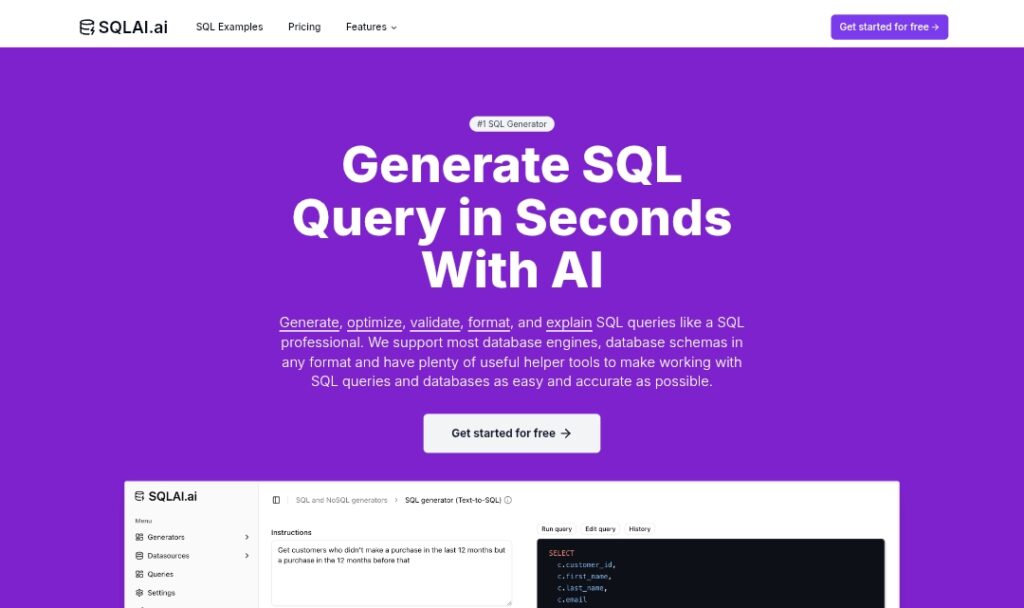
SQLAI.ai is an AI-powered multi-tool that simplifies SQL and NoSQL query work for beginners and professionals.

It generates precise SQL queries from natural language instructions, optimizes existing queries for performance, validates for errors with fixes, formats code for readability, explains queries with breakdowns, and provides helper tools like Run Query on connected databases, View Diff for changes, and a VS Code-like editor.

Supports extensive database engines including MySQL, PostgreSQL, SQL Server, BigQuery, Snowflake, MongoDB, DynamoDB, and many more.

Key strengths include high accuracy via optimized prompts and RAG-like schema handling, multilingual input, large schema support without context limits, instant result streaming, and direct execution on live data sources for insights without data team dependency.

The platform emphasizes ease of use, affordability, and reliability, helping users save hours and reduce cloud costs by producing error-free, optimized SQL quickly.

As a Berlin-based startup, it serves over 150,000 professionals with a freemium model offering free generations and paid plans for higher limits and advanced features.

Ideal for developers, data analysts, students, consultants, and businesses needing fast, accurate database interaction and query management.

Key Features

  1. Text-to-SQL generation: Converts natural language to accurate SQL/NoSQL queries
  2. SQL optimizer: Improves query performance with justifications for changes
  3. SQL validator: Scans for errors and suggests fixes with explanations
  4. SQL formatter: Cleans and formats queries for better readability
  5. SQL explainer: Breaks down queries with summaries, visualizations, and native language explanations
  6. Run Query tool: Executes queries directly on connected data sources
  7. View Diff: Compares AI-generated changes to original query
  8. Query editor: VS Code-like interface for manual editing
  9. Schema autosuggest: Handles large schemas with RAG for context-aware generation
  10. Multilingual support: Works with queries in any language input

Price Plans

  1. Free ($0): Basic SQL generation with limited queries/tokens per month; suitable for testing and light use
  2. Starter ($6/Month or $80/Year): 200 queries/month, access to advanced models
  3. Explorer ($10/Month or $120/Year): 1,000 queries/month, more capacity for regular users
  4. Pro ($20/Month or $240/Year): 3,000 queries/month, full workflow features, higher priority

Pros

  1. High accuracy and reliability: Uses state-of-the-art models, multi-step reasoning, and validation for trustworthy results
  2. Extensive database support: Covers SQL and NoSQL engines like MySQL, PostgreSQL, BigQuery, MongoDB, Snowflake, and more
  3. Time and cost savings: Reduces rework, errors, and cloud spend with optimized queries
  4. Beginner-friendly: Enables non-experts to generate complex queries effortlessly
  5. Live data insights: Direct execution on connected sources without exporting data
  6. Affordable pricing: Starts low with free generations available
  7. Public API: For integration into custom applications

Cons

  1. Limited free usage: Free tier has query/token limits; heavy users need paid plans
  2. No detailed founding date: Release/launch specifics not publicly highlighted
  3. Web-only: No native desktop/mobile apps mentioned
  4. Setup for connections: Requires database connectivity for full features like Run Query
  5. Potential variability: Output quality depends on prompt and model
  6. Team features pending: Team subscriptions in development
  7. Dependency on AI models: Relies on external models for generation

Use Cases

  1. Text-to-SQL for beginners: Convert questions like 'show top 10 customers by revenue' into queries
  2. Query optimization: Speed up slow reports by AI-recommended rewrites
  3. Error fixing and validation: Debug syntax/performance issues in existing SQL
  4. Data exploration: Run queries directly on live databases for instant insights
  5. Learning and teaching: Explain complex queries or generate examples for students
  6. Business analytics: Generate ad-hoc reports without waiting for data teams
  7. API integration: Embed SQL generation in custom tools or dashboards

Target Audience

  1. Data analysts and developers: Needing fast, accurate SQL generation/optimization
  2. SQL beginners and students: Learning through hands-on query creation and explanations
  3. Business users: Non-technical professionals wanting data insights without coding
  4. Small businesses and startups: Affordable alternative to expensive data tools
  5. Consultants and freelancers: Handling diverse databases and client queries quickly
  6. Teams with large schemas: Managing complex databases efficiently

How To Use

  1. Visit website: Go to sqlai.ai and start generating queries for free
  2. Input natural language: Type question like 'find average salary by department'
  3. Generate SQL: AI produces query; review, edit, or run if connected
  4. Connect database: Add data source for schema-aware generation and execution
  5. Use helpers: Optimize, validate, format, explain, or diff changes
  6. Upgrade for more: Subscribe to Starter/Explorer/Pro for higher limits
  7. Use API: Integrate into apps for automated query generation

How we rated SQLAI.ai

  • Performance: 4.6/5
  • Accuracy: 4.7/5
  • Features: 4.5/5
  • Cost-Efficiency: 4.6/5
  • Ease of Use: 4.8/5
  • Customization: 4.4/5
  • Data Privacy: 4.5/5
  • Support: 4.3/5
  • Integration: 4.4/5
  • Overall Score: 4.6/5

SQLAI.ai integration with other tools

  1. Database Engines: Connects to MySQL, PostgreSQL, SQL Server, BigQuery, Snowflake, MongoDB, DynamoDB, and many others for schema import and query execution
  2. Public API: Available for developers to embed SQL generation in custom applications
  3. Helper Tools: Built-in Run Query for live execution on connected sources, View Diff for changes, and Query Editor
  4. Web-Based: No external integrations mentioned beyond database connections and API
  5. Browser Access: Works in any modern browser for instant use

Best prompts optimised for SQLAI.ai

  1. Show me the top 5 products by total sales last quarter, including product name, category, and revenue
  2. Optimize this slow query for better performance: [paste your SQL query here]
  3. Explain what this SQL query does in simple English: [paste query]
  4. Generate a query to find users who signed up but haven't made a purchase in 30 days
  5. Fix any errors in this SQL and make it more efficient: [paste invalid or slow query]
SQLAI.ai stands out as an accurate, affordable AI tool for generating, optimizing, and explaining SQL/NoSQL queries. Its strong support for many databases, live execution, and beginner-friendly interface make it excellent for analysts and developers. Free tier works for light use, with paid plans from $6/month offering great value for frequent query work.

FAQs

  • What is SQLAI.ai?

    SQLAI.ai is an AI-powered multi-tool for generating, optimizing, validating, formatting, and explaining SQL/NoSQL queries from natural language, with support for many databases and live execution.

  • Is SQLAI.ai free to use?

    Yes, it offers free query generations with limits; paid plans start at $6/month (Starter) for more queries and advanced models, up to Pro at $20/month.

  • How many users does SQLAI.ai have?

    SQLAI.ai is trusted by more than 150,000 professionals worldwide, according to their official site.

  • What databases does SQLAI.ai support?

    It supports a wide range including MySQL, PostgreSQL, SQL Server, BigQuery, Snowflake, MongoDB, DynamoDB, Redshift, Oracle PL/SQL, MariaDB, SQLite, and many others.

  • Does SQLAI.ai have a public API?

    Yes, a public API is available for integrating SQL generation into custom applications or services.

  • Can SQLAI.ai run queries on my database?

    Yes, connect your data source to run generated queries directly and get live results without exporting data.

  • When was SQLAI.ai launched?

    SQLAI.ai is a Berlin-based startup with active development and features highlighted in 2025-2026; exact launch date not publicly specified.

  • Who is SQLAI.ai best for?

    It suits SQL beginners learning queries, data analysts needing fast generation/optimization, developers handling complex databases, and businesses seeking affordable SQL tools.


Newly Added Toolsโ€‹

Qodo AI

$0/Month

Codiga

$10/Month

Tabnine

$59/Month

CodeRabbit

$0/Month
SQLAI.ai Alternatives

Qodo AI

$0/Month

Codiga

$10/Month

Tabnine

$59/Month

SQLAI.ai Reviews

0.0
0.0 out of 5 stars (based on 0 reviews)
Excellent0%
Very good0%
Average0%
Poor0%
Terrible0%

There are no reviews yet. Be the first one to write one.




