
What is Stylar AI?
Stylar AI (now Dzine) is a powerful AI image and video creation/editing platform with strong control over composition, layers, styles, and effects like generative fill, Chat Editor, and lip-sync avatars.
Is Stylar AI free to use?
Yes, free tier provides 100 credits on signup plus 30 daily refreshes for basic generation and editing; paid plans from $8/month unlock higher credits, unlimited queue, high-res, and advanced features.
Who founded Stylar AI?
Stylar was founded in 2023 by Chen Fang (CEO) and Jue Wang, with the platform later rebranded as Dzine AI.
What are Stylar AI’s key features?
Highlights include layer-based editing, predefined styles, Chat Editor for text commands, text-to-image/video, image-to-3D, virtual try-on, lip-sync avatars, and over 120 effects.
How many users does Stylar AI have?
Trusted by over 5 million creators worldwide, as reported on their site and marketing materials.
Does Stylar AI support video generation?
Yes, it includes AI video generation, talking avatars with lip-sync (including multi-person), and story video creation from text or ideas.
What makes Stylar AI different?
It emphasizes controllable design with layers and precise tools, built-in GPT prompt helper, and consistent character generation, making it more like traditional design software than random AI generators.
Can Stylar AI be used commercially?
Yes, paid plans support commercial use with high-res, watermark-free exports suitable for professional marketing, product visuals, and content creation.
Stylar AI

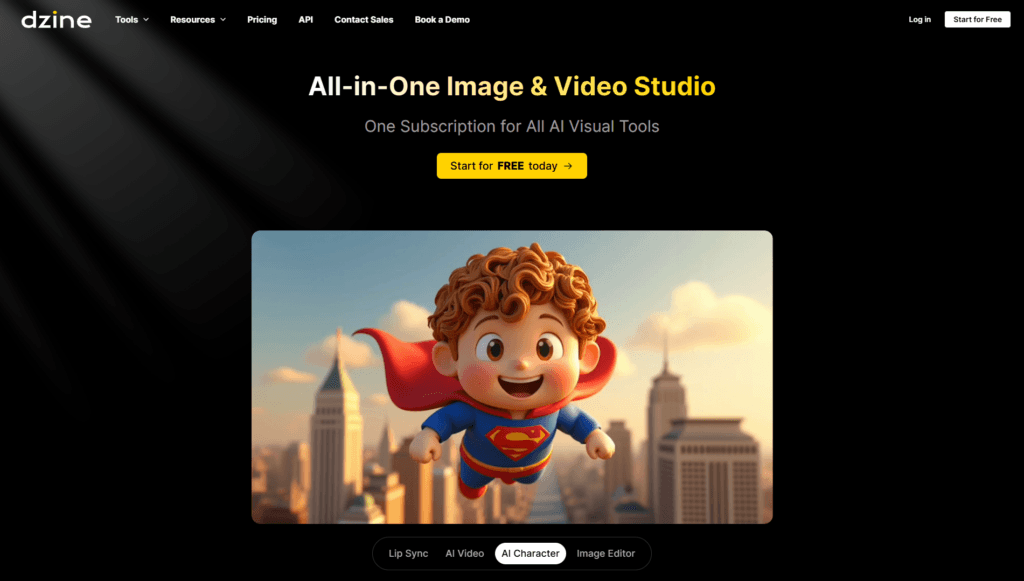
About This AI
Stylar AI (now rebranded as Dzine AI) is an advanced AI-powered image generation and editing platform that gives users exceptional control over composition and style.
It features layer-based design, predefined artistic styles, generative fill, image-to-image transformation, text-to-image creation, and tools like Chat Editor for instant modifications via text instructions (change colors, backgrounds, lighting, poses, remove/insert objects).
Additional capabilities include AI video generation, talking avatars with lip-sync (including multi-person), product photography enhancement, face swap, expand, enhance, background replacement, image-to-3D, virtual try-on, and over 120 image effects.
The tool supports high-resolution exports, fast processing, and a user-friendly canvas for direct tweaks, making it accessible without coding or powerful hardware.
A built-in GPT assistant helps craft detailed prompts for beginners, while consistent character generation ensures reliable results across images.
Launched in 2023 by founders Chen Fang (CEO) and Jue Wang, it operates as a freemium online tool with free credits on signup (100) and daily refreshes (30), plus premium subscriptions for unlimited/high-volume use.
Trusted by millions of creators for social media, marketing, product design, character art, and professional visuals, Stylar/Dzine emphasizes intuitive, controllable creativity over random outputs.
Key Features
- Layer-based composition: Precise control over elements with layering, positioning, and sketching tools
- Predefined styles library: Apply artistic styles without complex prompts for consistent looks
- Chat Editor: Text-based instant edits (swap backgrounds, change colors, adjust lighting, reshape poses, remove/insert objects)
- Generative fill and image-to-image: Modify or transform existing images with AI guidance
- Text-to-image generation: Create visuals from detailed prompts with high control
- AI video and talking avatars: Generate story videos or lip-synced avatars (multi-person support)
- Product photography tools: Enhance product shots, background replacement, virtual try-on
- Face swap, expand, enhance: Advanced editing for faces, canvas expansion, detail improvement
- Image-to-3D conversion: Turn 2D images into 3D models
- Over 120 effects and filters: Wide range of AI-powered styles and enhancements
- Built-in prompt assistant: GPT helps generate or refine prompts for better results
Price Plans
- Free ($0): 100 credits on signup + 30 daily refreshes; access to basic generation, editing, and features with limits
- Standard ($8/Month): Higher credits (e.g., 2000/month), faster queue, high-res exports, more frequent use
- Pro ($25/Month): Extensive credits, unlimited queue, advanced tools, priority features for professionals
- Business/Team (Custom $50+/Month): Team collaboration, higher volumes, premium support, tailored packages
Pros
- Unmatched control: Layering and precise tools make it feel like traditional design software with AI power
- User-friendly for all levels: No coding/GPU needed; intuitive canvas and prompt helper
- Versatile outputs: Covers images, videos, avatars, 3D, and product visuals in one platform
- High-quality results: Strong on faces, hands, consistency, and professional finishes
- Generous free access: 100 signup credits plus 30 daily refreshes for testing
- Fast and efficient: Quick generation and editing, often faster than competitors
- Creative acceleration: Ideal for rapid iteration in marketing, design, and content creation
Cons
- Credit-based limits: Free tier refreshes daily but caps heavy use; paid needed for volume
- Paid for unlimited: High-res, priority, and advanced features locked behind subscriptions
- Learning curve for advanced: Layering/control powerful but may overwhelm absolute beginners
- Web-only primary: No native desktop/mobile apps mentioned in core experience
- Potential variability: AI outputs can still have artifacts in complex scenes
- Rebranding confusion: Transition from Stylar to Dzine may affect search/branding
- No offline mode: Requires internet for all AI processing
Use Cases
- Marketing and social content: Create branded visuals, ads, posts, and product shots quickly
- Graphic design iteration: Prototype layouts, styles, and compositions with precise control
- Character and concept art: Generate consistent characters for games, animations, or illustrations
- Product photography enhancement: Background swaps, virtual try-on, and professional renders
- Video and avatar creation: Produce talking avatars or short story videos with lip-sync
- Personal creative projects: Transform photos, experiment with styles, or generate art
- E-commerce visuals: High-quality product images and mockups without photography
Target Audience
- Content creators and marketers: Needing fast, high-quality visuals for social and campaigns
- Graphic designers: Wanting AI-assisted control without losing traditional workflow
- Product teams and e-commerce: Enhancing product photos and creating ads efficiently
- Game/animation artists: Generating consistent characters and concepts
- Beginner creatives: Using prompt helper and simple interface for AI art
- Professional studios: Scaling output with paid tiers and advanced features
How To Use
- Sign up: Visit stylar.ai and register for free (get 100 credits instantly)
- Choose tool: Select text-to-image, image-to-image, Chat Editor, video generator, etc.
- Input content: Upload image or write prompt; pick style from library if desired
- Customize: Use layers, positioning, Chat Editor text commands, or adjust intensity
- Generate: Click to create; preview and tweak on canvas
- Edit further: Apply effects, enhance, expand, or use generative fill
- Export: Download high-res (paid for unlimited/no watermarks)
How we rated Stylar AI
- Performance: 4.6/5
- Accuracy: 4.7/5
- Features: 4.8/5
- Cost-Efficiency: 4.5/5
- Ease of Use: 4.9/5
- Customization: 4.8/5
- Data Privacy: 4.5/5
- Support: 4.4/5
- Integration: 4.5/5
- Overall Score: 4.7/5
Stylar AI integration with other tools
- Web Browser Access: Fully online platform compatible with Chrome, Firefox, Edge for easy use
- Social Media Export: Optimized formats for direct upload to Instagram, TikTok, Twitter, etc.
- Design Tools Compatibility: Export PNG/JPG for import into Photoshop, Figma, Canva, or Illustrator
- Marketing Platforms: Integration potential with tools like Jasper or HubSpot for content workflows
- API (Potential): Developer access for embedding generation in custom apps (details on request)
Best prompts optimised for Stylar AI
- A futuristic cyberpunk cityscape at night with neon lights and rain, high detail, cinematic lighting, in the style of Blade Runner, ultra realistic, 8k
- Elegant fashion model wearing red evening gown on luxury yacht at sunset, dramatic pose, professional photography, soft golden hour light, detailed fabric textures
- Cute cartoon fox character in cozy autumn forest, big expressive eyes, whimsical style like Studio Ghibli, vibrant colors, detailed background foliage
- Minimalist product shot of wireless earbuds on white background with subtle reflections, modern industrial design, high resolution, commercial quality
- Fantasy warrior elf with intricate armor and glowing sword standing on misty mountain peak at dawn, epic composition, detailed fantasy art style
FAQs
Newly Added Tools






About Author