
What is TagPulse?
TagPulse is a free AI-powered hardware monitoring tool for Windows that tracks CPU, GPU, RAM, temperatures, and disk health in real-time, with predictive alerts via its Computer Help Engine (CHE).
Is TagPulse free to use?
Yes, it’s completely free forever for personal/home use with all features included; business fleet management starts at $2/user/month.
What makes TagPulse different from other monitoring tools?
It uses AI to learn your system’s normal patterns and predict issues before they happen, rather than just reacting to thresholds like traditional monitors.
Does TagPulse support Windows 10 and 11?
Yes, it’s designed for Windows 10 and Windows 11 (64-bit); requires admin privileges for full hardware access.
How does the predictive AI work in TagPulse?
The Computer Help Engine (CHE) analyzes usage over time to detect anomalies and forecast problems like overheating or drive failures.
Does TagPulse have any impact on system performance?
It’s very lightweight, using under 2% CPU and about 100MB RAM while running.
Is there a business or fleet version?
Yes, Fleet Control at $2/user/month adds centralized dashboard, network audits, cloud sync, and event analysis for multiple devices.
Does TagPulse collect any data?
It uses optional anonymous hardware telemetry to improve the AI; you can disable it if preferred.
TagPulse

About This AI
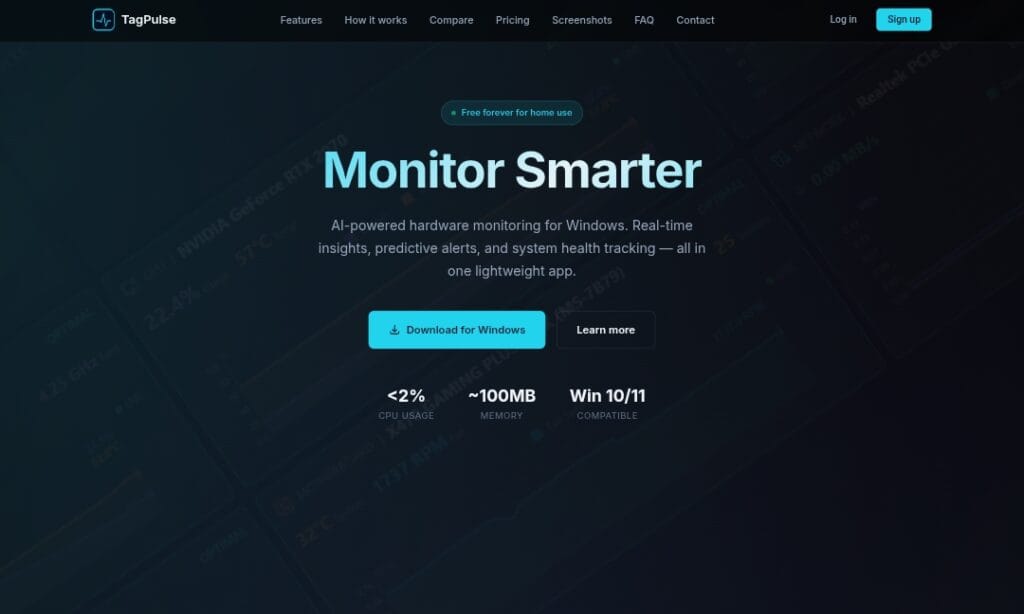
TagPulse is an AI-enhanced hardware monitoring application built specifically for Windows 10 and 11 users.
It provides real-time tracking of critical system metrics including CPU, GPU, RAM usage, temperatures, and disk health via SMART analysis.
The standout feature is its Computer Help Engine (CHE), an AI component that learns your system’s normal usage patterns over time to detect anomalies and predict potential hardware issues before they cause failures.
This predictive capability sets it apart from traditional monitors that only react to thresholds.
Additional highlights include real-time graphs and alerts for temperature spikes or performance drops, detailed resource analysis to identify resource-heavy programs, performance history trends, automatic updates, and a lightweight footprint (under 2% CPU and ~100MB RAM usage).
For home users, it’s completely free with all features included and no credit card required.
Businesses can opt for fleet management plans starting at $2 per user/month, offering centralized dashboards, network audits, cloud sync, and Windows Event analysis.
The app requires administrator privileges for full monitoring and supports anonymous telemetry to improve the AI.
Ideal for gamers, power users, IT admins, and anyone wanting proactive PC health monitoring without bloat or subscriptions for personal use.
Key Features
- Real-time hardware monitoring: Tracks CPU, GPU, RAM usage, temperatures, and disk metrics with live graphs and updates
- AI-powered predictive alerts: Computer Help Engine (CHE) learns usage patterns to forecast issues before they occur
- SMART disk health analysis: Monitors drive status to anticipate failures and provide early warnings
- Anomaly detection: Identifies unusual behavior or resource spikes that could indicate problems
- Performance history trends: Tracks long-term system behavior for pattern recognition
- Resource analysis: Pinpoints programs or processes consuming excessive resources
- Smart alerts and notifications: Customizable warnings for critical thresholds or predicted risks
- Lightweight design: Minimal resource usage (under 2% CPU, ~100MB RAM) to avoid impacting performance
- Automatic updates: Keeps the app current with new features and improvements
- Fleet management (business): Centralized dashboard for multiple PCs, network audits, cloud sync
Price Plans
- Home/Free ($0): Full access to all monitoring, AI predictions, alerts, SMART analysis, and real-time tracking for personal use; no limits or credit card required
- Fleet Control ($2/user/Month): Adds centralized dashboard for multiple devices, network audit, cloud sync, Windows Event analysis, and enterprise features for businesses
Pros
- Completely free for personal use: All core features available without payment or limits for home users
- Proactive AI predictions: Goes beyond reactive monitoring by forecasting issues via pattern learning
- Low system impact: Runs efficiently without slowing down your PC
- Comprehensive hardware coverage: Monitors key components including SMART for drives
- Easy setup: Quick install with admin privileges for full access
- Business scalability: Affordable fleet plans starting low for teams or small offices
- Focused on prevention: Helps avoid crashes, overheating, or failures through early detection
Cons
- Windows-only: Limited to Windows 10/11; no macOS, Linux, or mobile support
- Requires admin privileges: Full monitoring needs elevated access, which may concern some users
- Business features paid: Fleet dashboard, cloud sync, and advanced enterprise tools start at $2/user/month
- Early-stage tool: Relatively new (launched around early 2026), so community and long-term reliability still building
- Telemetry collection: Uses anonymous hardware data to improve AI, which some privacy-focused users may disable
- No offline advanced AI: Predictive features likely rely on initial learning and occasional updates
- Limited integrations: No mention of third-party app or cloud service syncing in free tier
Use Cases
- Gaming PC optimization: Monitor temps and usage during heavy loads to prevent overheating or throttling
- Daily system health check: Get alerts for potential hardware degradation or anomalies
- Preventive maintenance: Use predictive insights to plan drive replacements or cooling upgrades
- Resource troubleshooting: Identify why a PC slows down by analyzing program impacts
- Small business IT management: Monitor fleet of employee PCs with centralized dashboard
- Overclocking monitoring: Track stability and temps under custom loads
- General PC longevity: Extend hardware life through early issue detection
Target Audience
- Gamers and power users: Needing detailed real-time metrics and predictions for high-performance rigs
- Home PC owners: Wanting free proactive monitoring to avoid unexpected failures
- IT admins and small businesses: Managing multiple Windows devices with fleet features
- Tech enthusiasts: Interested in AI-driven insights beyond basic Task Manager
- Preventive maintenance focused users: Prioritizing hardware health and longevity
How To Use
- Download and install: Visit tagpulse.ai, download the free installer for Windows
- Grant admin privileges: Run setup and allow admin access for full hardware monitoring
- Launch the app: Open TagPulse; it starts monitoring immediately
- View dashboard: Check real-time graphs for CPU/GPU/RAM/disk/temps
- Enable alerts: Configure notifications for thresholds or predicted issues
- Review AI insights: Let CHE learn patterns over days/weeks for better predictions
- Check history: Analyze performance trends and SMART disk status
How we rated TagPulse
- Performance: 4.4/5
- Accuracy: 4.5/5
- Features: 4.6/5
- Cost-Efficiency: 4.9/5
- Ease of Use: 4.7/5
- Customization: 4.2/5
- Data Privacy: 4.3/5
- Support: 4.1/5
- Integration: 4.0/5
- Overall Score: 4.5/5
TagPulse integration with other tools
- Windows Native: Deep integration with Windows 10/11 for hardware access and performance counters
- Automatic Updates: Built-in updater to keep monitoring current without manual intervention
- Notification System: Uses Windows notifications for real-time alerts on issues or predictions
- Fleet Dashboard (Business): Cloud-based centralized view for monitoring multiple PCs in organizations
- Telemetry (Anonymous): Optional data sharing to improve AI predictions across users
Best prompts optimised for TagPulse
- N/A - TagPulse is a hardware monitoring application that runs automatically on your Windows PC; it does not use text prompts for generation or analysis. The AI (CHE) works passively on system data without user prompts.
FAQs
Newly Added Tools







About Author