
What is Tomoviee AI?
Tomoviee AI is an all-in-one AI creative studio by Wondershare for generating videos, images, music, sound effects, and voices from text or images with cinematic realism and full creative control.
When was Tomoviee AI launched?
It was officially launched on September 1, 2025, with web, iOS, and Android availability.
Is Tomoviee AI free to use?
Yes, new users get 100 free credits on signup plus daily bonuses; paid plans start around $9.99/month for more credits, HD, watermark-free, and advanced features.
What are the main features of Tomoviee AI?
Key features include text-to-video, image-to-video, video extension, text-to-image/reference editing, text-to-music/BGM, text-to-sound effects, text-to-voice cloning, and physics-based realism.
How many users does Tomoviee AI have?
It has over 100,000 downloads on Google Play and growing adoption as a new 2025 tool, though exact active user numbers are not publicly detailed beyond app stats.
Does Tomoviee AI support API integration?
Yes, it offers API and SDK access for developers to embed video, image, and audio generation into custom apps or workflows.
What video lengths does Tomoviee AI support?
Typical generations are around 5 seconds (extendable via video extension tool), with support for various aspect ratios like 9:16, 16:9, 1:1.
Can Tomoviee AI generate audio and voices?
Yes, it includes text-to-music, auto-synced BGM, sound effects, and text-to-voice with emotional nuance and instant cloning capabilities.

Tomoviee AI

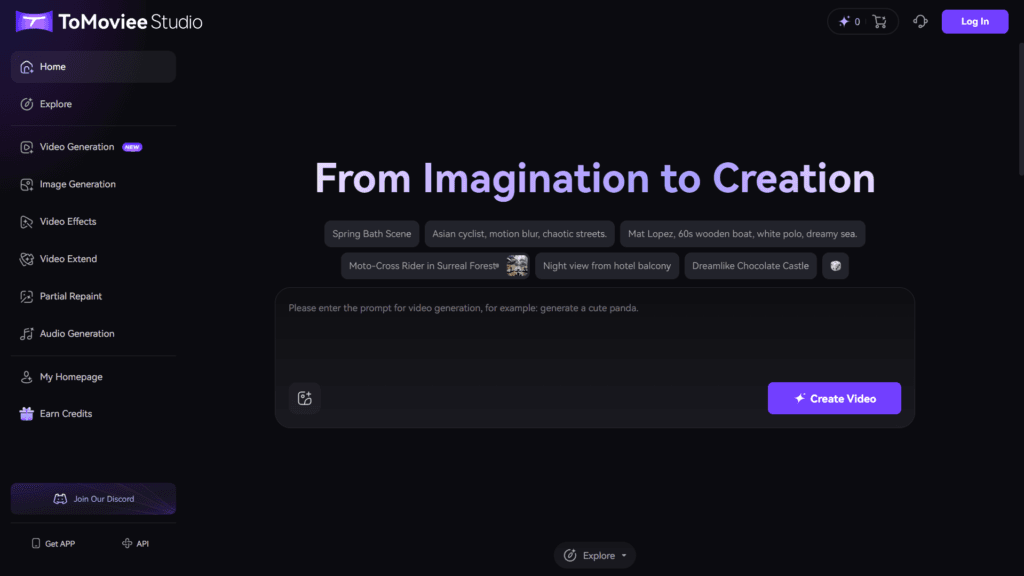
About This AI
Tomoviee AI is an all-in-one AI-powered creative platform launched by Wondershare on September 1, 2025, for web and mobile.
It enables users to generate high-quality videos, images, music, sound effects, and voices from text prompts, images, or scripts with cinematic realism and precise control.
Core capabilities include text-to-video (scripts to lifelike scenes with camera movements like dolly/pan/tilt), image-to-video (animate static images), video extension (seamlessly continue clips), text-to-image (high-res visuals), partial repaint/reference-based image editing, text-to-music (royalty-free tracks), auto BGM (synced soundtracks), text-to-sound effects, and text-to-voice (emotional, custom voices with cloning).
Powered by advanced physics-based models for realistic motion, lighting, acoustics, and audio-visual sync, it offers 8x faster rendering, 4K support, and fine-tuned elements to avoid uncanny valley effects.
New users receive 100 free credits on signup, with flexible credit-based or subscription plans for unlimited/high-res generations.
Mobile apps on iOS/Android and API/SDK for developers make it accessible for creators, marketers, filmmakers, designers, and teams to produce professional content quickly without traditional equipment.
Global campaign ‘From Idea to Movie — Everyone is a Director’ highlights its mission to democratize cinematic storytelling.
Key Features
- Text-to-Video Generation: Convert scripts or prompts to cinematic videos with lifelike motion, lighting, and camera controls
- Image-to-Video Animation: Bring static images to life with dynamic narratives and smooth transitions
- Video Extension: Seamlessly extend clips without reshooting or editing
- Text-to-Image & Reference-Based: Generate or edit high-res images from text or uploaded references
- Partial Repaint/Replace: Swap objects, faces, backgrounds, or text in photos realistically
- Text-to-Music & Auto BGM: Create royalty-free tracks or synced soundtracks that match video emotion
- Text-to-Sound Effects: Produce studio-grade SFX from descriptions
- Text-to-Voice & Cloning: Generate emotional voices with nuance, custom tones, and instant cloning
- Physics-Based Realism: Accurate simulation of motion, lighting, acoustics, and audio-visual sync
- Fast Rendering: 8x faster AI processing with 4K support and one-click generation
- API & SDK Access: Integrate video/image/audio capabilities into custom apps or workflows
Price Plans
- Free ($0): 100 signup credits plus daily bonuses, basic generations with limits/watermarks, suitable for testing
- Standard/Basic ($9.99/Month): Around 1600 credits/month (approx 80 videos or 800 images), watermark-free, HD mode, faster processing, batch features
- Advance ($19.99/Month): Around 5000 credits/month (approx 250 videos or 2500 images), early access, higher discounts on credit packs
- Premium/Higher (Custom): 12000+ credits/month, unlimited off-peak video, advanced features, enterprise options
Pros
- Comprehensive all-in-one suite: Covers video, image, music, sound, and voice in a single platform
- Cinematic quality and control: Physics-accurate realism with precise camera, lighting, and audio adjustments
- Speed and accessibility: Fast generation, intuitive interface, mobile apps, and no waitlist
- Generous free start: 100 credits on signup plus daily bonuses for testing
- Developer-friendly: API/SDK for integration into apps or enterprise tools
- Versatile for creators: Ideal for filmmakers, marketers, designers, and teams needing quick professional output
- Ethical and royalty-free: Outputs suitable for commercial use with clear guidelines
Cons
- Credit-based limits: Free tier and even paid plans rely on credits, which can deplete for heavy use
- Short video durations: Current generations often capped at 5 seconds (extendable but additional cost)
- Pricing opacity: Exact tiers vary; some sources show $9.99-$19.99/month but credit costs per clip
- New platform: Launched in 2025, may have occasional artifacts or evolving features
- Region restrictions: Some features or pricing may vary by location/network
- No offline mode: Requires internet for AI processing and generation
- Learning curve for pro control: Advanced cinematic tweaks need detailed prompts
Use Cases
- Social media content: Create short cinematic clips, Reels, or ads from text/scripts
- Marketing and advertising: Produce product demos, explainer videos, or branded visuals quickly
- Film and storytelling: Prototype short films, extend scenes, or generate storyboards with audio
- Music videos: Animate concepts with synced BGM, sound effects, and voiceovers
- Image enhancement: Redraw photos, change hairstyles, replace objects, or upscale visuals
- Voice and audio production: Clone voices, generate SFX, or compose royalty-free music
- Enterprise workflows: API-integrated automated content for teams or apps
Target Audience
- Content creators and influencers: Needing fast, high-quality videos/images for platforms
- Marketers and advertisers: Producing promotional material efficiently at scale
- Filmmakers and animators: Prototyping ideas or generating cinematic assets
- Designers and graphic artists: Enhancing/editing images with AI realism
- Developers and businesses: Integrating via API for custom creative tools
- Casual users: Experimenting with AI generation using free credits
How To Use
- Sign up: Visit tomoviee.ai or download mobile app, register for 100 free credits
- Choose creation mode: Select Text to Video, Image to Video, Text to Image, Audio tools, etc.
- Input content: Enter detailed text prompt/script, upload image/reference, or describe audio
- Customize: Adjust camera movements, duration, style, lighting, voice tone, or BGM
- Generate: Click create and wait for AI processing (fast in paid modes)
- Edit and refine: Use extension, repaint, or add effects; preview and regenerate if needed
- Download/share: Export watermark-free in paid plans; use API for automated workflows
How we rated Tomoviee AI
- Performance: 4.6/5
- Accuracy: 4.7/5
- Features: 4.8/5
- Cost-Efficiency: 4.5/5
- Ease of Use: 4.7/5
- Customization: 4.8/5
- Data Privacy: 4.4/5
- Support: 4.5/5
- Integration: 4.6/5
- Overall Score: 4.7/5
Tomoviee AI integration with other tools
- Mobile Apps: Native iOS and Android apps for on-the-go creation and editing
- API & SDK: Developer access for embedding video/image/audio generation into custom apps or platforms
- Creative Workflows: Export formats compatible with Premiere Pro, CapCut, DaVinci Resolve, or other editors
- Social Media Optimization: Tailored outputs for TikTok, Instagram Reels, YouTube Shorts, and vertical formats
- Cloud Storage/Sharing: Direct save and share options within the platform for team collaboration
Best prompts optimised for Tomoviee AI
- A dramatic cinematic scene of a lone warrior standing on a misty mountain cliff at sunrise, slow push-in camera dolly, epic orchestral music swelling, golden hour lighting, ultra-realistic 4K, detailed armor and flowing cape
- Modern office worker discovering a hidden talent for dancing in a corporate elevator, upbeat pop track, smooth transitions between serious and joyful expressions, 16:9 aspect ratio, vibrant colors
- Fantasy elf archer running through enchanted forest at twilight, dynamic tracking shot following her, magical particle effects and glowing fireflies, cinematic depth of field, anime-inspired style
- Product showcase of a luxury smartwatch on a minimalist white table, 360-degree orbit camera rotation, subtle reflections and soft lighting, professional e-commerce style, high detail 4K
- Emotional close-up of a couple reuniting at a rainy airport, slow-motion rain droplets, gentle piano soundtrack, warm color grading, heartfelt expressions and embrace
FAQs
Newly Added Tools







About Author