



Zelili AI

TranslateGemma

Open Lightweight Translation Models from Google – Efficient Multilingual Text and Image Translation Across 55 Languages
Tool Release Date

15 Jan 2026

Tool Users
N/A
0.0
๐Ÿ‘ 27

About This AI

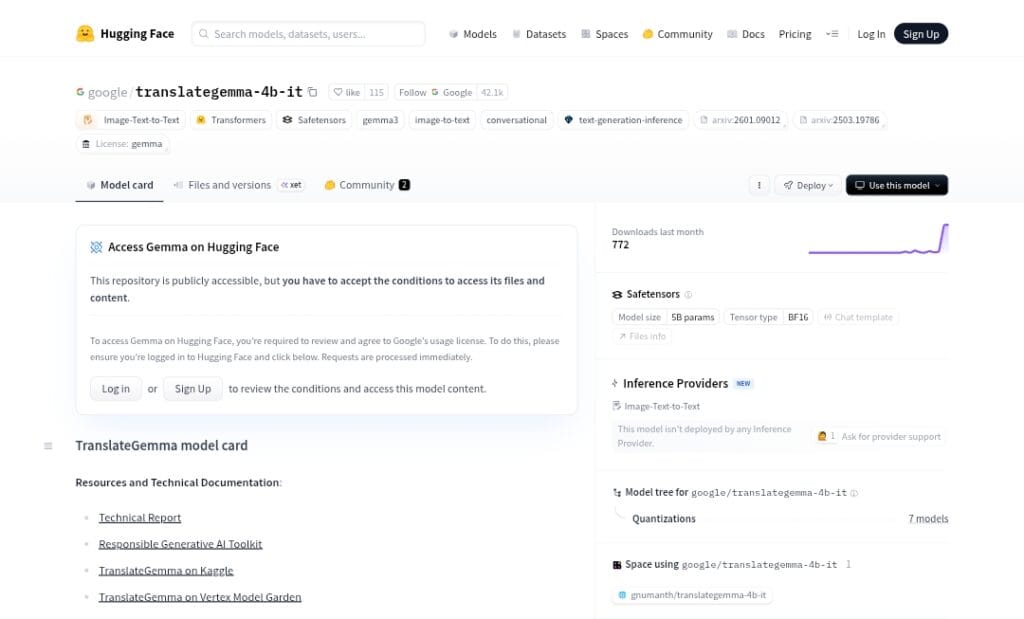
TranslateGemma is a family of open-source translation models developed by Google, built on the Gemma 3 foundation models in 4B, 12B, and 27B parameter sizes.

It specializes in high-quality machine translation across 55 languages, spanning high-, mid-, and low-resource language families, with strong performance on both text and text-within-images (multimodal capabilities inherited from Gemma 3).

The models use a two-stage training process: supervised fine-tuning on diverse parallel data (human + synthetic from Gemini) followed by reinforcement learning with reward models like MetricX-QE and AutoMQM for natural, contextually accurate outputs.

Key strengths include parameter efficiency (e.g., 12B version outperforms Gemma 3 27B baseline on WMT24++ benchmarks with fewer parameters), suitability for diverse deployments (mobile/edge for 4B, laptops for 12B, cloud/TPU for 27B), and retention of multimodal image translation without extra fine-tuning.

Released on January 15, 2026, as fully open models under permissive license, they are available for download on Hugging Face and Kaggle, deployable via Vertex AI, and explorable in Colab notebooks.

TranslateGemma democratizes advanced translation for developers, researchers, and applications needing offline-capable, efficient multilingual support, including low-resource languages and image-based scenarios like signs or documents.

Key Features

  1. Multilingual translation: High-quality text translation across 55 languages with coverage for high-, mid-, and low-resource pairs
  2. Multimodal image translation: Translates text embedded in images (e.g., signs, documents) using inherited Gemma 3 vision capabilities
  3. Parameter-efficient performance: 12B model outperforms larger Gemma 3 27B baseline on WMT24++ with MetricX and Comet22 metrics
  4. Flexible deployment sizes: 4B for mobile/edge, 12B for laptops, 27B for high-fidelity cloud/TPU use
  5. Two-stage fine-tuning: Supervised on human/synthetic parallel data + RL with quality reward models for natural fluency
  6. Open-source access: Full weights downloadable on Hugging Face and Kaggle under permissive license
  7. Low-resource language support: Strong gains in underrepresented languages through diverse training
  8. High throughput/low latency: Smaller sizes enable fast inference on consumer hardware
  9. Custom fine-tuning potential: Developers can adapt models for specific domains or additional languages

Price Plans

  1. Free ($0): Full open-source models downloadable from Hugging Face/Kaggle with no usage costs; permissive license for any use
  2. Vertex AI (Paid managed): Optional deployment through Google Cloud Vertex AI with standard cloud pricing (per token or compute)

Pros

  1. Outstanding efficiency: Smaller models match or beat larger baselines, ideal for resource-constrained devices
  2. Strong multimodal ability: Accurate image text translation extends utility beyond pure text
  3. Completely open and free: Downloadable weights, no usage fees, permissive license for commercial/academic use
  4. Broad language coverage: 55 languages with gains in low-resource settings
  5. Easy integration: Available via Hugging Face, Vertex AI, Colab notebooks for quick experimentation
  6. High benchmark quality: Reduced error rates on WMT24++ across diverse pairs
  7. Community-driven potential: Encourages fine-tuning and extensions by researchers/developers

Cons

  1. Limited to 55 languages: Fewer than some general models (e.g., NLLB 200+), focused on core coverage
  2. Requires setup for local use: Download weights and run via Transformers/Ollama/etc.; no simple hosted UI
  3. Hardware needs for larger sizes: 27B demands significant GPU/TPU for fast inference
  4. Recent release: Adoption still early; community fine-tunes and integrations emerging
  5. No real-time API by default: Self-hosted; Vertex AI offers managed but potentially paid deployment
  6. Potential latency on edge: 4B optimized but still compute-intensive for very low-end devices
  7. Specialized focus: Best for translation; not a general-purpose LLM

Use Cases

  1. Offline mobile translation apps: Run 4B model on-device for privacy-focused, no-internet translation
  2. Image/document translation: Extract and translate text from photos, signs, or scanned PDFs
  3. Low-resource language support: Bridge communication gaps in underrepresented languages
  4. Developer integrations: Embed in apps, chatbots, or tools via Hugging Face Transformers
  5. Research and fine-tuning: Adapt for domain-specific translation or new language pairs
  6. Multilingual content creation: Translate articles, subtitles, or social media posts efficiently
  7. Accessibility tools: Real-time translation for hearing/visually impaired users

Target Audience

  1. Developers and app builders: Integrating translation into mobile/desktop/software products
  2. Researchers in NLP/ML: Studying efficient translation, multimodal, or low-resource models
  3. Global businesses: Needing cost-effective multilingual communication tools
  4. Content creators/translators: Handling documents, images, or media across languages
  5. Educators and NGOs: Supporting low-resource language education/accessibility
  6. Open-source enthusiasts: Experimenting with/fine-tuning Gemma-based models

How To Use

  1. Download model: Visit Hugging Face collection https://huggingface.co/collections/google/translategemma and select variant (4B/12B/27B)
  2. Install library: Use pip install transformers huggingface_hub to set up environment
  3. Load model: from transformers import AutoModelForCausalLM, AutoTokenizer; model = AutoModelForCausalLM.from_pretrained('google/translategemma-12b-it')
  4. Prepare prompt: Use chat template with user/assistant roles; e.g., 'Translate from English to French: Hello world'
  5. Generate translation: inputs = tokenizer(prompt, return_tensors='pt'); outputs = model.generate(**inputs)
  6. Run inference: Decode outputs; for image text, use multimodal pipeline if supported
  7. Deploy locally/cloud: Use Ollama, Vertex AI, or Colab notebook for testing/production

How we rated TranslateGemma

  • Performance: 4.7/5
  • Accuracy: 4.8/5
  • Features: 4.6/5
  • Cost-Efficiency: 5.0/5
  • Ease of Use: 4.5/5
  • Customization: 4.7/5
  • Data Privacy: 4.9/5
  • Support: 4.4/5
  • Integration: 4.8/5
  • Overall Score: 4.7/5

TranslateGemma integration with other tools

  1. Hugging Face Transformers: Direct loading and inference with popular library for easy integration in Python apps
  2. Vertex AI (Google Cloud): Managed deployment for scalable production use with monitoring and security
  3. Ollama: Local running with simple CLI/API for offline/personal translation needs
  4. Colab Notebooks: Free testing and prototyping via Google's official Gemma cookbook examples
  5. Custom Apps: Embed in mobile (via ML Kit or on-device), web, or desktop tools for translation features

Best prompts optimised for TranslateGemma

  1. Translate the following text from English to Spanish, keeping a formal and professional tone: [insert text here]
  2. Translate this paragraph from French to English in a natural, conversational style suitable for a blog post: [insert text]
  3. Translate the text in this image from Japanese to English accurately, including food names and descriptions: [describe or reference image]
  4. Translate this technical document excerpt from German to English using precise scientific terminology: [insert text]
  5. Translate the following message from Chinese to English in a friendly, casual tone for social media: [insert text]
TranslateGemma delivers impressive open-source translation across 55 languages with efficient models that outperform larger baselines in many cases. Its multimodal image text support adds unique value, while free access and flexible sizes make it ideal for developers building offline/mobile apps or researchers tackling low-resource languages. A strong, accessible addition to the translation AI landscape.

FAQs

  • What is TranslateGemma?

    TranslateGemma is a family of open-source translation models from Google built on Gemma 3, available in 4B, 12B, and 27B sizes, supporting high-quality text and image text translation across 55 languages.

  • When was TranslateGemma released?

    TranslateGemma was released on January 15, 2026, as an open suite of models for developers and researchers.

  • How many languages does TranslateGemma support?

    It supports 55 languages, covering high-, mid-, and low-resource families with strong performance across diverse pairs.

  • Is TranslateGemma free to use?

    Yes, the models are completely open-source and free to download/use under permissive license on Hugging Face and Kaggle; no costs for core access.

  • Does TranslateGemma support image translation?

    Yes, it inherits Gemma 3 multimodal capabilities to translate text embedded in images (e.g., signs, documents) without extra fine-tuning.

  • Where can I download TranslateGemma?

    Download from Hugging Face collection https://huggingface.co/collections/google/translategemma or Kaggle models page.

  • What makes TranslateGemma efficient?

    Smaller models (e.g., 12B) outperform larger baselines like Gemma 3 27B on benchmarks with lower compute needs, enabling mobile/edge deployment.

  • How can I run TranslateGemma locally?

    Use Hugging Face Transformers library in Python or tools like Ollama for local inference; Colab notebooks available for easy testing.


Newly Added Toolsโ€‹

Qwen-Image-2.0

$0/Month

Qodo AI

$0/Month

Codiga

$10/Month

Tabnine

$59/Month
TranslateGemma Alternatives

Cognosys AI

$0/Month

AI Perfect Assistant

$17/Month

Intern-S1-Pro

$0/Month

TranslateGemma Reviews

0.0
0.0 out of 5 stars (based on 0 reviews)
Excellent0%
Very good0%
Average0%
Poor0%
Terrible0%

There are no reviews yet. Be the first one to write one.