



Zelili AI

Trevor AI

AI-Powered Daily Planner & Task Scheduler for Google and Microsoft Calendars
Tool Release Date

Feb 2016

Tool Users
Thousands+
0.0
๐Ÿ‘ 18

About This AI

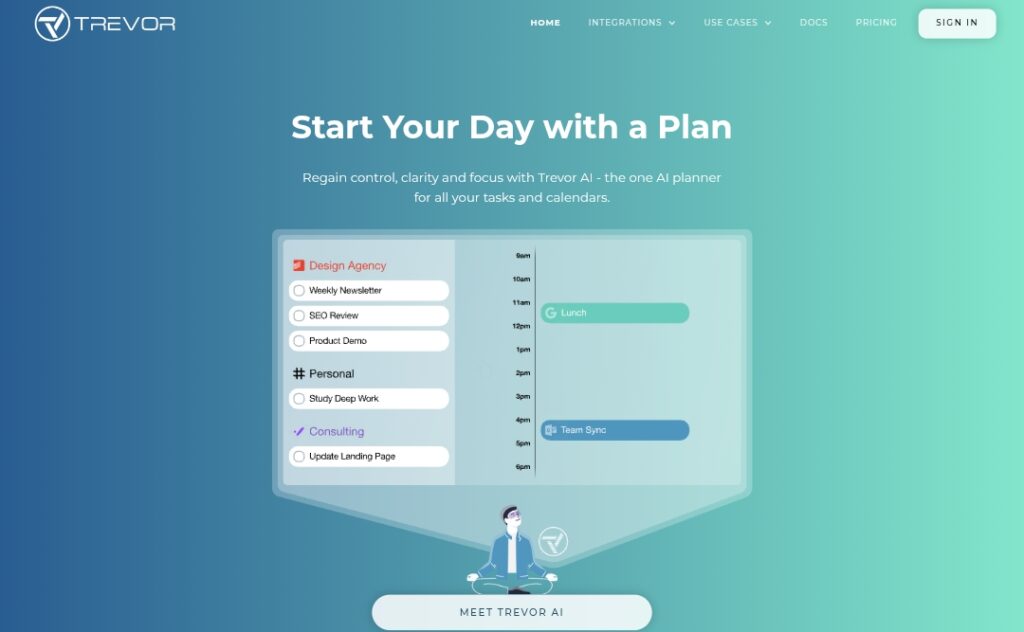
Trevor AI is an intelligent time-blocking and task planning app that bridges to-do lists with calendars for realistic daily scheduling.

It integrates seamlessly with Google Calendar and Microsoft 365 calendars (multiple accounts in Pro), allowing users to drag-and-drop tasks, auto-schedule with AI suggestions, predict task durations, set priorities, and receive optimal time-block recommendations based on personal habits.

Key features include Task Hub for organizing lists with colors/notes/peers, Focus Mode with timers and breakdowns, recurring tasks, smart scheduling queue, ‘Plan My Day/Week’ automation, ‘Ask Trevor’ chat for adding/rescheduling tasks, progress reports, and daily AI coaching emails with insights.

The app learns from user patterns (privacy-respecting personal AI model in Pro) to improve suggestions over time, achieving high task completion rates (85 percent average per anonymous data).

Founded in 2016 by George Petrov and Dmitry Yudakov, Trevor AI is web-based (mobile/desktop) with a freemium model: generous free tier for personal use (one calendar) and Pro plan for advanced features like multi-calendar support, recurring scheduled tasks, personal insights, and bulk operations.

Trusted by thousands of ambitious users including professionals, students, freelancers, and executives, it emphasizes privacy (GDPR-compliant, no data selling) and focuses on reducing mind clutter while empowering productivity.

Key Features

  1. Task-calendar integration: Sync tasks with Google/Microsoft calendars for visual time-blocking
  2. AI scheduling suggestions: Predict durations, priorities, and optimal slots with one-click acceptance
  3. Plan My Day/Week: Automatic optimal daily or weekly timetables based on tasks and availability
  4. Ask Trevor chat: Natural language to add, schedule, reschedule, find tasks, or get advice
  5. Focus Mode: Timers, note fields, breakdowns, and distraction-free single-task focus
  6. Task Hub: Organize tasks with lists, colors, notes, peers, and third-party integrations
  7. Recurring tasks: Set repeating assignments with smart scheduling (Pro)
  8. Progress and reports: Track completion rates, billable hours, and daily insights
  9. Multiple calendars: Connect work/life accounts simultaneously (Pro)
  10. Daily AI coaching: Personalized email reviews of progress, overdues, and suggestions

Price Plans

  1. Free ($0): Personal use with one calendar, core scheduling, drag-and-drop, basic AI suggestions, unlimited tasks
  2. Pro ($5/Month annual or $6/Month): Multiple calendars, personal AI model, recurring scheduled tasks, Ask Trevor chat, progress insights, smart queue, scheduling blocks, 30-day money-back, possible discounts

Pros

  1. Realistic planning: Bridges to-do lists and calendars to avoid overload and improve completion
  2. Personalized AI: Learns habits for better suggestions while respecting privacy
  3. High completion rates: Users report 85 percent task finish vs 41 percent for traditional lists
  4. Intuitive interface: Drag-and-drop, one-click AI, and web access on any device
  5. Generous free tier: Core scheduling and one calendar free for personal use
  6. Strong productivity focus: Reduces mind clutter and adds clarity/focus
  7. Affordable Pro: $5/month annual unlocks advanced features for professionals

Cons

  1. Limited free tier: One calendar only; multi-account and advanced AI in Pro
  2. Web-based only: No native desktop/mobile apps; relies on browser
  3. Learning curve: Full power (AI chat, coaching) requires exploration
  4. No offline mode: Needs internet for sync and AI features
  5. Integration limited: Strong with calendars/tasks but fewer third-party apps
  6. Potential over-reliance: AI suggestions may need manual tweaks for unique routines

Use Cases

  1. Daily personal planning: Schedule tasks realistically to reduce overwhelm
  2. Professional productivity: Time-block work projects, meetings, and deep work
  3. Student scheduling: Plan study sessions, assignments, and exams
  4. Freelancer management: Balance client work, admin, and billable hours
  5. Remote work focus: Create structured days with Focus Mode and coaching
  6. Team coordination: Share tasks and align schedules (limited collaboration)
  7. Habit building: Use recurring tasks and progress tracking for goals

Target Audience

  1. Ambitious professionals: Executives, managers, and knowledge workers
  2. Freelancers and solopreneurs: Balancing multiple projects and clients
  3. Students and academics: Organizing study, assignments, and research
  4. Remote/hybrid workers: Needing structure in flexible schedules
  5. Productivity enthusiasts: Seeking AI-assisted planning tools
  6. Entrepreneurs and founders: Managing diverse tasks efficiently

How To Use

  1. Sign up: Visit trevorai.com and create free account
  2. Connect calendar: Link Google or Microsoft calendar (multiple in Pro)
  3. Add tasks: Create Task Hub lists or use Ask Trevor chat to input
  4. Schedule: Drag tasks to timeline or use AI suggestions/Plan My Day
  5. Use Focus Mode: Start timer for single-task focus with breakdowns
  6. Review progress: Check reports, get daily AI coaching emails
  7. Upgrade Pro: For multi-calendar, advanced AI, recurring tasks

How we rated Trevor AI

  • Performance: 4.6/5
  • Accuracy: 4.5/5
  • Features: 4.7/5
  • Cost-Efficiency: 4.8/5
  • Ease of Use: 4.8/5
  • Customization: 4.6/5
  • Data Privacy: 4.7/5
  • Support: 4.4/5
  • Integration: 4.7/5
  • Overall Score: 4.7/5

Trevor AI integration with other tools

  1. Google Calendar: Real-time sync, scheduling, multiple accounts in Pro
  2. Microsoft 365 Calendars: Outlook integration for work/life separation
  3. Task Managers: Todoist and others for pulling/pushing tasks
  4. Web Browser: Full access on mobile/desktop via any modern browser
  5. Personal AI Model: Learns from user data (Pro) for customized suggestions

Best prompts optimised for Trevor AI

  1. Not applicable - Trevor AI is a task planning and scheduling app that uses AI for suggestions and automation; no manual generative prompting required for core use.
  2. N/A - Functionality centers on calendar integration and AI scheduling rather than text/image/video generation.
  3. N/A - Best 'prompts' are natural language commands in Ask Trevor chat like 'schedule my workout tomorrow morning' or 'reschedule project review to afternoon'.
Trevor AI excels as an intuitive AI planner that seamlessly merges tasks with calendars for realistic time-blocking and high completion rates. Its personalized suggestions, Focus Mode, and daily coaching help reduce overwhelm. Free tier suits individuals, while Pro at $5/month unlocks multi-calendar power. Great for professionals and students seeking structured productivity.

FAQs

  • What is Trevor AI?

    Trevor AI is an AI-powered daily planner that integrates tasks with Google/Microsoft calendars for smart time-blocking, scheduling suggestions, and high task completion rates.

  • Is Trevor AI free to use?

    Yes, free tier supports personal use with one calendar and core scheduling; Pro at $5/month (annual) adds multiple calendars, advanced AI, recurring tasks, and insights.

  • When was Trevor AI founded?

    Trevor AI was founded in February 2016 by George Petrov and Dmitry Yudakov as part of Trevor Labs.

  • What calendars does Trevor AI support?

    It integrates with Google Calendar and Microsoft 365/Outlook calendars, with multiple accounts available in the Pro plan.

  • How does Trevor AI improve productivity?

    It achieves 85 percent task completion (vs 41 percent for to-do lists) through realistic scheduling, AI predictions, Focus Mode, and daily coaching.

  • Does Trevor AI have an AI chat feature?

    Yes, ‘Ask Trevor’ allows natural language commands to add, schedule, reschedule tasks, find calendar items, or get planning advice.

  • Is Trevor AI suitable for teams?

    Primarily personal/individual, but supports peer task invites and collaboration; best for solo professionals or small teams.

  • How private is my data in Trevor AI?

    Privacy-focused: GDPR-compliant, no data selling/sharing, anonymized learning for personal AI model, hosted securely on Google/Amazon.


Newly Added Toolsโ€‹

Qodo AI

$0/Month

Codiga

$10/Month

Tabnine

$59/Month

CodeRabbit

$0/Month
Trevor AI Alternatives

Intercom AI

$29/Month

Reclaim AI

$10/Month

Motion

$19/Month

Trevor AI Reviews

0.0
0.0 out of 5 stars (based on 0 reviews)
Excellent0%
Very good0%
Average0%
Poor0%
Terrible0%

There are no reviews yet. Be the first one to write one.