Zelili AI

VideoGen

AI Video Generator and Editor for Professional Copyright-Free Videos
Tool Release Date

1 Jan 2023

Tool Users
1 Million+
0.0
๐Ÿ‘ 17

About This AI

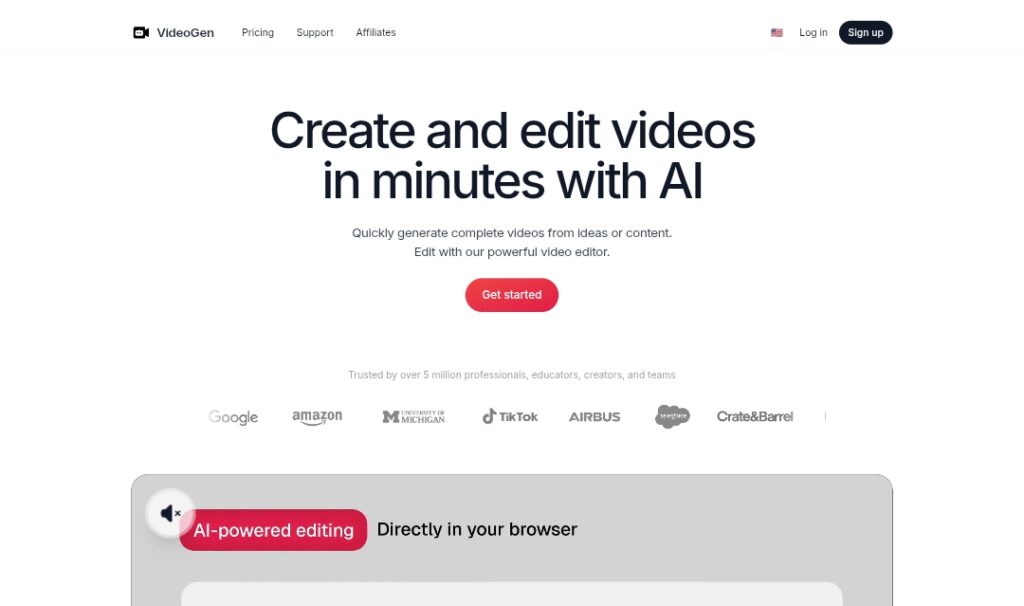
VideoGen is an AI-powered platform that enables users to create and edit professional-quality videos quickly and affordably using advanced generative AI.

It transforms ideas, text, or content into complete videos in minutes with features like text-to-video generation, AI voiceovers in multiple languages, one-click translation, lifelike avatars, generative clips powered by models like Veo 3, stock media integration (iStock), and a powerful editor for workflows, annotations, and exports.

The tool supports hyperscale production for social media (YouTube, TikTok, Instagram Reels), marketing, and business needs, offering unlimited fair-use generations on paid plans to reduce costs dramatically compared to traditional video production.

Founded in 2023 by Anton Koenig and David Grossman (Y Combinator S24 batch), it bootstrapped to over 1 million users and significant revenue within a year, emphasizing AI-first design with private access to top models.

Trusted by professionals and companies for fast turnaround, high engagement, and safe commercial use without copyright issues.

Available as a web app with pricing from free (limited) to Pro/Business/Enterprise tiers for priority access, unlimited features, and custom limits.

VideoGen positions itself as a game-changer for creators, marketers, and businesses scaling video content efficiently.

Key Features

  1. Text-to-video generation: Create full videos from prompts or ideas with AI synthesis
  2. AI voiceovers: Lifelike voices in multiple languages and accents
  3. One-click translation: Translate videos and voiceovers across languages
  4. Generative clips: Synthesize short clips using advanced models like Veo 3
  5. Avatars and presenters: Add AI avatars for talking-head style videos
  6. Powerful editor: Annotate, edit workflows, add effects, and manage projects
  7. Stock media integration: Access iStock downloads for premium visuals
  8. Unlimited fair-use exports: Paid plans allow high-volume generation
  9. Priority processing: Faster queues and higher limits for paid users
  10. Commercial safety: Copyright-free outputs safe for business use

Price Plans

  1. Free ($0): Limited credits for basic generations, standard features, fair-use policy
  2. Pro ($12/Month or similar annual discount): Unlimited fair-use generations, priority processing, basic workflows, 50GB storage, core AI tools
  3. Business ($74/Month or similar): Priority unlimited, advanced workflows, avatars, Veo 3 clips, 50 iStock downloads/month, 500GB storage
  4. Enterprise (Custom): Tailored limits, dedicated support, account management, highest priority and features

Pros

  1. Extremely fast production: Minutes instead of days/months for professional videos
  2. Cost savings: Average under $1 per video vs traditional $100-1000+ per minute
  3. High scalability: Supports hyperscale for social media and marketing teams
  4. Strong AI foundation: Built on top models with ongoing improvements
  5. User growth success: Bootstrapped to 1M+ users quickly with Y Combinator backing
  6. Commercial ready: Safe, copyright-free for business and monetization
  7. Engagement boost: Videos increase audience interaction significantly

Cons

  1. Free tier limited: Restricted credits and features push to paid plans
  2. Advanced features premium: Avatars, Veo 3 clips, and priority often Business/Enterprise only
  3. Learning curve for editor: Powerful tools may require time to master
  4. AI variability: Output quality depends on prompt and model
  5. No offline use: Fully web-based with internet required
  6. Potential queue times: Free or lower tiers may wait during peak
  7. Subscription model: Non-refundable with commitment for full access

Use Cases

  1. Social media content: Rapid creation of YouTube, TikTok, Instagram Reels
  2. Marketing videos: Ads, product demos, explainer videos at scale
  3. Business presentations: Internal training, pitches, updates with voiceovers
  4. Educational content: Tutorials, courses, lectures with visuals
  5. Personal branding: Talking-head videos with AI avatars
  6. Content agencies: High-volume production for clients
  7. Startup growth: Quick video assets without large budgets

Target Audience

  1. Content creators and influencers: Scaling short-form and long-form video output
  2. Marketers and advertisers: Producing promotional and social content fast
  3. Business owners and startups: Affordable video for growth and communication
  4. YouTubers and podcasters: Generating visuals and clips efficiently
  5. Agencies and teams: High-volume, commercial-safe video production
  6. Educators and trainers: Creating engaging learning materials

How To Use

  1. Sign up: Create free account at videogen.io and get started
  2. Choose workflow: Select text-to-video, edit existing, or use generative clip tool
  3. Input content: Enter prompt, upload script/media, or use templates
  4. Customize: Add voiceover, avatar, translation, or stock elements
  5. Generate and edit: Preview AI output, refine in editor with annotations/tools
  6. Export: Download or share video; unlimited on paid plans
  7. Upgrade: Move to Pro/Business for priority and advanced features

How we rated VideoGen

  • Performance: 4.6/5
  • Accuracy: 4.5/5
  • Features: 4.7/5
  • Cost-Efficiency: 4.8/5
  • Ease of Use: 4.6/5
  • Customization: 4.5/5
  • Data Privacy: 4.4/5
  • Support: 4.3/5
  • Integration: 4.4/5
  • Overall Score: 4.6/5

VideoGen integration with other tools

  1. Social Media Platforms: Optimized exports for YouTube, TikTok, Instagram Reels, and direct sharing
  2. Stock Libraries: Built-in iStock integration for premium media in generations
  3. Advanced AI Models: Leverages OpenAI, Google Veo 3, and others for generation
  4. Video Editors (Export): Compatible with Premiere Pro, CapCut, DaVinci Resolve via MP4 exports
  5. Web App Ecosystem: Runs in browser with no additional software needed beyond account

Best prompts optimised for VideoGen

  1. Create a 30-second promotional video for a fitness app showing people exercising in a modern gym, energetic music, upbeat voiceover: 'Transform your body in 30 days with our AI-powered workouts', vibrant colors, dynamic camera movements
  2. Generate an explainer video about sustainable energy: start with solar panels, transition to wind turbines, end with family using clean power, calm professional voiceover, infographic style, 60 seconds
  3. Make a fun TikTok-style video of a cute puppy learning tricks in a park, slow-motion jumps, happy background music, text overlays like 'Training success!', bright and playful
  4. Produce a corporate product demo for a SaaS tool: screen recordings with voiceover explaining features, professional tone, clean transitions, 90 seconds
  5. Create an animated educational clip on climate change impacts: polar bears, rising seas, forest fires, serious narrator, emotional music, 45 seconds with key facts
VideoGen revolutionizes video creation with fast AI generation, editing, and voiceovers, making professional content accessible and affordable. From social clips to marketing videos, it delivers high-quality results in minutes at a fraction of traditional costs. Strong for creators and businesses scaling output, with Pro at $12/month offering great value.

FAQs

  • What is VideoGen?

    VideoGen is an AI platform for generating and editing professional, copyright-free videos quickly from text, ideas, or content, with features like voiceovers, translation, avatars, and advanced editing.

  • Is VideoGen free to use?

    Yes, it has a free plan with limited credits; paid plans start at around $12/month for Pro with unlimited fair-use generations and priority features.

  • How many users does VideoGen have?

    VideoGen has grown to over 1 million users since its 2023 launch, as reported by founders and Y Combinator profile.

  • Who founded VideoGen?

    Founded in 2023 by Anton Koenig (CEO) and David Grossman (CTO), part of Y Combinator S24 batch.

  • What are VideoGen’s key features?

    Text-to-video, AI voiceovers, translation, generative clips (Veo 3), avatars, stock media (iStock), powerful editor, and unlimited exports on paid plans.

  • Is VideoGen suitable for commercial use?

    Yes, outputs are copyright-free and safe for business, marketing, and monetization purposes.

  • What makes VideoGen cost-effective?

    It reduces video production costs to under $1 per video on average compared to traditional $100-1000+ per minute, with scalable plans.

  • How do I get started with VideoGen?

    Sign up free at videogen.io, input a prompt or content, generate/edit video, and export; upgrade to Pro for unlimited use.


Newly Added Toolsโ€‹

Qodo AI

$0/Month

Codiga

$10/Month

Tabnine

$59/Month

CodeRabbit

$0/Month
VideoGen Alternatives

Seedance 2.0

$0/Month

WUI.AI

$10/Month

LingBot-World

$0/Month

VideoGen Reviews

0.0
0.0 out of 5 stars (based on 0 reviews)
Excellent0%
Very good0%
Average0%
Poor0%
Terrible0%

There are no reviews yet. Be the first one to write one.