





Zelili AI

Vidiyo AI

AI-Powered Automated Video Content Creation – Generate High-Quality Brand Videos with Scripts, Voice-Overs, and Subtitles in Minutes
Tool Release Date

1 Jan 2025

Tool Users
N/A
0.0
πŸ‘ 35

About This AI

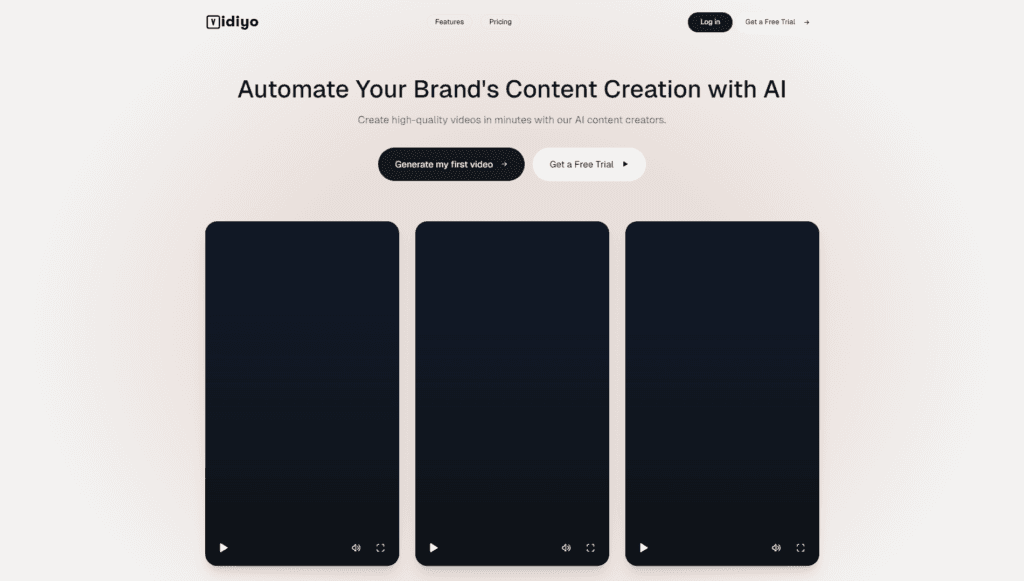
Vidiyo AI is an AI-driven platform that enables brands and businesses to create professional-quality videos quickly and affordably without traditional production costs.

It specializes in automated content creation, generating complete videos from AI-crafted scripts, with options for multiple styles, formats, high-quality visuals, automatic subtitles/captions, and AI-powered voice-over narration.

Users can produce engaging promotional, explainer, or marketing videos tailored to their brand voice and style in just minutes.

The tool emphasizes pay-as-you-go flexibility, charging only for videos created (no monthly subscriptions required), unlimited generations within purchased credits, and 24/7 support.

Key strengths include fast turnaround, diverse video styles/formats, and built-in features for captions and voice-overs to make content social-media ready.

While exact launch date is not publicly detailed, it appears to have emerged as a focused AI video generator in the 2024-2025 period, targeting marketers, brands, and content creators seeking efficient, cost-effective video production.

No specific user numbers are widely reported, positioning it as a niche but practical tool in the growing AI video space.

With its simple pricing and no-commitment model, Vidiyo AI aims to democratize high-quality video creation for businesses of all sizes.

Key Features

  1. AI Script Generation: Automatically creates compelling scripts tailored to brand voice and style
  2. High-Quality Video Generation: Produces professional videos in minutes with realistic visuals
  3. Multiple Video Styles and Formats: Supports diverse aesthetics and aspect ratios for different platforms
  4. Automatic Subtitles and Captions: Adds timed text overlays for accessibility and engagement
  5. AI-Powered Voice-Over Options: Natural-sounding narration in various voices and tones
  6. Unlimited Generations: Create as many videos as credits allow without monthly caps
  7. 24/7 Customer Support: Assistance available anytime for users
  8. Pay-As-You-Go Model: Only pay per video created, no recurring fees

Price Plans

  1. Pay As You Go ($2 per 15 seconds): Only pay for videos created; includes AI script generation, high-quality videos, subtitles/captions, voice-overs, multiple styles, unlimited generations within credits, 24/7 support; no monthly fees

Pros

  1. No monthly commitment: Pay only for what you use, ideal for occasional creators
  2. Fast and affordable: Videos in minutes at low per-second cost compared to traditional production
  3. Brand-tailored output: Scripts and styles align with specific brand guidelines
  4. Built-in enhancements: Subtitles, captions, and voice-overs included automatically
  5. Unlimited within credits: No hard generation limits once credits are purchased
  6. Simple web interface: Easy access without software installation

Cons

  1. Pay-per-use can add up: $2 per 15 seconds may become expensive for high volume
  2. Limited customization depth: Less control over fine edits compared to full video editors
  3. No free tier mentioned: Appears to require payment for any generation
  4. Potential quality variability: AI-generated videos may need tweaks for perfection
  5. No detailed integrations: Standalone tool without mentioned app or API connections
  6. Short video focus: Pricing structure suits brief clips, not long-form content

Use Cases

  1. Brand marketing videos: Quick promotional clips for social media or ads
  2. Product explainer videos: Short demos with voice-over and captions
  3. Social media content: Reels, Shorts, or TikToks tailored to brand style
  4. Business presentations: Engaging intro/outro videos or highlights
  5. Content repurposing: Turn scripts or ideas into ready-to-post videos
  6. Ad campaigns: Generate multiple variants for A/B testing

Target Audience

  1. Small to medium brands: Needing affordable video content without production teams
  2. Marketers and social media managers: Creating quick promotional assets
  3. Content creators on a budget: Producing videos without high costs
  4. Business owners: Generating ads or explainers in-house
  5. Startups: Building visual content fast for launches or pitches

How To Use

  1. Visit site: Go to vidiyo.ai and sign up or start creating
  2. Input requirements: Provide brand details, style preferences, or script ideas
  3. Generate script: Use AI to create tailored script if needed
  4. Customize: Select video style, format, voice-over, subtitles options
  5. Generate video: Submit to produce the video in minutes
  6. Review and download: Preview result, make adjustments if available, download
  7. Pay per use: Charged only for the generated video (per 15 seconds)

How we rated Vidiyo AI

  • Performance: 4.4/5
  • Accuracy: 4.3/5
  • Features: 4.5/5
  • Cost-Efficiency: 4.6/5
  • Ease of Use: 4.7/5
  • Customization: 4.2/5
  • Data Privacy: 4.4/5
  • Support: 4.5/5
  • Integration: 4.1/5
  • Overall Score: 4.5/5

Vidiyo AI integration with other tools

  1. Social Media Platforms: Optimized output formats for direct upload to TikTok, Instagram, YouTube, etc.
  2. Marketing Tools: Potential export compatibility with Canva, Adobe Express, or content management systems
  3. Payment Gateways: Integrated billing for pay-as-you-go credit purchases
  4. Brand Asset Libraries: Supports consistent brand style through input guidelines
  5. Video Hosting: Easy download and upload to Vimeo, YouTube, or cloud storage

Best prompts optimised for Vidiyo AI

  1. Create a 30-second promotional video for a new eco-friendly coffee brand, energetic upbeat music, young people enjoying coffee in nature, voice-over in friendly tone, add subtitles, modern vibrant style
  2. Generate a 15-second product explainer for wireless earbuds, highlight noise cancellation and battery life, sleek tech visuals, professional male voice-over, clean minimalist design
  3. Produce a short ad for online fitness classes, motivational tone, show diverse people exercising at home, energetic music, female voice-over encouraging viewers to join, bold colorful style
  4. Make a 45-second brand story video for a sustainable fashion label, soft elegant visuals, slow-motion shots of fabrics and models, calm female narration, earthy tones and text overlays
  5. Create a fun 20-second social media reel for a pet accessories store, cute animals playing with toys, playful music, enthusiastic voice-over, cartoonish fun style with emojis
Vidiyo AI offers a straightforward, pay-as-you-go solution for quick AI-generated videos with scripts, voice-overs, and subtitles, ideal for brands needing fast marketing content without subscriptions. At $2 per 15 seconds, it’s cost-effective for occasional use and delivers solid results for social media or ads. Best for small businesses seeking simple automation over deep editing control.

FAQs

  • What is Vidiyo AI?

    Vidiyo AI is an AI platform for automated video content creation, generating high-quality videos with scripts, voice-overs, subtitles, and multiple styles for brands and businesses.

  • How much does Vidiyo AI cost?

    It uses a pay-as-you-go model at $2.00 per 15 seconds of video created; no monthly fees or subscriptions required.

  • Is there a free tier for Vidiyo AI?

    No free tier is mentioned; users pay only for videos generated, with no recurring costs.

  • What features does Vidiyo AI include?

    Features include AI script generation, high-quality video output, multiple styles/formats, automatic subtitles/captions, AI voice-overs, and 24/7 support.

  • Who is Vidiyo AI best for?

    Best for brands, marketers, and businesses needing quick, affordable video content for promotions, ads, or social media without traditional production.

  • Does Vidiyo AI support unlimited video creation?

    Yes, unlimited generations are allowed within purchased credits; you only pay per video created.

  • When was Vidiyo AI launched?

    Specific launch date not detailed, but it appears active as an AI video tool in 2025-2026 period.

  • Does Vidiyo AI offer commercial use?

    Yes, generated videos are suitable for brand and commercial purposes, with no restrictions mentioned in the pay model.


Newly Added Tools​

CodeRabbit

$0/Month

Code Genius

$0/Month

AskCodi

$20/Month

PearAI

$0/Month
Vidiyo AI Alternatives

Seedance 2.0

$0/Month

VideoGen

$12/Month

WUI.AI

$10/Month

Vidiyo AI Reviews

0.0
0.0 out of 5 stars (based on 0 reviews)
Excellent0%
Very good0%
Average0%
Poor0%
Terrible0%

There are no reviews yet. Be the first one to write one.







