
What is WinSCP?
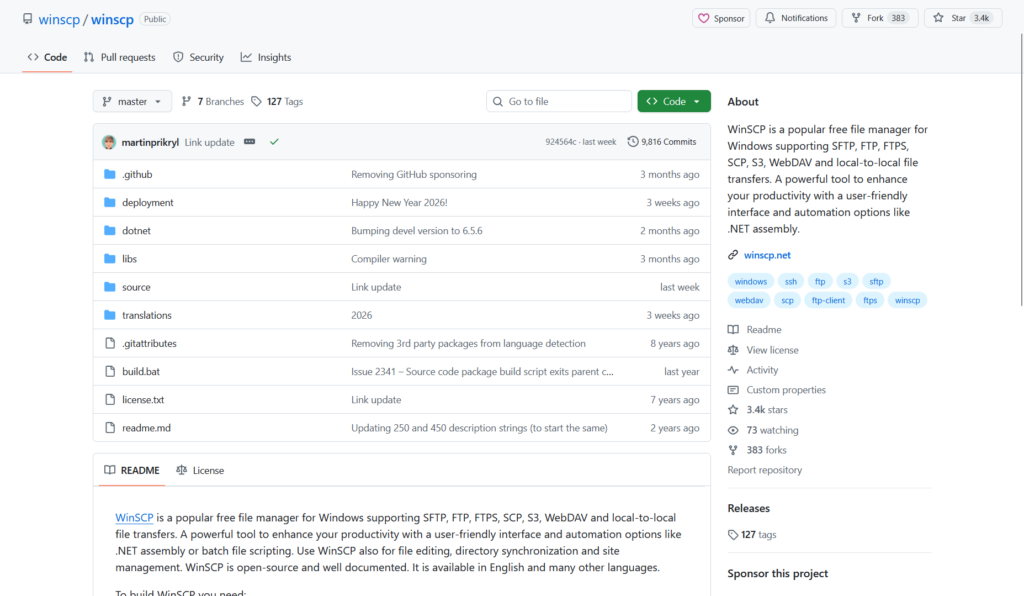
WinSCP is a free open-source file manager and client for Windows supporting SFTP, SCP, FTP, FTPS, WebDAV, and Amazon S3 for secure file transfers and management.
Is WinSCP free to use?
Yes, WinSCP is completely free with no paid versions, limitations, or ads; released under GPL license with optional donations.
How many downloads has WinSCP had?
WinSCP has over 257 million total downloads as reported on its official site, showing massive popularity since 2000.
Who develops WinSCP?
WinSCP is developed by Martin Prikryl as a one-person project since March 2000, with community contributions.
What is the latest version of WinSCP?
The latest stable version is 6.5.5, released on November 18, 2025.
What protocols does WinSCP support?
It supports SFTP, SCP, FTP, FTPS, WebDAV, Amazon S3, and local file operations with strong security features.
Can WinSCP be used portably?
Yes, portable version runs from USB or any folder without installation and no registry changes.
Does WinSCP have automation features?
Yes, it includes scripting support, .NET assembly, and command-line interface for batch transfers and automation.

WinSCP

About This AI
WinSCP is a popular open-source file manager for Microsoft Windows that supports secure file transfer protocols including SFTP, SCP, FTP, FTPS, WebDAV, Amazon S3, and local-to-local transfers.
It offers a graphical user interface with dual-panel explorer-like layout, integrated text editor, all common file operations (copy, move, delete, rename), synchronization, directory comparison, and command-line scripting/automation support.
Key features include stored sessions with password/SSH key management, portable mode, drag-and-drop, multi-language support, and advanced options like master password, keystroke logging protection, and custom commands.
Developed since March 2000 by Martin Prikryl, it has been continuously updated with the latest stable version 6.5.5 released on November 18, 2025.
Completely free under GPL license with no paid tiers or restrictions, WinSCP has achieved over 257 million total downloads, demonstrating massive adoption for secure remote file management.
It is widely used by developers, system administrators, webmasters, and anyone needing reliable file transfer to servers without complex setup.
The tool emphasizes security (strong encryption, no plain-text passwords by default), ease of use, and integration with Windows (shell extensions, context menu).
With a 4.8 rating from thousands of reviews and numerous awards, WinSCP remains a go-to choice for secure, efficient file handling on Windows.
Key Features
- Secure protocols support: SFTP, SCP, FTP, FTPS, WebDAV, Amazon S3 for encrypted and reliable transfers
- Dual-panel interface: Classic Norton Commander style or Explorer-like for easy local/remote file management
- Integrated text editor: Built-in editor with syntax highlighting for quick remote file edits
- File synchronization: Directory comparison and sync tools with multiple modes (update, mirror, etc.)
- Command-line scripting: .NET assembly and scripting interface for automation and batch operations
- Stored sessions: Save server connections with passwords, keys, tunnels, and environment settings
- Portable mode: Run from USB without installation, no registry changes
- Drag and drop: Transfer files via Windows drag-drop or internal copy/move
- Multi-language: Available in many languages with Unicode support
- Security features: Master password, protected mode, no plain-text storage, keystroke protection
Price Plans
- Free ($0): Full access to all features, no limitations, open-source under GPL; donations optional via website
Pros
- Completely free and open-source: GPL license with no ads, trials, or hidden costs
- Highly secure: Strong focus on encryption and safe credential handling
- Extremely popular: Over 257 million downloads and excellent user ratings
- Versatile interface: Dual-panel and Explorer views suit different user preferences
- Powerful automation: Scripting and .NET assembly for advanced workflows
- Regular updates: Active development with frequent bug fixes and new features
- Lightweight and fast: Efficient performance even on older Windows systems
Cons
- Windows-only: No native support for macOS or Linux (though Wine works)
- GUI-focused: Less intuitive for pure command-line users compared to dedicated tools
- No mobile version: Desktop application only; no iOS/Android client
- Learning curve for advanced features: Scripting and tunnels require documentation
- Interface dated: Classic look may feel old compared to modern file managers
- No built-in cloud sync: Relies on protocols; no native Dropbox/Google Drive integration
Use Cases
- Secure server file management: Upload/download/edit files on Linux servers via SFTP/SCP
- Website maintenance: Transfer web files to/from hosting providers
- Backup and synchronization: Mirror directories between local PC and remote storage
- Automation scripts: Batch transfers or scheduled jobs via command-line
- Remote development: Edit code on servers with integrated editor
- Cloud storage access: Manage Amazon S3 buckets or WebDAV shares
- Portable USB use: Carry tool on drive for secure transfers anywhere
Target Audience
- System administrators: Managing remote servers securely
- Web developers: Deploying sites and handling hosting files
- IT professionals: Secure file transfers in enterprise environments
- Developers and programmers: Working with remote code repositories
- Power users: Needing advanced file management on Windows
- Students and hobbyists: Free tool for learning secure protocols
How To Use
- Download and install: Get latest version from winscp.net/eng/download.php and run installer
- Create new site: Open WinSCP, click New Site, enter host name, protocol (SFTP/FTP), username/password or key
- Connect: Save session and connect; accept host key on first login
- Browse files: Use dual panels to navigate local and remote directories
- Transfer files: Drag-drop, F5 copy, F6 move, or right-click operations
- Edit remotely: Double-click text files to open in integrated editor
- Sync directories: Use Commands > Synchronize for mirroring folders
How we rated WinSCP
- Performance: 4.8/5
- Accuracy: 4.9/5
- Features: 4.7/5
- Cost-Efficiency: 5.0/5
- Ease of Use: 4.6/5
- Customization: 4.8/5
- Data Privacy: 4.9/5
- Support: 4.7/5
- Integration: 4.6/5
- Overall Score: 4.8/5
WinSCP integration with other tools
- Windows Shell: Context menu integration for quick transfers from Explorer
- Command-Line and Scripting: Supports batch files, PowerShell, and .NET assembly for automation
- SSH Key Agents: PuTTY Pageant and Windows OpenSSH agent for key-based authentication
- External Editors: Configurable to use Notepad++, VS Code, or any editor for remote files
- Portable Mode: Runs from USB without installation for secure portable use
Best prompts optimised for WinSCP
- Not applicable - WinSCP is a file transfer client, not a generative AI tool. It does not use text prompts for content creation; usage is through GUI operations or scripting commands.
- N/A - This tool focuses on secure file transfers via protocols like SFTP/FTP, no prompt-based generation required.
- N/A - Interact via interface: connect to servers, browse/transfer files, no AI prompting involved.
FAQs
Newly Added Tools




About Author