Zelili AI

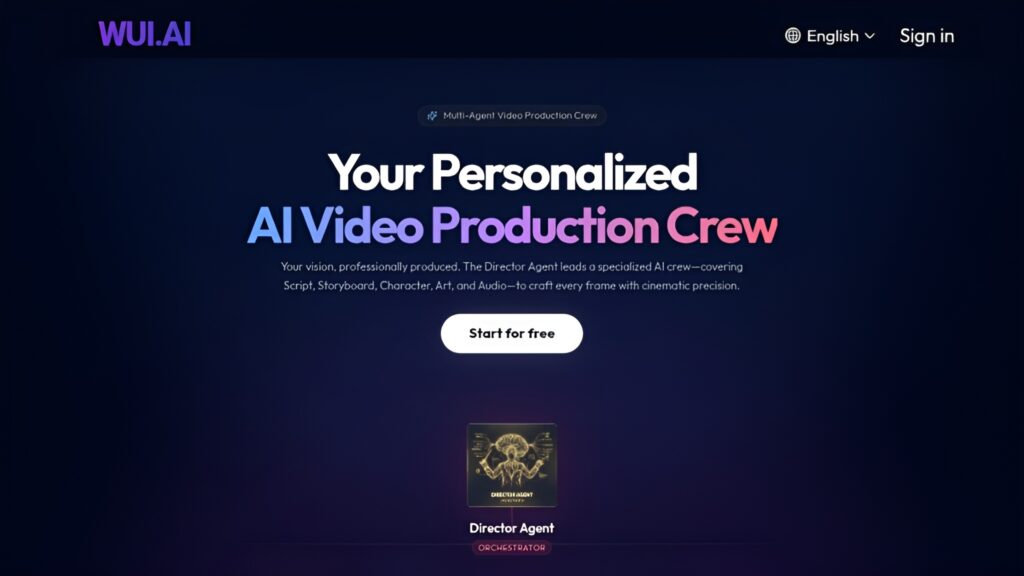
WUI.AI

AI-Powered Video Repurposing Tool – Turn Long-Form Content into Viral Short Clips for TikTok, YouTube Shorts, and Instagram Reels
Tool Release Date

1 Jan 2024

Tool Users
N/A
0.0
๐Ÿ‘ 60

About This AI

WUI.AI is an AI-driven video editing platform that automatically transforms long-form videos, podcasts, interviews, or webinars into engaging short clips optimized for social media.

It uses intelligent highlight detection to identify the most captivating moments, generates ready-to-share vertical videos, adds subtitles in 100+ languages, resizes for different platforms, and includes features like auto-transcription, translation, B-roll library access, and text-based editing (edit video by modifying the transcript).

The tool saves creators time by automating the clipping process, ensuring high engagement through viral hooks, captions, and optimized formats.

Founded in 2024 and based in Sunnyvale, California by MutuaVox, Inc., WUI.AI focuses on content creators, podcasters, educators, marketers, and brands looking to repurpose content efficiently for TikTok, Instagram Reels, YouTube Shorts, and more.

It offers a free tier with monthly credits (e.g., 120 minutes reported in comparisons), allowing users to test core features like clipping, subtitles, and resizing without upfront cost.

Paid plans unlock unlimited credits, higher file upload sizes (up to 20GB), premium B-roll, advanced translation, and priority processing.

With easy upload and export workflow, WUI.AI stands out for its simplicity, multilingual support, and focus on turning one long video into multiple short-form pieces to maximize reach and engagement.

Key Features

  1. AI Highlight Detection: Automatically finds the most engaging moments in long videos for clipping
  2. Auto-Transcription and Subtitles: Generates accurate transcripts and multilingual subtitles in 100+ languages
  3. Text-Based Video Editing: Edit clips by modifying the transcript like a document
  4. Platform Optimization: Resizes videos for TikTok, Instagram Reels, YouTube Shorts with templates
  5. AI Translation: Translates content and subtitles to expand global reach
  6. Premium B-Roll Library: Access free stock footage in paid plans for enhanced clips
  7. High File Upload Limit: Supports up to 20GB files for longer content
  8. Export and Sharing: Direct export in optimized formats for social platforms
  9. Multi-Agent Workflow: Uses specialized AI agents for script, storyboard, and production
  10. Quick Generation: Turns long content into multiple short clips rapidly

Price Plans

  1. Free ($0): Monthly credits (e.g., 120 minutes reported), basic clipping, transcription, subtitles, resizing; watermarked or limited exports
  2. Paid/Pro (Starting ~$10/Month): Unlimited credits, higher file sizes (20GB), premium B-roll, advanced translation, priority processing, commercial use

Pros

  1. Time-saving automation: Converts hours of content into viral shorts with minimal effort
  2. Strong multilingual support: 100+ languages for subtitles and translation
  3. Generous free credits: Start with 120 minutes/month free for testing
  4. High engagement focus: AI optimizes for hooks, captions, and platform formats
  5. Easy text editing: Modify video by editing transcript like a doc
  6. Large file handling: 20GB upload limit in paid plans
  7. Creator-friendly: Designed for podcasters, YouTubers, marketers, educators

Cons

  1. Free tier limits: Monthly credits cap heavy usage; paid needed for unlimited
  2. Pricing details sparse: Exact paid tiers not always public; starts around $10/month
  3. New tool: Limited long-term reviews or widespread adoption data
  4. Potential accuracy variance: AI highlights/transcripts depend on audio quality
  5. Web-only: No dedicated desktop/mobile app mentioned
  6. Focus on shorts: Less suited for full-length editing or complex production
  7. Learning curve for advanced: Multi-agent features may require experimentation

Use Cases

  1. Content repurposing: Turn podcasts/webinars into TikTok/Reels clips
  2. Social media growth: Create multiple shorts from one long video for daily posting
  3. Marketing campaigns: Generate engaging ads/explainers from existing footage
  4. Educational content: Clip lectures/tutorials for short-form sharing
  5. Personal branding: Podcasters/YouTubers maximizing reach with viral hooks
  6. Multilingual expansion: Translate and subtitle for global audiences

Target Audience

  1. Content creators and influencers: Podcasters, YouTubers needing quick shorts
  2. Marketers and brands: Repurposing videos for social ads/campaigns
  3. Educators and trainers: Turning lectures into bite-sized lessons
  4. Business owners: Creating promotional clips without editing team
  5. Social media managers: Managing high-volume short-form content
  6. Beginners: Easy AI tool for non-technical users

How To Use

  1. Sign up: Visit wui.ai and start free (no card for trial)
  2. Upload video: Add long-form content (up to 20GB in paid)
  3. AI processes: Let it detect highlights, transcribe, generate subtitles
  4. Review clips: Edit via text transcript if needed
  5. Customize: Add B-roll, resize for platforms, translate
  6. Export: Download or share optimized shorts directly
  7. Iterate: Generate multiple variations from one upload

How we rated WUI.AI

  • Performance: 4.5/5
  • Accuracy: 4.6/5
  • Features: 4.7/5
  • Cost-Efficiency: 4.4/5
  • Ease of Use: 4.8/5
  • Customization: 4.3/5
  • Data Privacy: 4.5/5
  • Support: 4.4/5
  • Integration: 4.3/5
  • Overall Score: 4.6/5

WUI.AI integration with other tools

  1. Social Media Platforms: Optimized exports for TikTok, Instagram Reels, YouTube Shorts
  2. Cloud Storage: Easy upload from Google Drive or local files
  3. Video Hosting: Compatible with YouTube, Vimeo, or podcast feeds as input sources
  4. Content Tools: Potential Zapier-like connections for automated workflows (not native)
  5. Browser-Based: Works directly in web with no additional software needed

Best prompts optimised for WUI.AI

  1. Not applicable - WUI.AI is an automatic video repurposing tool that processes uploaded long-form videos without manual text prompts for content generation. It uses AI agents internally for clipping and editing based on video analysis.
  2. N/A - Core workflow involves uploading videos rather than writing prompts; AI auto-detects highlights and creates shorts.
  3. N/A - For best results, upload high-quality long videos with clear speech; no user prompts required for main features.
WUI.AI simplifies repurposing long videos into viral shorts with smart AI clipping, multilingual subtitles, and text-based editing. It’s great for creators wanting to post daily without heavy manual work. Free credits get you started, while paid unlocks unlimited power for serious use. Solid tool for social media growth.

FAQs

  • What is WUI.AI?

    WUI.AI is an AI-powered tool that automatically turns long-form videos into short, engaging clips optimized for TikTok, Instagram Reels, YouTube Shorts, with features like highlight detection, subtitles in 100+ languages, and text-based editing.

  • Is WUI.AI free to use?

    Yes, it offers a free plan with monthly credits (e.g., 120 minutes reported); paid plans start around $10/month for unlimited credits, higher uploads, and premium features.

  • When was WUI.AI founded or launched?

    WUI.AI was founded in 2024, with active development and reviews appearing in early 2025.

  • Who created WUI.AI?

    It is developed by MutuaVox, Inc., based in Sunnyvale, California, USA.

  • What are the main features of WUI.AI?

    Key features include AI highlight detection, auto-transcription/subtitles in 100+ languages, text-based video editing, platform resizing, translation, and premium B-roll access.

  • How does WUI.AI compare to Opus Clip?

    WUI.AI offers more free credits in some comparisons, larger file uploads (20GB vs 10GB), broader translation (100+ vs 20+ languages), and free premium B-roll, though exact plans vary.

  • What file sizes does WUI.AI support?

    Free tier has limits; paid plans support up to 20GB uploads for longer videos or podcasts.

  • Who is WUI.AI best for?

    Content creators, podcasters, marketers, educators, and brands repurposing long content into short-form social media videos.


Newly Added Toolsโ€‹

Qodo AI

$0/Month

Codiga

$10/Month

Tabnine

$59/Month

CodeRabbit

$0/Month
WUI.AI Alternatives

Seedance 2.0

$0/Month

VideoGen

$12/Month

LingBot-World

$0/Month

WUI.AI Reviews

0.0
0.0 out of 5 stars (based on 0 reviews)
Excellent0%
Very good0%
Average0%
Poor0%
Terrible0%

There are no reviews yet. Be the first one to write one.