
What is Yume 1.5?
Yume 1.5 is an open-source framework for generating realistic, interactive, continuous virtual worlds from text prompts or single images, supporting keyboard exploration and text-controlled events.
When was Yume 1.5 released?
The paper was published on arXiv on December 26, 2025, with preview 5B model weights released around the same time.
Is Yume 1.5 free to use?
Yes, it is open-source with code on GitHub and preview weights on Hugging Face; no usage fees for local deployment.
What hardware does Yume 1.5 require?
It achieves 12 FPS on a single A100 GPU; consumer high-end GPUs can run it with potential reduced performance.
How fast is Yume 1.5 compared to similar models?
It runs at 12 FPS, approximately 70 times faster than previous interactive world models due to advanced compression and acceleration.
What control methods does Yume 1.5 support?
Users explore with WASD keys for movement and arrow keys for camera, plus text prompts for events like weather changes or object addition.
Where can I find Yume 1.5 code and weights?
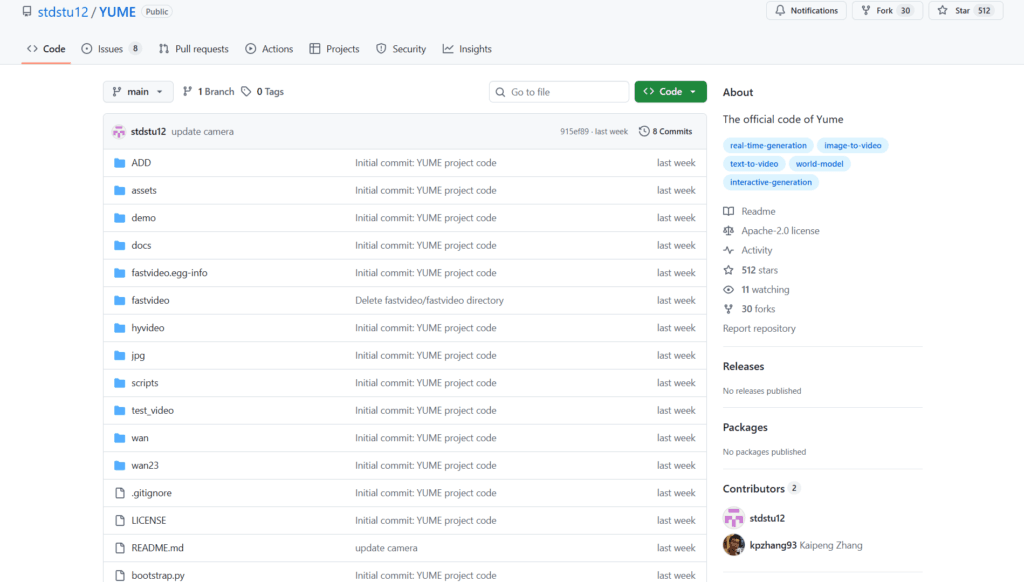
Code is on github.com/stdstu12/YUME, preview 5B-720P weights on huggingface.co/stdstu123/Yume-5B-720P.
What is Yume 1.5 best suited for?
Ideal for game prototyping, embodied AI research, robotics simulation, autonomous driving scenarios, and VFX pre-visualization.

Yume 1.5

About This AI
Yume 1.5 is a novel open-source framework for generating realistic, interactive, and continuous virtual worlds from a single image or text prompt using autoregressive video diffusion.
It addresses key limitations in prior world models: exploding memory/compute for long contexts, slow multi-step inference blocking real-time exploration, and limited text-controlled event generation.
The model supports three modes: text-to-world, image-to-world, and text-based event editing, allowing users to explore generated environments via keyboard controls (WASD movement, arrow keys for camera) in a continuous video stream.
Core innovations include Joint Temporal-Spatial-Channel Modeling (TSCM) for efficient context compression preserving long-range details, real-time streaming acceleration via bidirectional attention distillation and enhanced text embeddings, and discrete action tokens for intuitive control.
It achieves stable 12 FPS on a single A100 GPU (70x faster than baselines), supports long-horizon coherence, and generates high-quality, dynamic worlds with emergent behaviors.
Released December 26, 2025 (arXiv 2512.22096) by researchers from Shanghai AI Laboratory and Fudan University, with code on GitHub and preview weights on Hugging Face (Yume-5B-720P).
As a fully open-source model (Apache 2.0 planned), it serves as a strong alternative to closed systems for interactive simulation, game prototyping, embodied AI, and research in world models.
Key Features
- Text-to-World Generation: Create interactive worlds directly from descriptive text prompts
- Image-to-World Generation: Turn a single static image into an explorable continuous video world
- Text-Controlled Event Editing: Modify ongoing worlds via natural language (e.g., add events, change environment)
- Keyboard-Based Exploration: WASD movement and arrow key camera control for real-time navigation
- Joint Temporal-Spatial-Channel Modeling (TSCM): Efficient long-context compression across dimensions
- Real-Time Streaming Acceleration: Bidirectional attention distillation and self-forcing for low-latency inference
- Long-Horizon Coherence: Maintains consistency over extended interactions without collapse
- High-Performance Inference: Stable 12 FPS on single A100 GPU, supporting 720P output
- Open-Source Availability: Code on GitHub, preview 5B model weights on Hugging Face
- Autoregressive Video Diffusion: Generates continuous video streams with emergent dynamics
Price Plans
- Free ($0): Fully open-source under planned Apache 2.0 license with code on GitHub and preview 5B model weights on Hugging Face; no costs for download or local use
- Cloud/Enterprise (Custom): Potential future hosted inference or premium services (not available yet)
Pros
- Breakthrough speed: 12 FPS real-time on consumer-grade hardware, 70x faster than prior methods
- Strong interactivity: True keyboard control enables natural exploration and event editing
- Long-context stability: Handles extended sessions with preserved coherence and details
- High-quality output: Realistic visuals and dynamics from image or text inputs
- Fully open-source: Code, weights, and paper publicly available for research and extension
- Efficient compression: TSCM reduces memory/compute demands for long worlds
- Versatile applications: Suitable for gaming, simulation, robotics, and VFX prototyping
Cons
- Recent release: Limited community adoption and real-world testing as of early 2026
- Hardware demands: Optimal performance requires strong GPU (A100 or equivalent for 12 FPS)
- Preview stage: Weights and full features still evolving; actions/fast variants upcoming
- Setup required: Local deployment involves GitHub repo, dependencies, and model loading
- No hosted demo: No simple web interface; primarily for developers/researchers
- Potential inconsistencies: Long or complex interactions may show artifacts in edge cases
- No official user numbers: Very new, no reported widespread usage yet
Use Cases
- Game prototyping: Quickly generate and explore procedural levels or worlds without manual assets
- Embodied AI research: Simulate environments for agent training and navigation experiments
- Robotics simulation: Create dynamic scenes for robot learning and testing
- Autonomous driving: Generate traffic scenarios for safe virtual validation
- VFX and film pre-vis: Build explorable digital sets with camera control
- Interactive storytelling: Develop dynamic narratives controlled by text events
- Scientific visualization: Model complex systems or phenomena in explorable formats
Target Audience
- AI researchers: Studying world models, video diffusion, and interactive generation
- Game developers: Prototyping environments and testing mechanics rapidly
- Robotics/embodied AI teams: Needing realistic simulation sandboxes
- Autonomous systems engineers: Generating diverse driving or navigation scenarios
- VFX artists and filmmakers: Creating pre-visualization with interactive control
- Open-source enthusiasts: Extending or fine-tuning the model locally
How To Use
- Visit GitHub: Go to github.com/stdstu12/YUME for code, docs, and instructions
- Download weights: Get preview 5B model from huggingface.co/stdstu123/Yume-5B-720P
- Setup environment: Install dependencies (PyTorch, etc.) following repo guide
- Run inference: Use provided scripts for text-to-world or image-to-world generation
- Initialize world: Provide text prompt or upload starting image
- Explore interactively: Use WASD keys for movement and arrows for camera control
- Edit events: Input text commands like 'add rain' or 'spawn character' to modify
How we rated Yume 1.5
- Performance: 4.6/5
- Accuracy: 4.5/5
- Features: 4.8/5
- Cost-Efficiency: 5.0/5
- Ease of Use: 4.1/5
- Customization: 4.7/5
- Data Privacy: 5.0/5
- Support: 4.2/5
- Integration: 4.4/5
- Overall Score: 4.6/5
Yume 1.5 integration with other tools
- Hugging Face: Preview model weights and inference pipelines available for easy download
- GitHub Repository: Full code, training/inference scripts, and community extensions
- Game Engines (Potential): Compatible with Unity or Unreal for procedural world integration via custom wrappers
- Simulation Frameworks: Works with robotics sims like MuJoCo or Isaac Sim for embodied training
- Local GPU Setup: Runs directly on hardware with CUDA support; no external cloud required
Best prompts optimised for Yume 1.5
- A vibrant cyberpunk city street at night with neon lights, rain, and flying vehicles, start from this image [upload city photo], enable keyboard navigation for exploration
- Fantasy enchanted forest with glowing mushrooms and ancient ruins, anime style, maintain long-term consistency and allow text events like 'summon dragon'
- Busy modern highway during golden hour sunset, realistic traffic and pedestrians, support collision-aware autonomous driving simulation
- Sci-fi spaceship corridor with holographic interfaces and crew members, zero-gravity effects, interactive agent navigation
- Serene mountain lake at dawn with mist and wildlife, photorealistic, enable dynamic weather changes via text like 'make it snow'
FAQs
Newly Added Tools







About Author