
What is Zhipu GLM 4.6V?
GLM-4.6V is Zhipu AI’s open-source multimodal vision-language model series (106B and 9B Flash variants) with native tool calling, 128K context, and state-of-the-art visual reasoning released December 8, 2025.
When was GLM-4.6V released?
The GLM-4.6V series was officially released and open-sourced on December 8, 2025, with weights available on Hugging Face and ModelScope.
Is GLM-4.6V free to use?
Yes, the full model weights and code are open-source under a permissive license for local/self-hosted use; hosted API via Z.ai platform has token-based pricing.
What are the key features of GLM-4.6V?
Native multimodal function calling from images/videos, 128K context for long documents, top visual understanding (OCR, charts, UI), interleaved generation, and agentic capabilities.
How many parameters does GLM-4.6V have?
GLM-4.6V is 106B parameters (MoE with 12B active); GLM-4.6V-Flash is 9B for lightweight/local deployment.
What benchmarks does GLM-4.6V excel in?
It achieves SoTA among similar-scale open models on MMBench, MathVista, OCRBench, and other multimodal tasks for visual understanding and reasoning.
Can GLM-4.6V run locally?
Yes, especially the 9B Flash variant optimized for low-latency local/edge use; full 106B suited for cloud/high-performance clusters.
Who developed GLM-4.6V?
Developed by Zhipu AI (Z.ai), a leading Chinese AI company known for the GLM series of models.

Zhipu GLM 4.6V

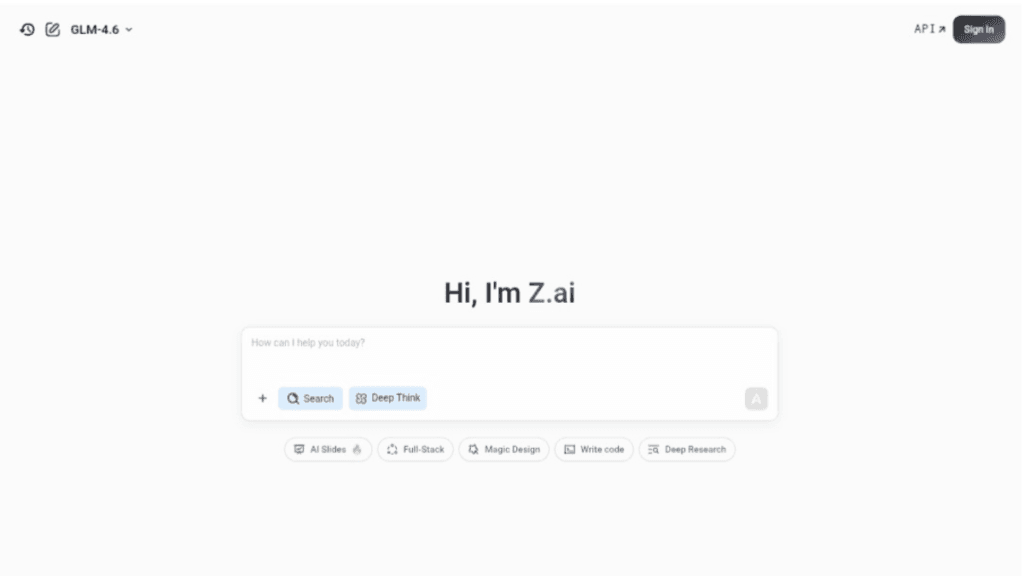
About This AI
Zhipu GLM 4.6V is the latest multimodal vision-language model series from Zhipu AI (Z.ai), released on December 8, 2025, as an open-source advancement in visual understanding and agentic capabilities.
It includes two variants: GLM-4.6V (106B parameters, MoE architecture with 12B active) for cloud/high-performance use, and GLM-4.6V-Flash (9B parameters) optimized for low-latency local/edge deployment.
The model supports native multimodal function calling, allowing direct use of images, screenshots, documents, or videos as tool inputs without text conversion, bridging perception to executable actions.
With a 128K token context window (trained to handle ~150 pages of documents, 200 slides, or 1-hour video in one pass), it excels in visual reasoning, document/chart understanding, UI automation, pixel-accurate frontend code generation from screenshots, long-context multimodal search, and interleaved image-text generation.
It achieves state-of-the-art performance among comparable-scale open models on over 20 benchmarks like MMBench, MathVista, and OCRBench, with strong results in logical reasoning, document parsing, GUI agents, and visual QA.
Fully open-sourced under permissive license with weights on Hugging Face and ModelScope, it enables self-hosting, fine-tuning, and commercial use.
Available via Z.ai API (with pricing), local deployment, or platforms like LM Studio, it’s ideal for developers, researchers, and enterprises building multimodal agents, visual automation, and high-fidelity vision tasks.
Key Features
- Native multimodal function calling: Directly uses images/screenshots/documents/videos as tool inputs for reasoning and action execution
- 128K token context window: Processes large documents, slide decks, or long videos in a single pass without loss
- State-of-the-art visual understanding: Excels in OCR, chart/layout parsing, document QA, GUI recognition, and scene understanding
- Interleaved image-text generation: Produces responses combining visuals and text for richer outputs
- High-efficiency deployment: GLM-4.6V-Flash variant optimized for local/low-latency use on edge devices
- Long-context multimodal reasoning: Handles complex multi-page or multi-modal inputs with strong coherence
- UI-to-code automation: Converts screenshots to production-ready frontend code with pixel accuracy
- Open-source accessibility: Full weights, code, and inference support under permissive license
- Tool integration for agents: Enables vision-driven workflows like search, retrieval, and automation
- Versatile input modalities: Supports mixed text/image/video/file inputs for comprehensive analysis
Price Plans
- Free ($0): Full open-source access to model weights and code under permissive license for local/self-hosted use
- Z.ai API (Token-based): Pay-per-use pricing for hosted inference (recent 50% cuts; exact rates vary by input/output length)
- Enterprise (Custom): Volume-based or dedicated deployment options for businesses
Pros
- Leading open multimodal performance: SoTA in visual benchmarks at its scale, competitive with closed models
- Native tool calling breakthrough: Eliminates text conversion step for images, reducing loss and complexity
- Long-context strength: 128K tokens enable handling massive multimodal inputs efficiently
- Two variants for flexibility: 106B for high-end cloud, 9B Flash for local/edge deployment
- Fully open-source: Permissive license allows self-hosting, fine-tuning, and commercial use
- Strong agentic potential: Bridges visual perception to executable actions for real-world automation
- Cost-effective API: Z.ai platform offers competitive pricing with recent reductions
Cons
- Heavy compute for full model: 106B variant requires high-end clusters/GPUs for inference
- Recent release: Community tools, fine-tunes, and integrations still emerging
- API pricing for hosted use: While open weights are free, cloud API has token-based costs
- Local setup complexity: Requires technical expertise for deployment and optimization
- Potential VRAM demands: Even Flash variant needs sufficient GPU memory for best performance
- Limited to supported languages: Strong in Chinese/English; other languages may vary
- No official hosted demo: Primarily for developers; no simple web playground mentioned
Use Cases
- Multimodal document analysis: Process PDFs, slides, charts for QA, summarization, or insights
- UI automation and frontend generation: Convert screenshots to code or automate web interactions
- Visual agent workflows: Build agents that reason over images/videos and call tools
- OCR and data extraction: Extract text/tables from images/documents with high accuracy
- Research and evaluation: Test multimodal reasoning on benchmarks or custom datasets
- Local/edge applications: Deploy Flash variant for real-time vision tasks on devices
- Interleaved content creation: Generate responses with embedded images and explanations
Target Audience
- AI developers and researchers: Building multimodal agents or vision-language systems
- Frontend and web developers: Automating UI-to-code or screenshot analysis
- Enterprise teams: Needing visual document processing or agent automation
- Open-source enthusiasts: Fine-tuning or self-hosting advanced VLMs
- Computer vision practitioners: Exploring native tool-calling in vision models
- Chinese/global AI community: Leveraging Zhipu's strong domestic ecosystem
How To Use
- Download from Hugging Face: Visit huggingface.co/zai-org/GLM-4.6V or GLM-4.6V-Flash for weights
- Install dependencies: Use transformers or vLLM for inference (follow GitHub repo guide)
- Load model: from_pretrained('zai-org/GLM-4.6V') or Flash variant
- Input multimodal data: Pass text + image(s) or video frames in prompts
- Enable tool calling: Define tools/functions; model invokes natively from visual inputs
- Run inference: Generate responses with reasoning, actions, or interleaved outputs
- Deploy locally: Use Flash for edge; full for cloud clusters with high VRAM
How we rated Zhipu GLM 4.6V
- Performance: 4.8/5
- Accuracy: 4.7/5
- Features: 4.9/5
- Cost-Efficiency: 5.0/5
- Ease of Use: 4.4/5
- Customization: 4.8/5
- Data Privacy: 5.0/5
- Support: 4.5/5
- Integration: 4.7/5
- Overall Score: 4.8/5
Zhipu GLM 4.6V integration with other tools
- Hugging Face: Model weights and inference pipelines for easy download and testing
- ModelScope: Alternative Chinese-hosted repository for weights and demos
- vLLM / Transformers: High-performance inference backends for local/cloud deployment
- LM Studio / Ollama: Community tools for running Flash variant locally with GUI
- Custom Agents: Native tool calling compatible with LangChain, AutoGen, or LlamaIndex frameworks
Best prompts optimised for Zhipu GLM 4.6V
- Analyze this screenshot of a webpage [upload image] and generate clean, production-ready HTML/CSS code that replicates the layout and styling exactly
- Extract all key data from this chart image [upload chart] and summarize trends in a table format with insights
- Describe this document page [upload PDF page image] in detail, answer any questions about the content, and suggest key takeaways
- From this video frame sequence [upload frames], identify objects, actions, and generate a step-by-step action plan for automation
- Interpret this UI screenshot [upload] and write a Python script using Selenium to automate clicking the 'Submit' button and filling the form
FAQs
Newly Added Tools







About Author