



Zelili AI

ACE-Step v1.5

Ultra-Fast Open-Source Music Foundation Model – Commercial-Grade Text-to-Music Generation on Consumer Hardware
Tool Release Date

31 Jan 2026

Tool Users
N/A
0.0
👁 61

About This AI

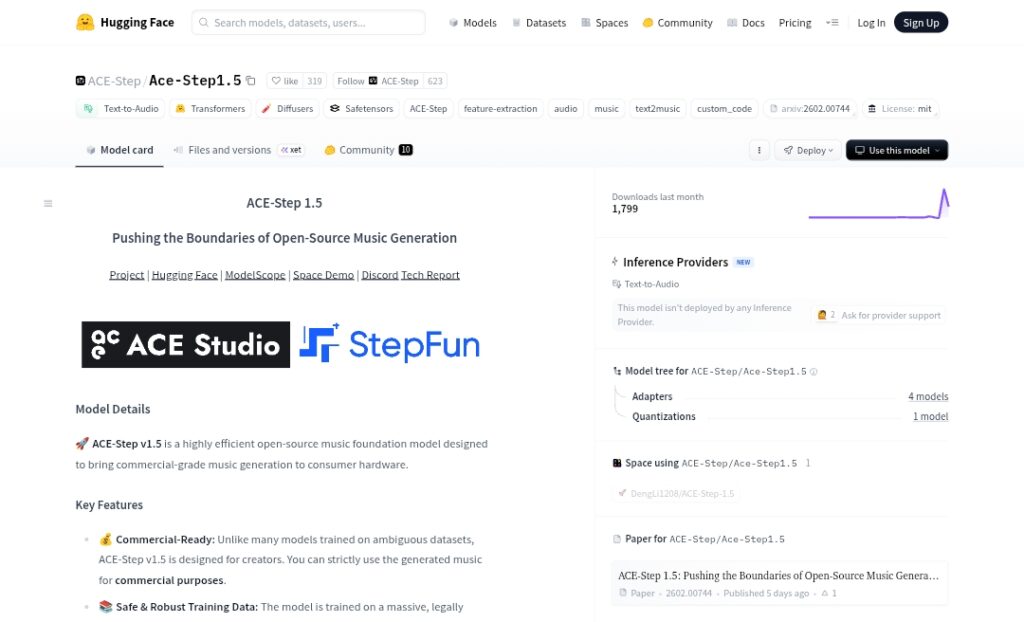
ACE-Step v1.5 is a highly efficient open-source music foundation model developed by ACE Studio and StepFun, designed to deliver commercial-grade music generation locally on consumer hardware.

It combines a Language Model (LM) as an omni-capable planner with a Diffusion Transformer (DiT) for audio synthesis, using Chain-of-Thought to create detailed song blueprints including metadata, lyrics, and captions from simple text prompts.

The model supports full song generation from short loops to 10-minute compositions, multilingual prompts in over 50 languages, strict prompt adherence, and versatile editing like cover generation, repainting, vocal-to-BGM conversion, and track extraction.

Trained on licensed, royalty-free, and synthetic data for legal compliance, it achieves ultra-fast inference: under 2 seconds per full song on A100 GPU, under 10 seconds on RTX 3090, with less than 4GB VRAM required.

Variants include base (medium quality, high diversity), SFT (high quality, medium diversity), turbo (very high quality, medium diversity), and upcoming turbo-rl.

It enables lightweight personalization via LoRA training from just a few songs to capture custom styles.

Released under MIT license with full weights, inference code, and demos on Hugging Face, it’s ideal for music artists, producers, content creators, and developers seeking powerful, fast, ethical local music AI without cloud dependency.

Key Features

  1. Hybrid LM + DiT Architecture: Language Model plans song structure via Chain-of-Thought, DiT handles high-fidelity audio synthesis
  2. Full Song Generation: Creates complete tracks from short loops to 10-minute compositions with metadata, lyrics, and captions
  3. Multilingual Prompt Support: Strict adherence across 50+ languages for global creators
  4. Ultra-Fast Inference: Under 2s on A100, under 10s on RTX 3090 for full songs; low VRAM (less than 4GB)
  5. Editing Capabilities: Cover generation, repainting, vocal-to-BGM conversion, track extraction
  6. LoRA Personalization: Train custom style LoRAs from just a few songs for unique sound
  7. High Quality Variants: Base (diverse), SFT (high quality), turbo (very high quality, fast), turbo-rl upcoming
  8. Commercial Compliance: Trained on licensed/royalty-free/synthetic data for legal use
  9. Local Deployment: Runs fully offline on consumer GPUs with Hugging Face Transformers/Diffusers
  10. Demo and Playground: Hugging Face Spaces for no-install testing and generation

Price Plans

  1. Free ($0): Full open-source access to all model weights, inference code, LoRA training, and demos under MIT license with no usage fees
  2. Cloud/Hosted (Paid via third-parties): Optional API or hosted inference through platforms like WavespeedAI or ComfyUI services with token-based pricing

Pros

  1. Extremely fast local generation: Full songs in seconds on mid-range hardware, no cloud needed
  2. Commercial-grade quality: Outperforms many proprietary models on metrics with ethical training data
  3. Versatile editing toolkit: Unified support for covers, repaints, vocal isolation/conversion
  4. Lightweight customization: Easy LoRA training for personal or artist-specific styles
  5. Fully open-source: MIT license with weights, code, paper, and demos freely available
  6. Strong multilingual performance: Excellent prompt following in 50+ languages
  7. Low resource requirements: Runs on consumer GPUs with minimal VRAM
  8. Rapid inference variants: Turbo models enable even faster creation without quality loss

Cons

  1. Recent release: Community integrations and fine-tuning examples still emerging
  2. Requires GPU for best speed: CPU inference possible but much slower
  3. Complex setup for advanced use: Needs proper environment (Transformers, Diffusers, ROCm/CUDA)
  4. Variable prompt adherence: Some users report inconsistencies in complex instructions vs demos
  5. Limited to music/audio: Focused on generation/editing, not general audio tasks
  6. No built-in UI beyond demos: Relies on code or third-party frontends like ComfyUI
  7. Potential artifacts in long tracks: 10-minute compositions may need careful prompting

Use Cases

  1. Music production prototyping: Quickly generate full tracks or loops for ideas and demos
  2. Content creation: Produce background music, jingles, or soundtracks for videos/podcasts
  3. Personalized music: Train LoRAs on favorite artist styles for custom generations
  4. Editing existing audio: Convert vocals to instrumental, repaint sections, or create covers
  5. Multilingual songwriting: Generate lyrics-aware music in native languages
  6. Game/film scoring: Fast iteration on ambient, thematic, or cinematic cues
  7. Creative experimentation: Explore genres, moods, or hybrid styles locally

Target Audience

  1. Music producers and artists: Needing fast local tools for creation and editing
  2. Content creators and YouTubers: Generating royalty-free music for videos
  3. Indie game developers: Creating custom soundtracks without licensing issues
  4. AI music enthusiasts: Experimenting with open-source models and LoRAs
  5. Developers and researchers: Building or studying music AI pipelines
  6. Commercial users: Seeking ethical, compliant AI for production workflows

How To Use

  1. Install dependencies: pip install transformers diffusers torch accelerate
  2. Load model: Use from_pretrained('ACE-Step/Ace-Step1.5') with appropriate variant (base/sft/turbo)
  3. Generate music: Provide text prompt + optional lyrics; set steps (50 for base, 8 for turbo), CFG scale
  4. Run inference: Call pipeline(prompt) for audio output; save as WAV/MP3
  5. Train LoRA: Use provided scripts with few reference songs to fine-tune style
  6. Use demos: Try Hugging Face Spaces playground for no-code generation
  7. Integrate ComfyUI: Install custom nodes for visual workflow and faster iteration

How we rated ACE-Step v1.5

  • Performance: 4.9/5
  • Accuracy: 4.7/5
  • Features: 4.8/5
  • Cost-Efficiency: 5.0/5
  • Ease of Use: 4.5/5
  • Customization: 4.9/5
  • Data Privacy: 5.0/5
  • Support: 4.6/5
  • Integration: 4.7/5
  • Overall Score: 4.8/5

ACE-Step v1.5 integration with other tools

  1. Hugging Face Transformers/Diffusers: Native support for easy loading and inference in Python scripts or notebooks
  2. ComfyUI: Custom nodes available for visual node-based workflow and faster music generation pipelines
  3. LoRA Training Tools: Built-in support for lightweight fine-tuning with tools like Kohya or custom scripts
  4. Audio Editors: Export WAV/MP3 files compatible with DAWs like Ableton Live, FL Studio, Logic Pro, or Audacity
  5. Third-Party Frontends: Integration with local UIs like Automatic1111-style interfaces or custom music apps via API wrappers

Best prompts optimised for ACE-Step v1.5

  1. Energetic EDM festival anthem with heavy bass drops, soaring synth leads, female vocal chops saying 'feel the rhythm', build-up to massive drop at 32s, crowd cheers, 128 BPM, high energy, festival vibe
  2. Melancholic lo-fi jazz hip-hop beat, rainy night city vibes, soft piano chords, gentle saxophone solo, vinyl crackle, slow 85 BPM, nostalgic mood, chillhop style, instrumental only
  3. Epic orchestral cinematic trailer music, powerful strings and brass swells, thunderous percussion, choir chanting in Latin, dramatic tension build to heroic climax, Hans Zimmer style, 100 BPM
  4. Upbeat K-pop idol track with catchy chorus, bubbly synths, strong 4-on-the-floor beat, female vocals in Korean about summer love, bright and fun, 140 BPM, dance pop energy
  5. Dark trap beat with deep 808s, eerie bells, aggressive hi-hats, male rap verses about street life, auto-tuned hook, moody atmosphere, 140 BPM, modern hip-hop trap
ACE-Step v1.5 revolutionizes open-source music AI with blazing-fast local generation, commercial-quality output, and ethical training data. Its hybrid LM-DiT design delivers coherent full songs, multilingual support, and powerful editing in under 10s on consumer GPUs. Ideal for creators seeking Suno-level results offline and free, highly recommended for music production.

FAQs

  • What is ACE-Step v1.5?

    ACE-Step v1.5 is a highly efficient open-source music foundation model for commercial-grade text-to-music generation, running locally on consumer hardware with ultra-fast inference and full song creation capabilities.

  • When was ACE-Step v1.5 released?

    It was released on January 31, 2026, with the technical paper published on arXiv (2602.00744) and models/weights on Hugging Face.

  • Is ACE-Step v1.5 free to use?

    Yes, fully free and open-source under MIT license with model weights, code, and demos available—no usage fees or subscriptions required.

  • What hardware does ACE-Step v1.5 need?

    Runs locally with less than 4GB VRAM; generates full songs under 10s on RTX 3090 or equivalent, under 2s on A100 GPU.

  • Does ACE-Step v1.5 support lyrics and vocals?

    Yes, it generates complete songs with lyrics, vocals, and structure from text prompts, plus multilingual support in 50+ languages.

  • Can I customize ACE-Step v1.5 styles?

    Yes, lightweight LoRA training allows personalization from just a few songs to capture custom artist or genre styles.

  • What editing features does ACE-Step v1.5 have?

    Includes cover generation, repainting sections, vocal-to-BGM conversion, track extraction, and seamless long-form composition.

  • How does ACE-Step v1.5 compare to Suno or Udio?

    It achieves comparable or better quality on metrics, runs fully local/offline, is open-source/free, and supports commercial use with compliant data.


Newly Added Tools​

Qodo AI

$0/Month

Codiga

$10/Month

Tabnine

$59/Month

CodeRabbit

$0/Month
ACE-Step v1.5 Alternatives

Synthflow AI

$0/Month

Fireflies

$10/Month

Notta AI

$9/Month

ACE-Step v1.5 Reviews

0.0
0.0 out of 5 stars (based on 0 reviews)
Excellent0%
Very good0%
Average0%
Poor0%
Terrible0%

There are no reviews yet. Be the first one to write one.