


Zelili AI

Fireflies

Transcribe, Summarize, and Analyze Conversations Across Platforms
Tool Release Date

1 Jan 2015

Tool Users
20 Million+
0.0
๐Ÿ‘ 19

About This AI

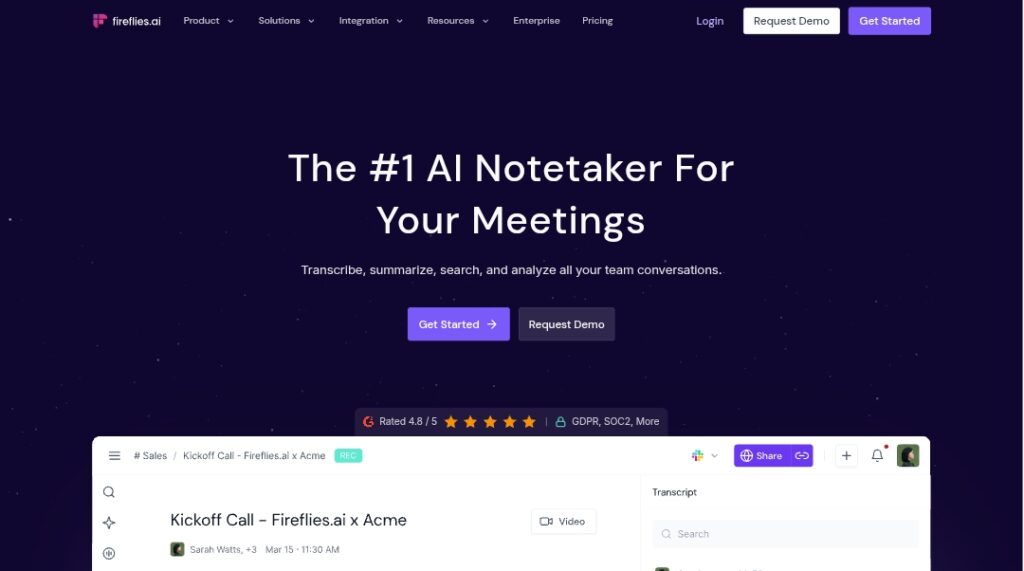
Fireflies is a leading AI-powered meeting assistant that automatically records, transcribes, summarizes, and analyzes video calls and audio conversations.

It joins meetings across Zoom, Google Meet, Microsoft Teams, Webex, and more, or processes uploaded files, providing real-time transcripts, speaker identification, searchable notes, AI summaries with key insights, action items, sentiment analysis, topic trackers, and conversation intelligence.

Advanced features include AskFred (AI question-answering on past meetings), Live Assist (real-time coaching and answers), soundbites (audio clips), task creation, and 200+ agentic AI apps for department-specific workflows.

It integrates with over 100 tools including CRMs (Salesforce, HubSpot), project management (Asana, ClickUp), Slack, Notion, and more to push notes, tasks, and logs automatically.

Founded in 2014 and reaching unicorn status with $1 billion valuation in June 2025, Fireflies serves over 20 million users across 500,000 organizations, including 75% of Fortune 500 companies, with strong enterprise-grade security (SOC 2 Type II, GDPR, HIPAA).

Freemium model offers a free tier with limits; paid plans unlock unlimited transcription, storage, advanced AI, and team features.

Available via web, Chrome extension, mobile/desktop apps, dialers, and API for scalable use in sales, customer support, recruiting, and team collaboration.

Key Features

  1. Automatic meeting joining: Bot or calendar auto-join for Zoom, Meet, Teams, Webex, and more
  2. Real-time transcription: Live transcripts with speaker labels and multi-language support
  3. AI summaries and insights: Concise overviews, key topics, decisions, action items, sentiment analysis
  4. AskFred AI assistant: Query past meetings for answers with citations and real-time search
  5. Live Assist: Real-time suggestions, coaching, and web answers during calls
  6. Conversation intelligence: Speaker talk-time, topic trackers, question detection, sentiment
  7. Soundbites and clips: Create shareable audio/video snippets from meetings
  8. Task automation: Auto-create tasks and push to project tools
  9. 200 plus agentic AI apps: Department-specific automations for sales, support, recruiting
  10. Search and organization: Full-text global search, channels, bookmarks, comments

Price Plans

  1. Free ($0): Limited transcription minutes, basic summaries, storage caps, core integrations
  2. Pro ($10/user/Month billed annually or $18 monthly): Unlimited transcription, advanced summaries, more storage, full AI apps, priority support
  3. Business ($19/user/Month annually or $29 monthly): All Pro plus team management, advanced analytics, unlimited channels, custom features
  4. Enterprise ($39/user/Month annually or custom): Unlimited everything, SSO, SCIM, HIPAA, dedicated support, custom retention

Pros

  1. Massive scale and adoption: 20 million users, 500K organizations, 75% Fortune 500
  2. Comprehensive intelligence: Beyond transcription with deep analysis and agentic apps
  3. Strong integrations: 100+ apps including CRMs, Slack, Notion for workflow automation
  4. Enterprise security: SOC 2 Type II, GDPR, HIPAA, private storage, no data training
  5. Real-time capabilities: Live Assist and fast processing for dynamic meetings
  6. Free tier available: Basic transcription and summaries for light users
  7. Rapid growth: Unicorn valuation in 2025 with proven productivity impact

Cons

  1. Limited free tier: Restricted minutes, storage, and features push to paid plans
  2. Per-seat pricing: Costs scale with team size, potentially expensive for large groups
  3. AI credit costs: Some advanced features use credits with hidden or additional charges
  4. Occasional attribution issues: Speaker identification can struggle in overlapping/noisy audio
  5. Internet dependency: Real-time features require stable connection
  6. Learning curve: Many advanced apps and integrations take time to master
  7. No offline mode: All processing cloud-based

Use Cases

  1. Sales calls: Transcribe demos, extract action items, auto-log to CRM
  2. Team meetings: Summarize standups, track decisions, assign tasks
  3. Customer support: Analyze interactions, generate follow-ups, sentiment insights
  4. Recruiting interviews: Record and summarize candidate calls, share notes
  5. Product reviews: Capture feedback, create topic trackers, action lists
  6. Remote collaboration: Ensure alignment with searchable, shared meeting knowledge
  7. Compliance and training: Secure recordings, sentiment analysis for quality

Target Audience

  1. Sales and customer success teams: Logging calls, extracting insights for CRM
  2. Remote/hybrid teams: Capturing and organizing discussions across time zones
  3. Enterprise leaders: Fortune 500 companies needing secure, scalable meeting intelligence
  4. Product and engineering: Reviewing meetings, tracking decisions and bugs
  5. HR and recruiting: Documenting interviews and onboarding sessions
  6. Productivity-focused professionals: Automating notes and follow-ups

How To Use

  1. Sign up: Create account at fireflies.ai and connect calendar or install extension
  2. Invite bot: Add [email protected] to meetings or enable auto-join
  3. Join meeting: Fireflies records and transcribes live (or upload files)
  4. Review transcript: Access real-time notes, summaries, and insights post-meeting
  5. Ask questions: Use AskFred to query past meetings or Live Assist during calls
  6. Automate workflows: Set rules to push notes/tasks to CRM, Slack, etc.
  7. Upgrade for unlimited: Move to Pro/Business for full features and no limits

How we rated Fireflies

  • Performance: 4.8/5
  • Accuracy: 4.7/5
  • Features: 4.9/5
  • Cost-Efficiency: 4.5/5
  • Ease of Use: 4.6/5
  • Customization: 4.7/5
  • Data Privacy: 4.8/5
  • Support: 4.6/5
  • Integration: 4.8/5
  • Overall Score: 4.7/5

Fireflies integration with other tools

  1. Video Conferencing: Zoom, Google Meet, Microsoft Teams, Webex, and more
  2. CRMs: Salesforce, HubSpot, Freshsales, and 5+ others for auto-logging
  3. Project Management: Asana, ClickUp, Trello, and 9+ tools for task creation
  4. Collaboration: Slack, Notion, email for sharing notes and alerts
  5. API and Dialers: Custom API and support for Aircall, RingCentral calls

Best prompts optimised for Fireflies

  1. N/A - Fireflies AI is an automatic meeting transcription and analysis tool that processes calls without manual prompting for content generation.
  2. N/A - It works via bot auto-join or uploads; no user prompts needed for core transcription/summarization.
  3. N/A - Focus is on real-time capture and AI insights from audio/video rather than generative prompting.
Fireflies stands out as a comprehensive AI notetaker with exceptional transcription accuracy, real-time intelligence, and 200+ agentic apps for department workflows. Serving 20 million users and 75% of Fortune 500, it excels at automating meeting follow-ups and insights. Free tier for basics, Pro at $10/month for unlimited power makes it ideal for teams and enterprises.

FAQs

  • What is Fireflies?

    Fireflies is an AI notetaker that automatically records, transcribes, summarizes, and analyzes meetings across Zoom, Teams, Meet, and more, with advanced insights and integrations.

  • Is Fireflies free to use?

    Yes, free plan with limited transcription and features; Pro starts at $10/user/month (annual) for unlimited transcripts, summaries, and advanced AI apps.

  • How many users does Fireflies have?

    Fireflies serves over 20 million users across 500,000 organizations, including 75% of Fortune 500 companies as of 2025-2026 reports.

  • What platforms does Fireflies support?

    It integrates with Zoom, Google Meet, Microsoft Teams, Webex, dialers like Aircall, and allows file uploads or API processing.

  • When was Fireflies founded?

    Fireflies.ai was founded in 2014 by Krish Ramineni and Sam Udotong, headquartered in Pleasanton, California.

  • Does Fireflies offer real-time features?

    Yes, with Live Assist for coaching/answers during calls and real-time transcripts via extension or bot.

  • Is Fireflies secure for enterprise use?

    Yes, SOC 2 Type II, GDPR, HIPAA compliant, private storage, no data used for AI training, and enterprise controls.

  • What makes Fireflies unique?

    200+ agentic AI apps for department-specific automations, AskFred for querying meetings, and massive scale with 20M users and unicorn valuation.


Newly Added Toolsโ€‹

Qodo AI

$0/Month

Codiga

$10/Month

Tabnine

$59/Month

CodeRabbit

$0/Month
Fireflies Alternatives

Synthflow AI

$0/Month

Notta AI

$9/Month

ACE-Step v1.5

$0/Month

Fireflies Reviews

0.0
0.0 out of 5 stars (based on 0 reviews)
Excellent0%
Very good0%
Average0%
Poor0%
Terrible0%

There are no reviews yet. Be the first one to write one.