





Zelili AI

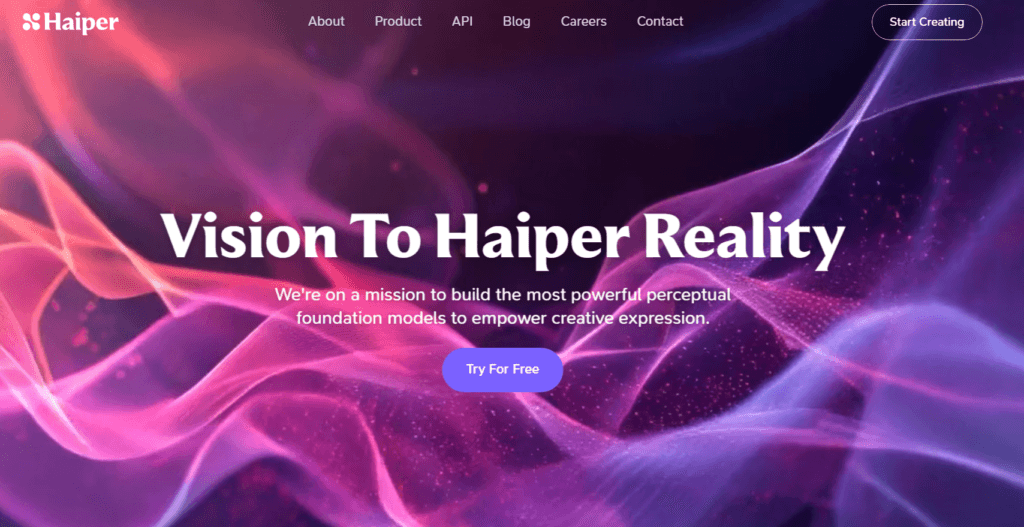
Haiper AI

Hyper-Realistic AI Video Generator – Fast Text-to-Video and Image-to-Video with Advanced Motion and Cinematic Quality
Tool Release Date

Mar 2024

Tool Users
N/A
0.0
πŸ‘ 69

About This AI

Haiper AI is a generative AI platform specializing in high-quality video creation from text prompts or images, founded in late 2021 by DeepMind alumni Dr. Yishu Miao and Dr. Ziyu Wang.

It produces hyper-realistic videos with superior motion, temporal consistency, and visual fidelity, supporting text-to-video, image-to-video, keyframe conditioning, and features like HD upscaling.

The platform offers models such as Haiper 2.0 (launched October 2024) and later versions, delivering fast generation speeds, realistic physics, and creative control via templates, styles, and precise prompts.

Users can create dynamic clips for marketing, education, entertainment, or personal projects, with options for resolution (up to 720p or higher in updates), duration, and aspect ratios.

Haiper emphasizes accessibility with a generous free tier (limited daily generations, watermarks) and paid memberships for unlimited/watermark-free/commercial use, priority speed, and advanced features.

Headquartered in London with additional office in Toronto, it has raised significant funding (around $19M+) and reached millions of users quickly after public launch in 2024.

With API integrations and collaborations (e.g., VEED), it’s suitable for creators, marketers, educators, and developers building visual content at scale.

The tool stands out for balancing speed, realism, and ease of use in the competitive AI video space.

Key Features

  1. Text-to-Video Generation: Transform detailed prompts into realistic dynamic videos with natural motion
  2. Image-to-Video Animation: Animate static images into captivating clips with added effects and movement
  3. Keyframe Conditioning: Precise control over video sequences using specified frames for ultra-accurate results
  4. HD Upscaler: Enhance resolution and quality of generated or uploaded content
  5. Templates and Styles: Pre-built creative options like Rainbow, Playground, Volcano for quick exploration
  6. Fast Generation: Hyper-fast processing for quick iterations and real-time creativity
  7. Realistic Motion and Physics: Advanced handling of dynamics, consistency, and lifelike visuals
  8. API Integrations: Seamless embedding into platforms like VEED for collaborative workflows
  9. Multi-Resolution Support: Options from 540p to higher for different needs and speeds
  10. Creative Controls: Adjust duration, aspect ratio, and prompt guidance for customized output

Price Plans

  1. Free ($0): Limited daily generations (e.g., 10 videos/day in beta periods), watermarked outputs, non-commercial use, basic models and features
  2. Explorer/Beta Paid ($8/Month billed yearly): Unlimited basic creations, monthly credits (e.g., 1500), still watermarked, no commercial
  3. Pro ($24/Month billed yearly or similar): Unlimited high-res, watermark-free, commercial rights, priority generation, advanced features and API access

Pros

  1. Hyper-realistic output: Strong motion realism, temporal consistency, and visual quality rivaling top competitors
  2. Fast and accessible: Quick generations even in free tier, user-friendly for beginners and pros
  3. Generous free access: Daily free videos (e.g., 10/day in some periods) with no immediate cost
  4. Versatile inputs: Text, image, keyframe support for flexible creative workflows
  5. Regular updates: Rapid model improvements (e.g., 2.0 for better speed/realism)
  6. Commercial potential: Paid plans enable watermark-free, high-res, and business use
  7. API and collaborations: Integrations expand usability for developers and platforms

Cons

  1. Free tier limitations: Daily caps, watermarks, no commercial use, and possible lower priority
  2. Paid for full features: Unlimited, HD, no watermark, and priority require subscription
  3. Variable generation time: Complex prompts may take longer even in paid
  4. Short clip focus: Primarily short-form videos (up to certain seconds; longer in updates)
  5. No offline mode: Fully web-based requiring internet
  6. Potential artifacts: Rare inconsistencies in highly complex or abstract prompts
  7. Regional/queue variability: Peak times may affect free user wait times

Use Cases

  1. Social media content: Create engaging short clips, Reels, or TikToks from ideas or photos
  2. Marketing and ads: Produce promotional videos, product demos, or branded visuals quickly
  3. Educational materials: Animate explanations, tutorials, or presentations with motion
  4. Entertainment and art: Generate cinematic scenes, animations, or creative stories
  5. Prototyping ideas: Test concepts for film, games, or VFX with fast iterations
  6. Personal projects: Turn photos into dynamic videos or visualize prompts
  7. Platform integrations: Embed generation in tools like VEED for enhanced workflows

Target Audience

  1. Content creators and influencers: Needing quick, high-quality short videos for platforms
  2. Marketers and advertisers: Producing promotional or social content efficiently
  3. Educators and trainers: Creating engaging animated lessons or demos
  4. Filmmakers and animators: Prototyping scenes or generating assets
  5. Developers and businesses: Using API for custom video tools or automation
  6. Casual users: Experimenting with free AI video creation

How To Use

  1. Visit site: Go to haiper.ai and sign up/log in (free account for basic access)
  2. Choose mode: Select Text to Video, Image to Video, or other tools from dashboard
  3. Input content: Enter detailed text prompt or upload image reference
  4. Customize: Adjust duration, resolution, style/template, aspect ratio, and negative prompts
  5. Generate: Submit prompt; wait for processing and preview result
  6. Refine or download: Iterate with edits or download (HD in paid; watermarked free)
  7. Explore features: Use templates, keyframe conditioning, or API for advanced use

How we rated Haiper AI

  • Performance: 4.7/5
  • Accuracy: 4.6/5
  • Features: 4.8/5
  • Cost-Efficiency: 4.5/5
  • Ease of Use: 4.8/5
  • Customization: 4.7/5
  • Data Privacy: 4.4/5
  • Support: 4.3/5
  • Integration: 4.5/5
  • Overall Score: 4.6/5

Haiper AI integration with other tools

  1. VEED Platform: Seamless collaboration and integration for enhanced video editing workflows
  2. API Access: Developer API for embedding Haiper generation into custom apps or services
  3. Social Media Export: Optimized formats for direct sharing to TikTok, Instagram, YouTube
  4. Third-Party Editors: Export MP4 clips for import into Premiere Pro, CapCut, DaVinci Resolve
  5. Web and Mobile Apps: Native support across browsers, iOS app for on-the-go creation

Best prompts optimised for Haiper AI

  1. A serene Japanese garden at cherry blossom season, petals gently falling in slow motion, soft sunlight filtering through trees, cinematic camera pan, ultra realistic, 8k detail
  2. Futuristic cityscape at dusk with flying vehicles and neon holograms, dynamic drone shot flying between skyscrapers, cyberpunk atmosphere, dramatic lighting, high motion
  3. Cozy coffee shop interior on a rainy day, steam rising from fresh latte, close-up shot of barista pouring art, warm tones, realistic textures, slow motion
  4. Epic space battle between starships in asteroid field, laser fire and explosions, sweeping camera orbit, cinematic sci-fi style, intense action, detailed VFX
  5. A graceful ballerina dancing in a moonlit forest, ethereal gown flowing, magical particles in air, smooth tracking shot, fantasy realism, soft blue lighting
Haiper AI delivers impressive hyper-realistic video generation with fast speeds, strong motion realism, and versatile inputs like text or images. The free tier allows solid daily use while paid plans unlock unlimited high-res commercial creation. Great for creators and marketers seeking cinematic quality without heavy production.

FAQs

  • What is Haiper AI?

    Haiper AI is an AI video generator that creates high-quality, realistic videos from text prompts or images, with strong motion, temporal consistency, and creative controls.

  • Is Haiper AI free to use?

    Yes, it offers a free tier with daily limits (e.g., 10 videos/day in some periods), watermarked outputs, and non-commercial use; paid plans start around $8/month for more credits and features.

  • When was Haiper AI launched?

    Founded in late 2021, Haiper publicly launched in March 2024 with major updates like Haiper 2.0 in October 2024.

  • Who founded Haiper AI?

    Haiper was founded by Dr. Yishu Miao (CEO) and Dr. Ziyu Wang (CTO), both former Google DeepMind researchers with PhDs from Oxford.

  • What video features does Haiper AI support?

    It includes text-to-video, image-to-video, keyframe conditioning, HD upscaling, templates, styles, and fast generation with realistic physics and motion.

  • Does Haiper AI allow commercial use?

    Yes, paid plans (e.g., Pro) provide watermark-free videos, commercial rights, and priority generation; free tier is restricted to non-commercial.

  • What integrations does Haiper AI have?

    It supports API access, VEED collaboration, and export formats compatible with editing tools like Premiere Pro or CapCut.

  • How does Haiper AI compare to competitors?

    Haiper stands out for hyper-realistic motion, speed, and accessibility, often praised as a strong alternative to Runway or Kling in user reviews.


Newly Added Tools​

CodeRabbit

$0/Month

Code Genius

$0/Month

AskCodi

$20/Month

PearAI

$0/Month
Haiper AI Alternatives

Seedance 2.0

$0/Month

VideoGen

$12/Month

WUI.AI

$10/Month

Haiper AI Reviews

0.0
0.0 out of 5 stars (based on 0 reviews)
Excellent0%
Very good0%
Average0%
Poor0%
Terrible0%

There are no reviews yet. Be the first one to write one.







