
What is Murf AI?
Murf AI is a powerful text-to-speech platform that generates ultra-realistic human-like voiceovers with 200+ voices in 20+ languages, perfect for videos, presentations, e-learning, ads, and more.
Is Murf AI free to use?
Yes, it has a free plan with 10 minutes of voice generation (watermarked, non-commercial); paid plans start at $19/month for commercial use, unlimited minutes, and advanced features.
How many voices does Murf AI have?
Murf offers over 200 natural-sounding AI voices across more than 20 languages and numerous accents, including male, female, and child voices.
Does Murf AI support voice cloning?
Yes, you can create a custom AI voice clone from your own recording (a few minutes of audio required) — available in paid plans.
Can I use Murf AI commercially?
Yes, all paid plans (Creator, Pro, Enterprise) include full commercial licensing rights for YouTube, ads, corporate use, e-learning, and more.
What languages does Murf AI support?
Murf supports voice generation in 20+ languages including English (multiple accents), Spanish, French, German, Hindi, Arabic, Chinese, Japanese, and many more.
Does Murf AI offer API access?
Yes, API access is available in the Enterprise plan for programmatic voice generation and integration into custom applications.
Is Murf AI good for e-learning and courses?
Yes, Murf is extremely popular among course creators for its clear, professional narration, multi-speaker support, and easy integration with LMS platforms.
Murf AI

About This AI
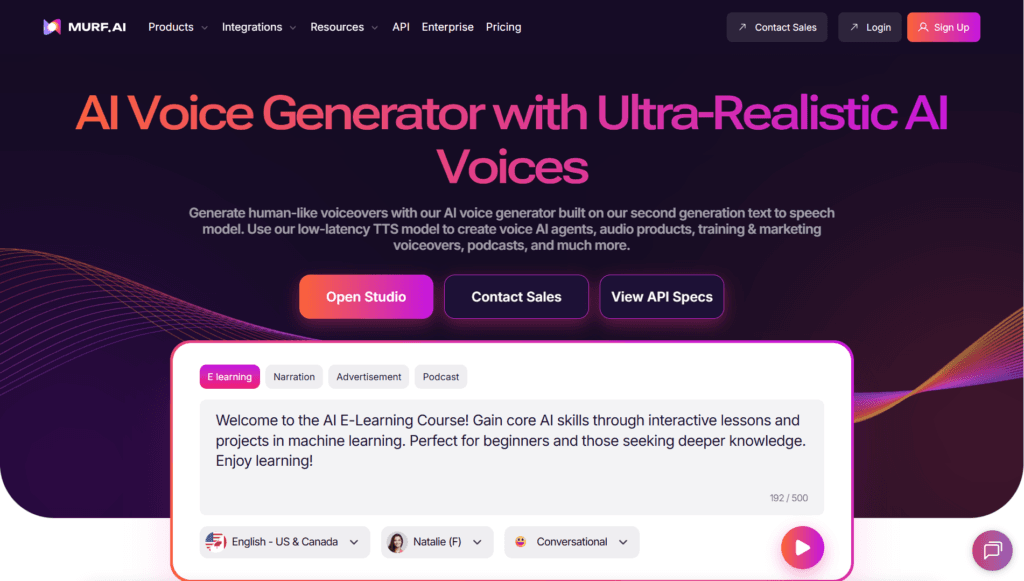
Murf AI is a leading AI-powered text-to-speech and voice generation platform that creates ultra-realistic, human-like voiceovers in seconds.
It offers more than 200 natural-sounding AI voices across 20+ languages and multiple accents, with full control over pitch, speed, emphasis, pauses, pronunciation, and tone.
Users can generate professional voiceovers for videos, presentations, e-learning, ads, audiobooks, podcasts, explainer videos, IVR, YouTube, social media, and corporate training.
Advanced features include voice cloning (create custom voice from just a few minutes of audio), AI dubbing with lip-sync, voice changer, background music library, multi-speaker projects, and one-click editing.
The platform also provides voiceover translation, script generation, and team collaboration tools.
Murf is widely used by creators, marketers, educators, enterprises, and agencies for its studio-quality output, ease of use, and commercial licensing.
It offers a generous free plan with limited minutes and basic features, while paid plans unlock unlimited generations, higher quality, voice cloning, commercial rights, and priority support.
With millions of users and constant model improvements, Murf AI is recognized as one of the most realistic and versatile AI voice generation tools available in 2026.
Key Features
- 200+ Ultra-Realistic AI Voices: Diverse male, female, and child voices in 20+ languages and multiple accents
- Voice Cloning: Create your own custom AI voice from just a few minutes of recorded audio
- Voice Changer: Instantly convert your voice into any of the available AI voices
- Fine-tune Control: Adjust pitch, speed, emphasis, pauses, pronunciation, and tone per word/sentence
- Multi-speaker Projects: Create dialogues with different voices in one project
- AI Dubbing & Lip-Sync: Translate and dub videos with perfect lip movement matching
- Background Music Library: Add royalty-free music and sound effects to voiceovers
- Voiceover Translation: Translate script and generate voiceover in target language
- Commercial Use Rights: All paid plans allow full commercial licensing of generated audio
- Team Collaboration: Workspaces, shared projects, and role-based access for teams
- Script Generation: Built-in AI to help write or improve voiceover scripts
Price Plans
- Free ($0): 10 minutes of voice generation, basic voices, watermarked downloads, no commercial rights
- Creator ($19/user/Month): 24 hours/year of voice generation, commercial use, 200+ voices, basic voice cloning
- Pro ($39/user/Month): 48 hours/year, advanced voice cloning, team collaboration, priority support
- Enterprise (Custom): Unlimited generations, dedicated support, custom voices, API access, advanced security
Pros
- Extremely natural voice quality: Frequently rated among the most realistic TTS voices available
- Huge voice and language variety: 200+ voices, 20+ languages, dozens of accents
- Very easy to use: Intuitive drag-and-drop interface suitable for beginners and pros
- Powerful editing controls: Word-level customization gives professional-level flexibility
- Voice cloning capability: High-quality custom voices with minimal audio input
- Commercial licensing included: Safe for YouTube, ads, e-learning, corporate use
- Generous free plan: Good for testing and small personal projects
- Regular voice updates: Continuously adding new voices, accents, and languages
Cons
- Free plan limitations: Only 10 minutes of voice generation and no commercial rights
- Voice cloning restricted: Available only in higher paid plans
- Expensive for heavy users: Enterprise needs can get costly quickly
- Web-only platform: No dedicated desktop or offline application
- Occasional pronunciation issues: Rare errors with very technical terms or names
- Lip-sync still improving: Dubbing quality very good but not always perfect
- Export speed: Long projects can take several minutes to render in high quality
Use Cases
- Video content creation: YouTube, TikTok, explainer videos, product demos
- E-learning & training: Online courses, corporate training modules, tutorials
- Advertising & marketing: Radio ads, promo videos, social media campaigns
- Audiobooks & podcasts: Narration with multiple character voices
- IVR & phone systems: Professional automated voice responses
- Presentations & reports: Adding narration to PowerPoint/Google Slides
- Multilingual content: Creating localized versions of videos/training
Target Audience
- Content creators & YouTubers: Needing quick, realistic voiceovers
- Marketers & advertisers: Creating professional ads and promos
- Educators & course creators: Producing engaging e-learning content
- Corporate trainers & HR: Developing internal training materials
- Podcasters & audiobook producers: Looking for high-quality narration
- Businesses & agencies: Requiring scalable, commercial voice generation
How To Use
- Sign up: Create free account at murf.ai (no credit card needed)
- Choose voice: Browse or search from 200+ voices and select one
- Write or paste script: Type text or paste your script into the editor
- Customize: Adjust speed, pitch, emphasis, pauses, pronunciation
- Add music/effects: Select background track from library if desired
- Generate & preview: Click generate to hear the voiceover instantly
- Download: Export as MP3/WAV (commercial use with paid plan)
How we rated Murf AI
- Performance: 4.8/5
- Accuracy: 4.7/5
- Features: 4.9/5
- Cost-Efficiency: 4.5/5
- Ease of Use: 4.9/5
- Customization: 4.8/5
- Data Privacy: 4.6/5
- Support: 4.5/5
- Integration: 4.4/5
- Overall Score: 4.7/5
Murf AI integration with other tools
- Video Editing Software: Easy export to Premiere Pro, Final Cut Pro, DaVinci Resolve, CapCut
- Presentation Tools: Perfect for PowerPoint, Google Slides, Canva narration
- Learning Management Systems: Upload voiceovers to Moodle, Thinkific, Teachable, Kajabi
- Social Media Platforms: Optimized for YouTube, TikTok, Instagram Reels, LinkedIn
- API Access (Enterprise): Programmatic voice generation for custom applications
Best prompts optimised for Murf AI
- Generate a warm, professional female voice in American English for an e-learning course introduction, slow pace, friendly tone, slight emphasis on key words
- Create a deep, confident male British voice for a luxury car advertisement, medium-fast pace, energetic and premium feel
- Use a young, enthusiastic female voice in Spanish (Mexico) for an upbeat social media promo video, fast pace, excited tone
- Narrate this children's story with a gentle, storytelling female voice, slow and expressive with warm emotion
- Record a corporate training module in neutral Indian English, professional female voice, clear diction, calm and authoritative tone
FAQs
Newly Added Tools







About Author