


Zelili AI

Notta AI

Transcribe, Summarize, and Extract Action Items from Calls
Tool Release Date

1 Jan 2021

Tool Users
10 Million+
0.0
๐Ÿ‘ 25

About This AI

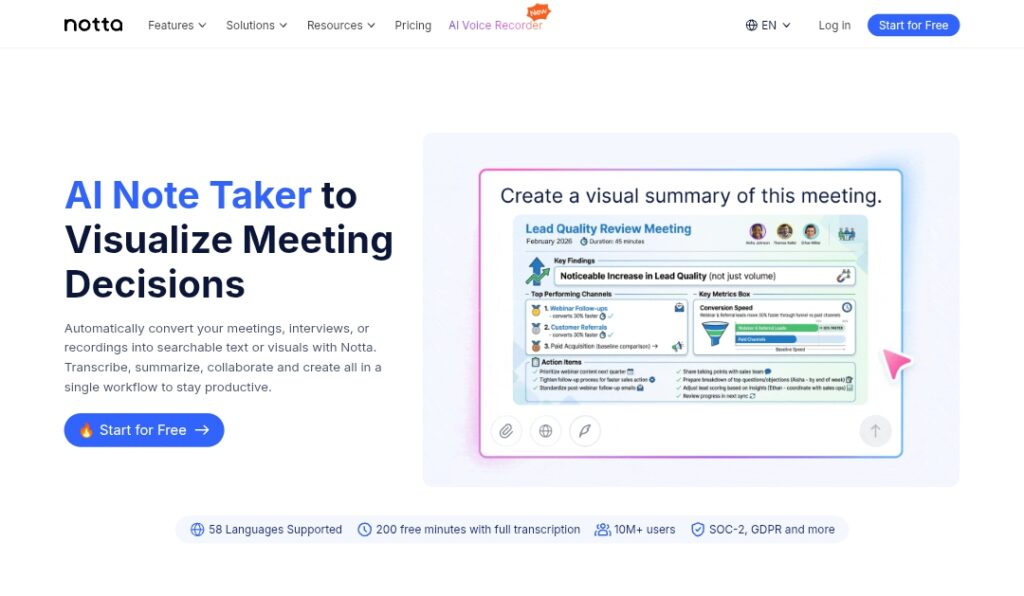
Notta AI is a powerful AI-powered meeting assistant that transcribes, summarizes, and organizes video calls and audio recordings in real time.

It supports over 58 languages with high accuracy transcription, automatic speaker identification, and intelligent summaries highlighting key points, decisions, and action items.

The tool integrates seamlessly with Zoom, Google Meet, Microsoft Teams, Webex, and other platforms, auto-joining meetings or allowing upload of recordings for processing.

Users can search transcripts, generate follow-up emails/tasks, create mind maps, translate content, and export to Notion, Slack, or other tools.

Additional features include real-time collaboration, customizable templates, noise reduction, filler word removal, and secure cloud storage with end-to-end encryption.

Notta boosts productivity by automating note-taking, saving hours on post-meeting admin, and ensuring nothing important is missed in discussions.

Founded in 2020 and serving millions of users worldwide (especially in sales, education, journalism, and remote teams), it offers a free plan with limits and paid tiers for unlimited transcription and advanced features.

Available as web app, mobile apps (iOS/Android), Chrome extension, and desktop recorder, Notta is trusted for its speed, accuracy, and ease of use in professional environments.

Key Features

  1. Real-time transcription: Accurate live transcription for Zoom, Teams, Meet, Webex, and more
  2. Multi-language support: Transcribes and translates in over 58 languages with speaker detection
  3. AI summaries: Generates concise overviews, key topics, action items, and decisions
  4. Smart action extraction: Automatically identifies and lists follow-ups, tasks, and deadlines
  5. Meeting integration: Auto-joins calendar events or records via extension/recorder
  6. Searchable transcripts: Full-text search across all past meetings and recordings
  7. Collaboration tools: Share, comment, highlight, and collaborate on transcripts in real time
  8. Export and integrations: Send summaries to Notion, Slack, email, or download as TXT/PDF/Word
  9. Noise reduction: Filters background noise and removes filler words for cleaner output
  10. Custom templates: Tailor summary formats for different meeting types or industries

Price Plans

  1. Free ($0): 120 transcription minutes per month, basic summaries, limited integrations, 3 concurrent meetings
  2. Pro ($9/user/Month or $108/user/Year): Unlimited transcription minutes, advanced summaries, custom templates, priority support, unlimited storage, team collaboration
  3. Business ($18/user/Month or $216/user/Year): All Pro features plus admin controls, priority transcription, team management, advanced security, API access

Pros

  1. High transcription accuracy: Strong performance across accents and languages
  2. Time-saving automation: Reduces post-meeting work by generating ready-to-use notes and tasks
  3. Seamless platform support: Works with most popular video conferencing tools
  4. Generous free plan: 120 minutes/month free transcription with core features
  5. Fast processing: Quick summaries and searchable archives for easy retrieval
  6. Secure and private: End-to-end encryption and compliance with data protection standards
  7. Mobile and web access: Full functionality across devices and platforms

Cons

  1. Limited free minutes: 120 minutes/month cap pushes frequent users to paid plans
  2. Pro features locked: Unlimited transcription, advanced integrations, and custom templates require subscription
  3. Occasional speaker errors: May misidentify speakers in very noisy or overlapping audio
  4. Web-focused experience: Desktop recorder available but core power in browser/app
  5. Dependency on internet: Real-time features need stable connection
  6. Learning curve for advanced: Templates and integrations take time to master

Use Cases

  1. Business meetings: Transcribe sales calls, standups, client discussions for accurate follow-up
  2. Education and lectures: Record classes, generate summaries, and create study notes
  3. Journalism and interviews: Capture interviews with speaker labels and searchable archives
  4. Remote team collaboration: Keep everyone aligned with shared transcripts and action items
  5. Research and analysis: Transcribe focus groups, extract insights, and organize findings
  6. Personal productivity: Record 1:1s, brainstorming, or self-notes for later review
  7. Multilingual teams: Transcribe and translate discussions in multiple languages

Target Audience

  1. Professionals and managers: In sales, product, marketing needing meeting recaps
  2. Remote and hybrid teams: Requiring accurate notes from video calls
  3. Educators and students: Capturing lectures, seminars, or study sessions
  4. Journalists and researchers: Documenting interviews and discussions
  5. Small businesses: Automating admin and improving communication
  6. Multinational companies: Handling multilingual meetings and translations

How To Use

  1. Sign up: Create free account at notta.ai and start 120-minute trial
  2. Connect calendar: Link Google/Outlook calendar for auto-join or use extension
  3. Join meeting: Notta auto-transcribes live or upload audio/video file
  4. Review transcript: Check real-time text with speaker labels and highlights
  5. Generate summary: Click to create overview, action items, or custom template
  6. Search and share: Use search for past meetings; export or send to Slack/Notion
  7. Upgrade for unlimited: Switch to Pro/Business for no minute limits and extras

How we rated Notta AI

  • Performance: 4.7/5
  • Accuracy: 4.6/5
  • Features: 4.8/5
  • Cost-Efficiency: 4.5/5
  • Ease of Use: 4.8/5
  • Customization: 4.4/5
  • Data Privacy: 4.6/5
  • Support: 4.5/5
  • Integration: 4.7/5
  • Overall Score: 4.7/5

Notta AI integration with other tools

  1. Video Conferencing: Native support for Zoom, Google Meet, Microsoft Teams, Webex, and more
  2. Calendar Apps: Google Calendar and Outlook for automatic meeting joining
  3. Productivity Tools: Export summaries and tasks to Notion, Slack, email, or other platforms
  4. Browser Extension: Chrome extension for quick recording and transcription
  5. Mobile Apps: iOS and Android apps for on-the-go recording and access

Best prompts optimised for Notta AI

  1. Not applicable - Notta AI is a meeting transcription and summarization tool that works automatically on calls/recordings without manual prompting for content generation.
  2. N/A - Core functionality is automatic processing of audio/video meetings; no user prompts needed for transcription or summary creation.
  3. N/A - Tool focuses on real-time capture and AI analysis rather than generative prompting like chat or image tools.
Notta AI delivers excellent real-time transcription, summaries, and action item extraction for meetings across major platforms. With strong multilingual support and seamless integrations, it saves hours on notes and follow-ups. Free plan suits casual use, while Pro at $9/month unlocks unlimited power. Great choice for professionals and teams relying on video calls.

FAQs

  • What is Notta AI?

    Notta AI is an AI meeting assistant that provides real-time transcription, summaries, action items, and searchable notes for Zoom, Teams, Meet, and other calls in 58+ languages.

  • Is Notta AI free to use?

    Yes, free plan includes 120 transcription minutes per month; Pro starts at $9/user/month for unlimited minutes, advanced summaries, and extra features.

  • How many languages does Notta AI support?

    Notta supports transcription and translation in over 58 languages with high accuracy and speaker identification.

  • What platforms does Notta AI integrate with?

    It works with Zoom, Google Meet, Microsoft Teams, Webex, and allows calendar auto-join plus exports to Notion, Slack, and more.

  • When was Notta AI founded?

    Notta was founded in 2020 and has grown to serve millions of users worldwide with continuous updates.

  • Does Notta AI support real-time collaboration?

    Yes, multiple users can view, highlight, comment, and collaborate on transcripts during or after meetings.

  • Can Notta AI generate follow-up emails or tasks?

    Yes, it automatically extracts action items and allows one-click generation of follow-up emails or task lists.

  • Is Notta AI secure for business use?

    Yes, it uses end-to-end encryption, complies with data protection standards, and offers enterprise-grade security in Business plan.


Newly Added Toolsโ€‹

Qodo AI

$0/Month

Codiga

$10/Month

Tabnine

$59/Month

CodeRabbit

$0/Month
Notta AI Alternatives

Synthflow AI

$0/Month

Fireflies

$10/Month

ACE-Step v1.5

$0/Month

Notta AI Reviews

0.0
0.0 out of 5 stars (based on 0 reviews)
Excellent0%
Very good0%
Average0%
Poor0%
Terrible0%

There are no reviews yet. Be the first one to write one.