
What is SAM Audio?
SAM Audio is Meta’s open-source unified multimodal model for audio separation, allowing isolation of any sound from complex mixtures using text, visual, or time-span prompts.
When was SAM Audio released?
SAM Audio was officially introduced and released by Meta on December 16, 2025.
Is SAM Audio free to use?
Yes, it is completely free and open-source under the SAM License, with model checkpoints, code, and a Playground demo available for research and commercial use.
What prompts does SAM Audio support?
It supports text prompts (describe the sound), visual prompts (click on video source), and time-span prompts (select segment in timeline).
Where can I try SAM Audio?
Test it instantly in the Segment Anything Playground at aidemos.meta.com/segment-anything/editor/segment-audio, or download from GitHub/Hugging Face for local use.
What types of audio can SAM Audio separate?
It handles general sounds (e.g., traffic, barking), music (instruments/vocals), and speech (speakers from noise) from audio or video files.
What license does SAM Audio use?
Released under the SAM License, allowing both research and commercial applications with no restrictions on usage.
How does SAM Audio compare to other tools?
It sets new standards with multimodal prompting and unified handling of sounds/music/speech, outperforming previous separation models on benchmarks.

SAM Audio

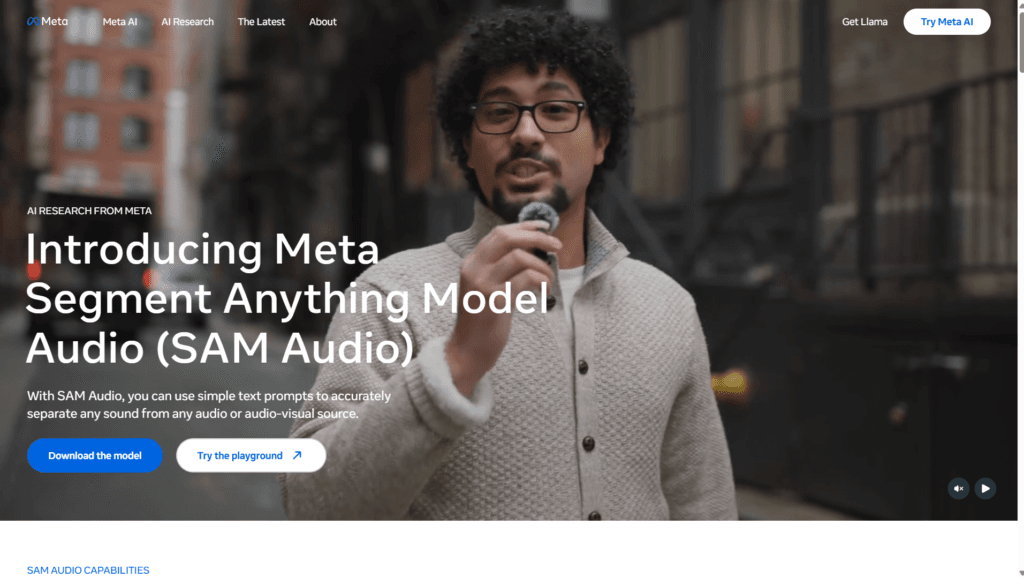
About This AI
SAM Audio is Meta’s groundbreaking open-source foundation model for audio separation, released December 16, 2025, as the audio counterpart to the Segment Anything family.
It allows users to isolate any specific sound, music instrument, vocals, or speech from complex audio or audio-visual mixtures using intuitive multimodal prompts: text descriptions, visual cues (clicking on video sources), or temporal time-span selections.
The unified model handles general sounds (traffic, barking dogs), music (separating guitar from band mix), and speech (isolating speakers from noise), producing both target and residual audio stems with high quality.
Built on a flow-matching Diffusion Transformer in DAC-VAE latent space and powered by the new Perception Encoder Audiovisual (PE-AV) extension of Meta’s Perception Encoder, it achieves state-of-the-art performance across diverse real-world benchmarks.
Available for download on GitHub/Hugging Face under SAM License (research and commercial use), with a demo in the Segment Anything Playground for easy testing.
Applications include music production, podcast editing, film post-production, accessibility (hearing aid enhancements), scientific audio analysis, and content creation by removing unwanted noises or isolating elements.
As a fully open model, it enables developers to integrate advanced audio separation into apps, tools, or research without proprietary restrictions.
Key Features
- Multimodal prompting: Separate sounds using text descriptions, visual clicks on video, or selected time spans in audio
- Target and residual separation: Outputs both isolated target audio and remaining mixture stem
- Unified model architecture: Handles general sounds, music instruments/vocals, and speech in one framework
- State-of-the-art performance: Outperforms prior models on diverse audio separation benchmarks
- Flow-matching Diffusion Transformer: Operates in DAC-VAE latent space for high-fidelity results
- Perception Encoder Audiovisual (PE-AV): Extends visual embeddings to multimodal audio understanding
- Open-source availability: Full model checkpoints, inference code, and evaluation tools on GitHub/Hugging Face
- Segment Anything Playground demo: Try separation interactively without local setup
- Research and commercial license: SAM License allows broad use including commercial applications
Price Plans
- Free ($0): Fully open-source model with checkpoints, code, and Playground demo; no usage fees for download, local run, or research/commercial integration
- Cloud/Enterprise (Custom): Potential future hosted options or premium support via Meta AI (not available at launch)
Pros
- Intuitive prompting: Natural text/visual/time inputs make separation accessible without technical expertise
- Versatile across audio types: Excels at music, speech, and general sound isolation in real-world mixtures
- High-quality stems: Clean target isolation with minimal artifacts and full residual preservation
- Fully open-source: Download, run locally, integrate, or fine-tune freely under permissive license
- Multimodal innovation: First to unify text, visual, and span prompting for audio tasks
- Strong real-world utility: Useful for creators, editors, accessibility, and scientific analysis
- Easy demo access: Playground lets anyone test capabilities instantly
Cons
- Requires local setup for full use: Playground is demo-only; advanced features need GPU/hardware
- Compute intensive: Inference demands powerful GPU for fast processing of long audio
- Early release stage: Released late 2025; community integrations and optimizations still emerging
- No hosted API yet: Must run locally or via custom deployment for production use
- Limited prompt robustness: Complex or ambiguous prompts may require iteration for best results
- No mobile/web native app: Primarily research/dev focused rather than consumer-ready app
- Potential artifacts in edge cases: Very noisy/overlapping sources can challenge even SOTA models
Use Cases
- Music production: Isolate instruments/vocals from mixes for remixing or stem creation
- Podcast/video editing: Remove background noise, isolate speakers, or clean unwanted sounds
- Film post-production: Separate dialogue, effects, or music from complex scenes
- Accessibility enhancements: Isolate speech for hearing aids or captioning tools
- Scientific audio analysis: Extract specific events/sounds from field recordings
- Content creation: Clean audio for social media, remove distractions in recordings
- Developer integration: Build apps/tools with advanced audio separation via model code
Target Audience
- Audio engineers and producers: For precise sound isolation in music and post-production
- Video creators and podcasters: Cleaning and editing audio from recordings
- Film/TV professionals: Dialogue/effects separation in complex mixes
- Accessibility researchers: Improving hearing tech and captioning
- AI developers and researchers: Extending or integrating the open model
- Content creators: Quick fixes for noisy social media or personal audio
How To Use
- Visit Playground: Go to aidemos.meta.com/segment-anything/editor/segment-audio for instant demo
- Upload audio/video: Load your file (audio or audiovisual source)
- Provide prompt: Use text (e.g., 'isolate the guitar'), click visual source in video, or mark time span
- Run separation: Model processes and outputs isolated target + residual stems
- Download results: Export separated audio files for editing
- Local setup: Clone GitHub repo (facebookresearch/sam-audio), install dependencies, download checkpoints from Hugging Face
- Run inference: Use provided notebooks/scripts with your prompts and media
How we rated SAM Audio
- Performance: 4.8/5
- Accuracy: 4.7/5
- Features: 4.9/5
- Cost-Efficiency: 5.0/5
- Ease of Use: 4.5/5
- Customization: 4.6/5
- Data Privacy: 4.8/5
- Support: 4.4/5
- Integration: 4.5/5
- Overall Score: 4.8/5
SAM Audio integration with other tools
- Segment Anything Playground: Web-based demo for instant testing without installation
- GitHub Repository: Full inference code, checkpoints, and example notebooks for local/dev use
- Hugging Face: Model weights and community spaces for easy download and experimentation
- Audio Editing Software (Potential): Export stems to DAWs like Audacity, Reaper, Logic Pro, or Adobe Audition
- Custom Apps: Integrate via code for developers building audio tools or accessibility features
Best prompts optimised for SAM Audio
- Isolate the lead guitar solo from this rock band recording while preserving the drums and vocals
- Separate the speaking voice from background traffic noise in this street interview video
- Extract only the dog barking sounds from this park ambient audio clip
- Remove the piano accompaniment and keep just the singer's vocals in this acoustic track
- Isolate the dialogue between two characters in this movie scene clip, excluding music and effects
FAQs
Newly Added Tools







About Author